
4.3.170.1
Release Date: 21st October 2026
New Features
Object Editor
Object Admin has been redesigned and is now available as the Object Editor under Configuration > System Administration. Administrators can now select a class from a single Class dropdown to view its data in one consolidated grid, replacing the previous menu-based navigation.
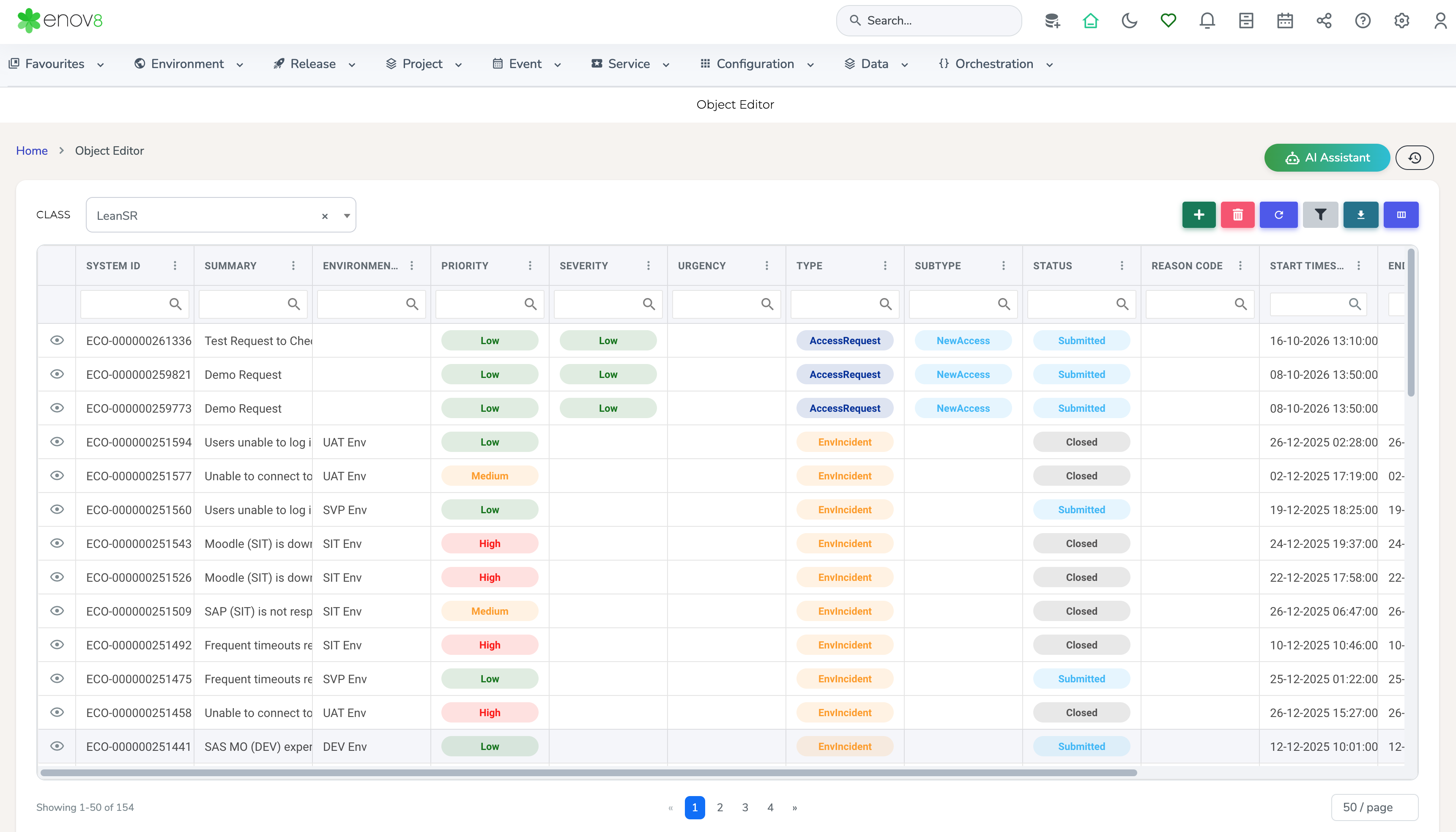
Object Editor
Custom Dashboard – Custom Layout
A Custom Layout option has been added to Custom Dashboard, allowing users to define their own dashboard templates rather than relying solely on the predefined templates. Layouts are built from configurable rows of widgets, providing greater flexibility in how dashboards are presented.
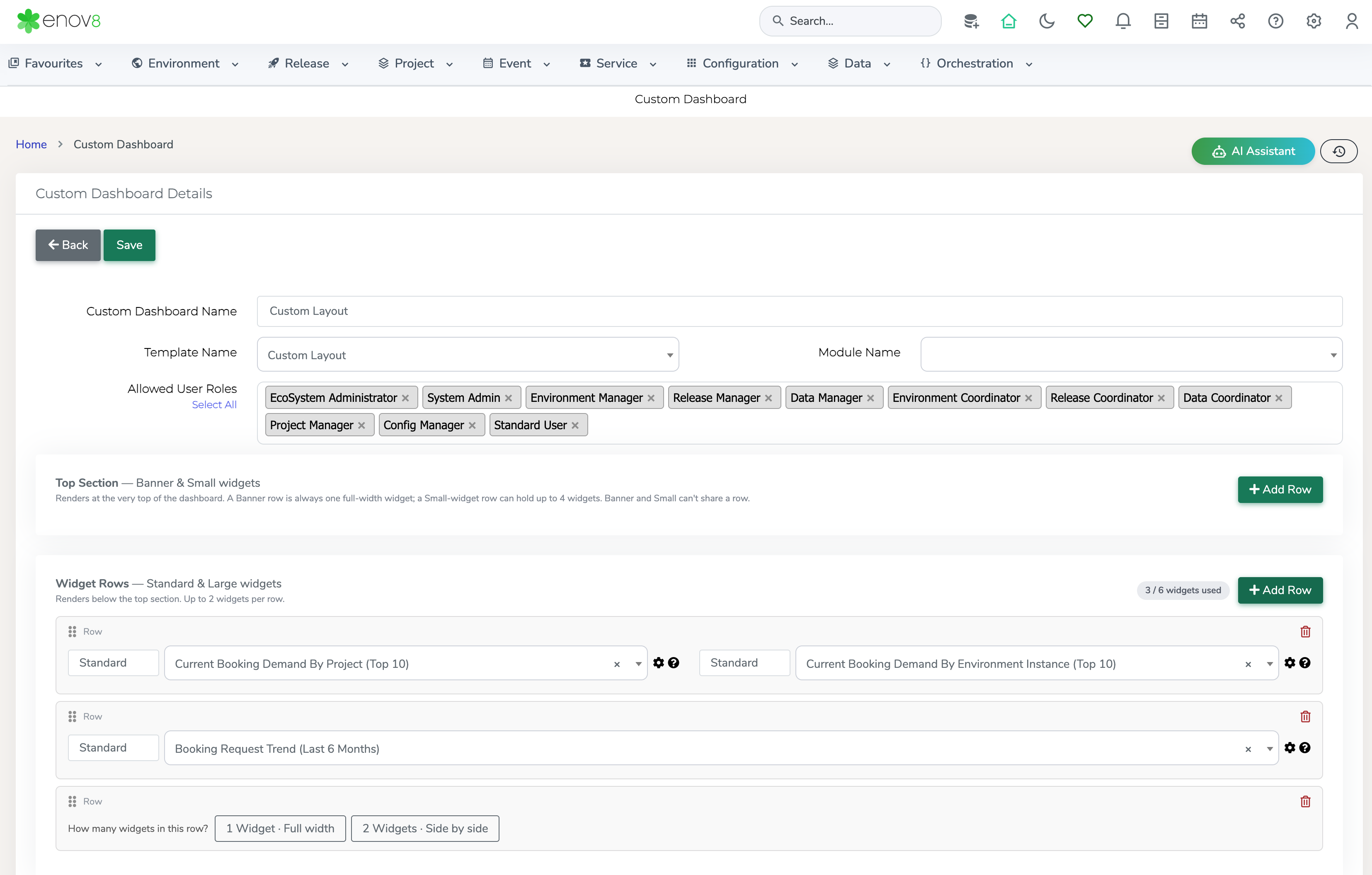
Custom Layout
Enhancements
Manage Runsheets – Import / Export Enhancements
The Import / Export feature in Manage Runsheets now supports additional columns, providing full coverage of the fields available on a runsheet task. This allows runsheet tasks to be exported and imported with complete field data.
Release / Project Environment View Report – Multi-Release Selection
The Release / Project Environment View report now supports the selection of multiple releases, allowing environment usage across several releases to be reviewed together in a single view.
Event Calendar – Multi-System Selection
The Event Calendar now supports the selection of multiple systems, allowing users to view event data for several systems at once.
System Instances – Interface Details in Fact Sheet
System Interface details are now available in the Fact Sheet view of System Instances, providing a more complete view of an instance and its interfaces in one place.
Booking Approval Queue Report – Creation Date and Parent Booking Access
The Booking Approval Queue report now displays the booking creation date and provides an option to view the parent booking record.
Booking Fact Sheet – Navigation to Booking Insight Report
The Booking Fact Sheet view now allows users to navigate directly to the Booking Insight report. This option is available for Confirmed and Unconfirmed bookings only.
Environment Pulse – Full Screen Mode
The Environment Pulse dashboard now supports a full screen mode. Users can toggle the view to expand the dashboard to full screen, making it easier to monitor environment status on large displays.
Service Request Form – Version Field for Change Requests
The Service Request form now includes a Version field for the Change Request type, allowing the version associated with a change to be captured as part of the request.