
4.3.168.1
Release Date: 1st April 2026
New Features
Horizontal Navigation Menu
A new horizontal navigation menu has been introduced to provide direct, streamlined access to core Enov8 modules, reducing reliance on nested navigation structures.
The updated navigation model centralises access to key modules (Environment, Release, Project, Event, Service, Configuration, Data, Orchestration), improving efficiency and simplifying the user experience. The scalable design also ensures the menu can accommodate future module expansion without impacting usability.
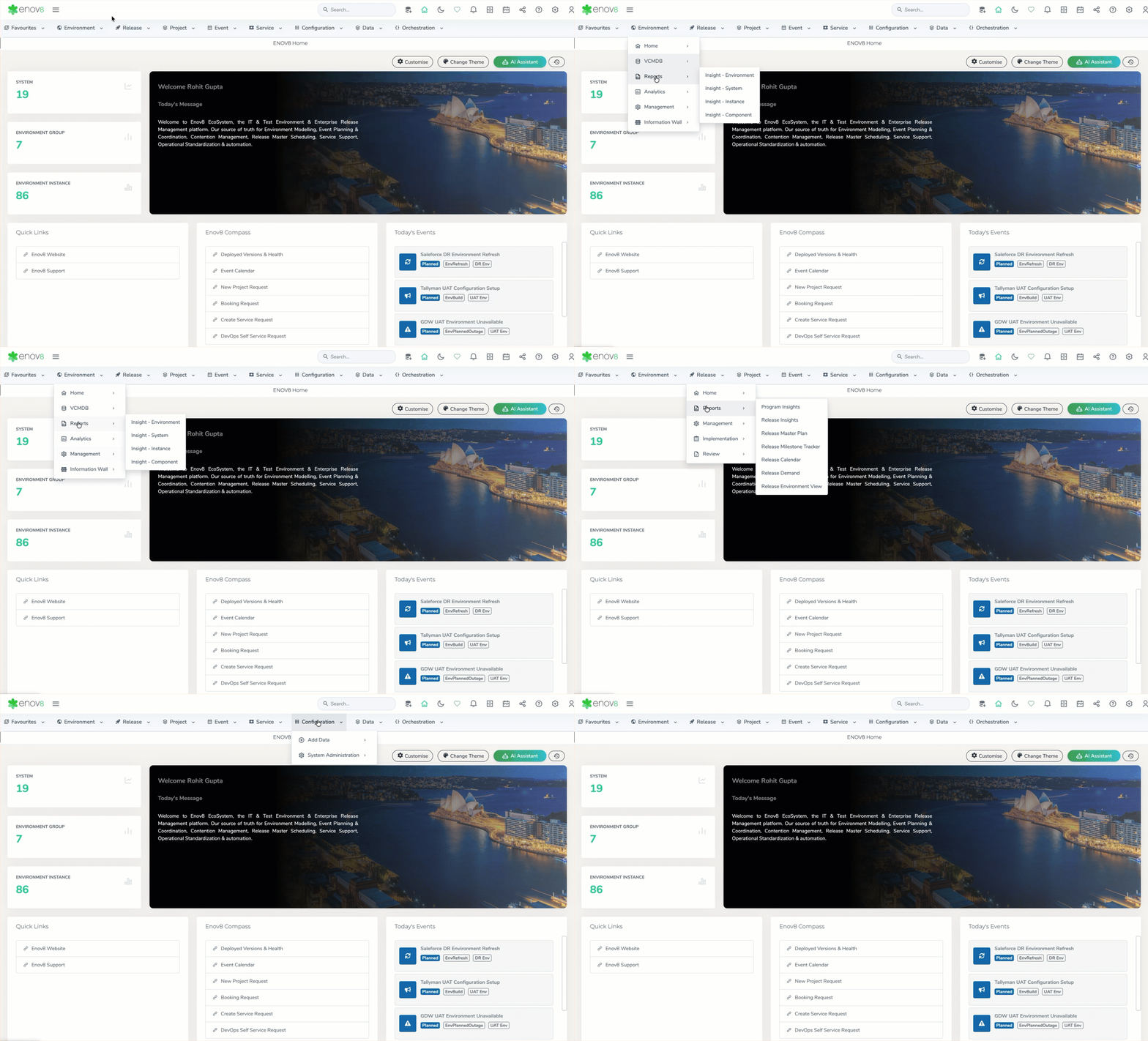
Horizontal Menu
Environment Flow – End-to-End Flow Modelling & Status Monitoring
A new capability, Environment Flow, has been introduced to enable modelling of end-to-end flows across environment instances and system interfaces. Users can define logical flows representing interconnected components within their environment landscape, providing a clearer view of system interactions and dependencies.
Each flow is assigned a dynamic status that reflects the health of its underlying components. Any change in the status of an environment instance or interface (e.g., downtime or failure) is automatically propagated to the associated flow, allowing users to quickly identify impacted flows and take corrective action. This enhances visibility, improves impact analysis, and supports proactive monitoring of critical environment pathways.
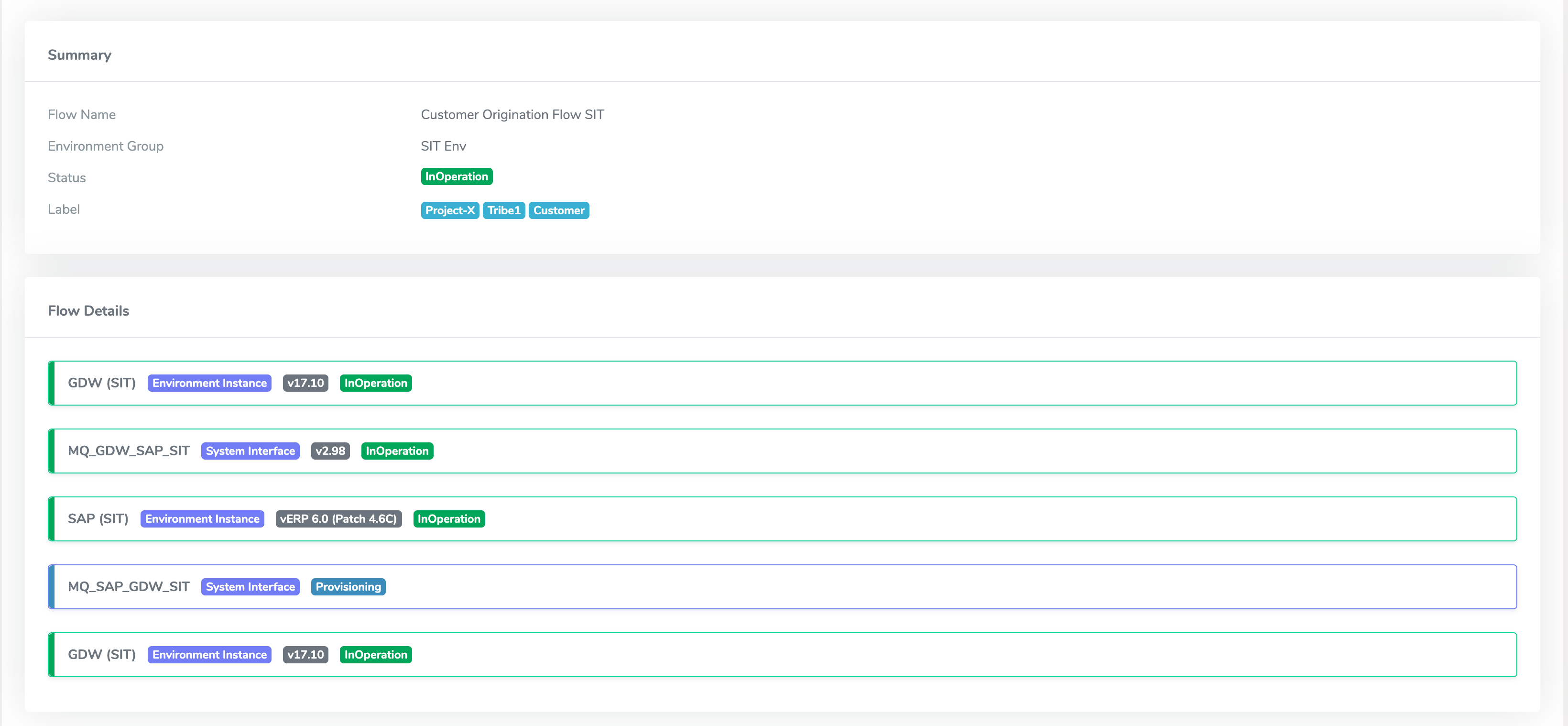
Environment Flow
Enhancements
Redesigned Top Bar
The top bar has been redesigned to deliver a cleaner, more structured interface with enhanced accessibility to global actions. The update introduces support for dark and light mode, along with modernised icons and refreshed visual styling, improving overall clarity and consistency.
The enhanced layout and visual hierarchy provide a more intuitive user experience, enabling quicker access to key actions while aligning with the platform’s broader UI modernisation.

Top Bar
Global Search – UI Modernisation & Category-Based Filtering
The Global Search experience has been redesigned with a modern UI, improving usability, readability, and overall visual consistency across the platform.
The update introduces category-based filtering via a left-hand panel, allowing users to quickly refine results across areas such as Environment, Events, Systems, and Packages. With grouped results and category-level visibility, users can navigate search outcomes more efficiently, reducing the time required to locate relevant records.
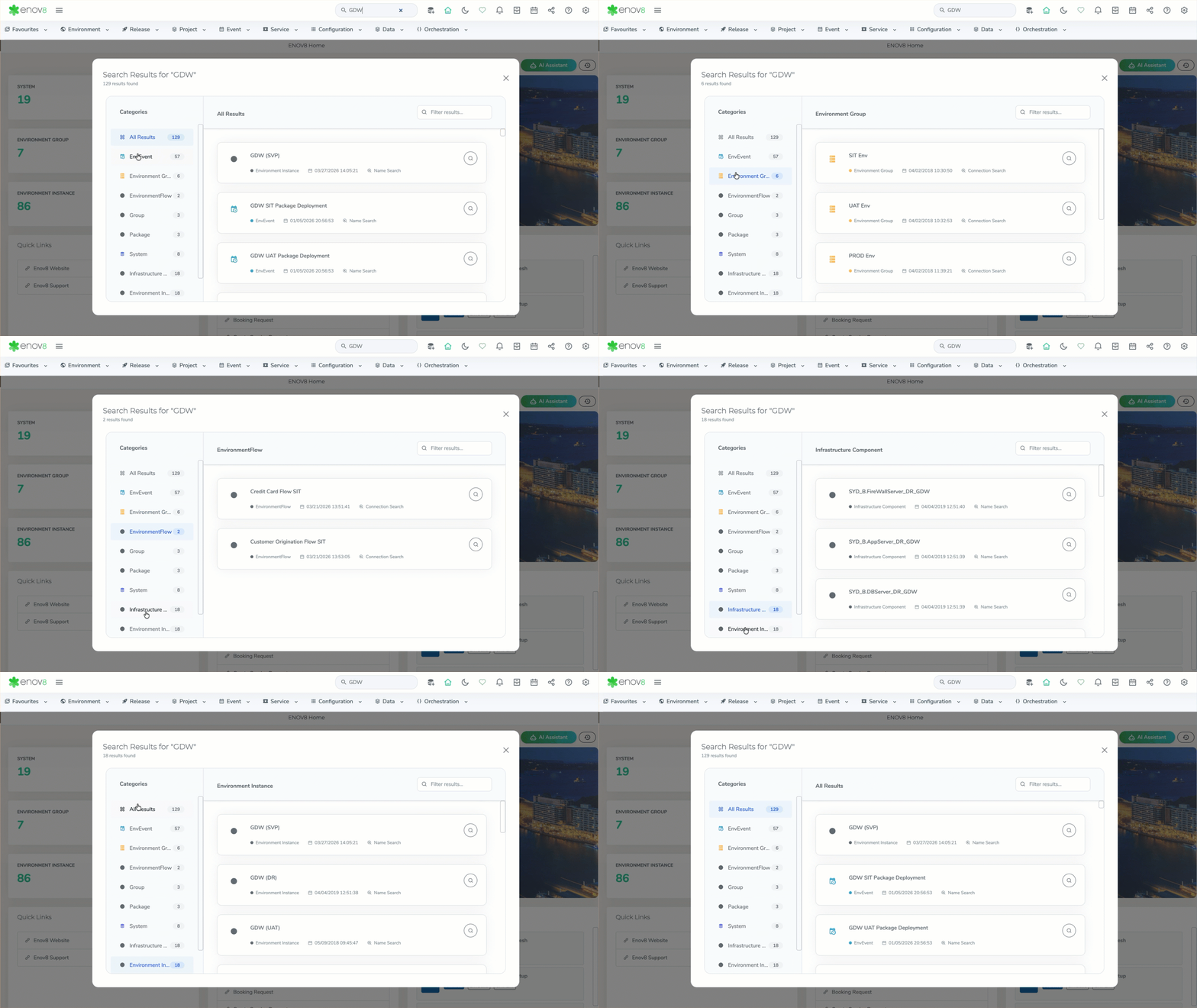
Global Search
Data Model Management – Unified Interface & Backup Restore Enhancement
Data Model Management has been streamlined into a unified interface, bringing all model lifecycle operations into a single, consolidated view. Previously distributed across multiple dropdown options (Load, Backup, Delete), these actions are now centrally accessible, improving usability and reducing navigation complexity.
The Load Model capability has also been enhanced to include visibility of automated system backup files. This enables users to quickly restore models directly from available backups without relying on external tracking or manual processes, significantly improving recovery efficiency and operational control.
This enhancement improves usability and does not impact existing model configurations or backups.
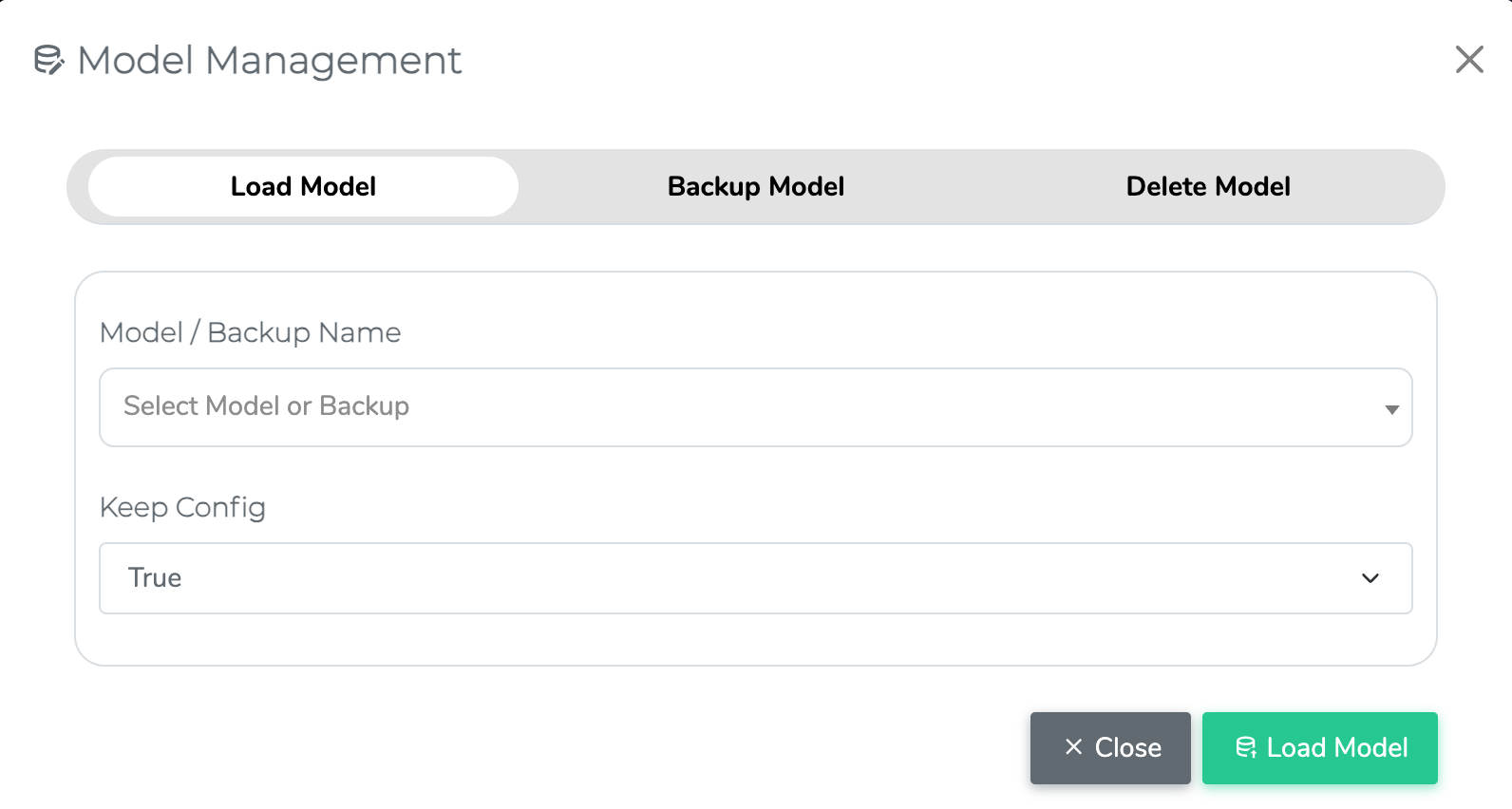
Data Model Management
Bulk Edit Enhancements
Bulk edit capabilities have been extended across key modules to support additional update and configuration actions, enabling more efficient management of large datasets.
The following enhancements have been introduced:
| Report | Bulk Actions Supported |
|---|---|
| Configure Environment | Create Tags, Update Versions |
| Manage Events | Create Tags, Update Version, Update Environment |
| Manage Service Requests | Update Root Cause Type, Update Priority |
These enhancements reduce manual effort, improve data consistency, and streamline administrative workflows across the platform.
Subscription Manager – UI Redesign & Category-Based Unsubscription View
The email unsubscribe experience has been redesigned with a modernised UI, improving usability and providing clearer visibility into subscription preferences.
The updated interface introduces a category-based view, allowing users to filter unsubscribed items by class (e.g., System, Environment Instance, System Interface) from the left-hand panel. This enables users to quickly identify and manage the specific objects they have unsubscribed from, improving transparency and control over notification settings.
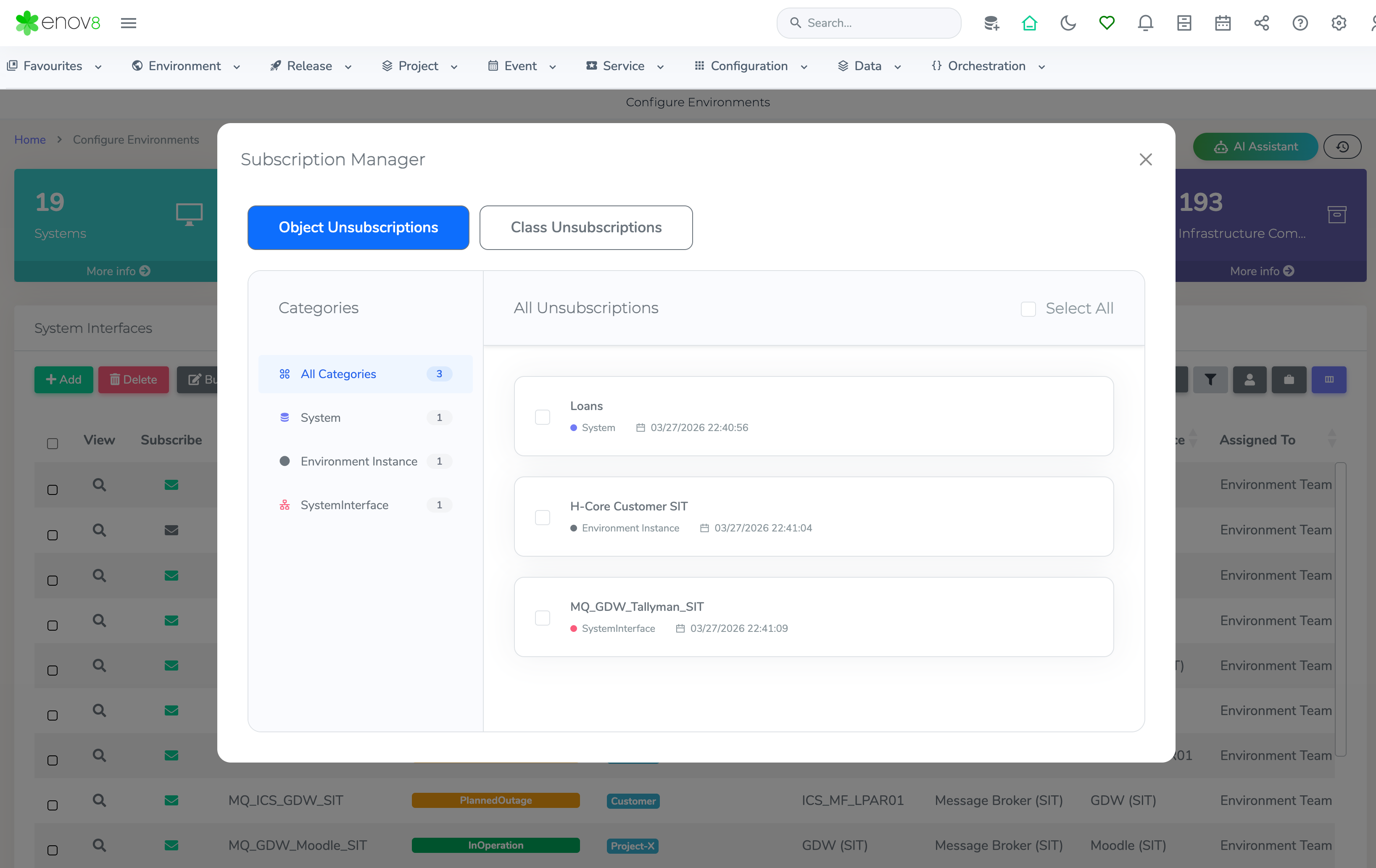
Subscription Manager
Dynamic Date Range Handling in Shared Report URLs
Date range handling in shared report URLs has been enhanced to support dynamic date selections. Previously, when users selected predefined ranges (e.g., This Month, Last 30 Days) and shared the URL, the exact date values at the time of sharing were persisted.
With this update, shared URLs now retain the selected date range type rather than fixed dates. When the URL is accessed, the report dynamically recalculates and displays data based on the current date context. For example, a report shared with This Month will always display data for the current month at the time of access.
For Custom Date selections, the explicitly chosen date range is preserved and consistently displayed when the shared URL is opened.
This enhancement ensures reports remain contextually relevant while maintaining accuracy for fixed-date scenarios.
Orchestration Manager – Enhanced Scheduling (Weekly & Monthly Support)
Scheduling capabilities within Orchestration Manager have been extended to support Weekly and Monthly execution frequencies. This enhancement provides greater flexibility in defining automation schedules, enabling alignment with more complex operational and business-driven timelines.