
What's New
Fact Sheets
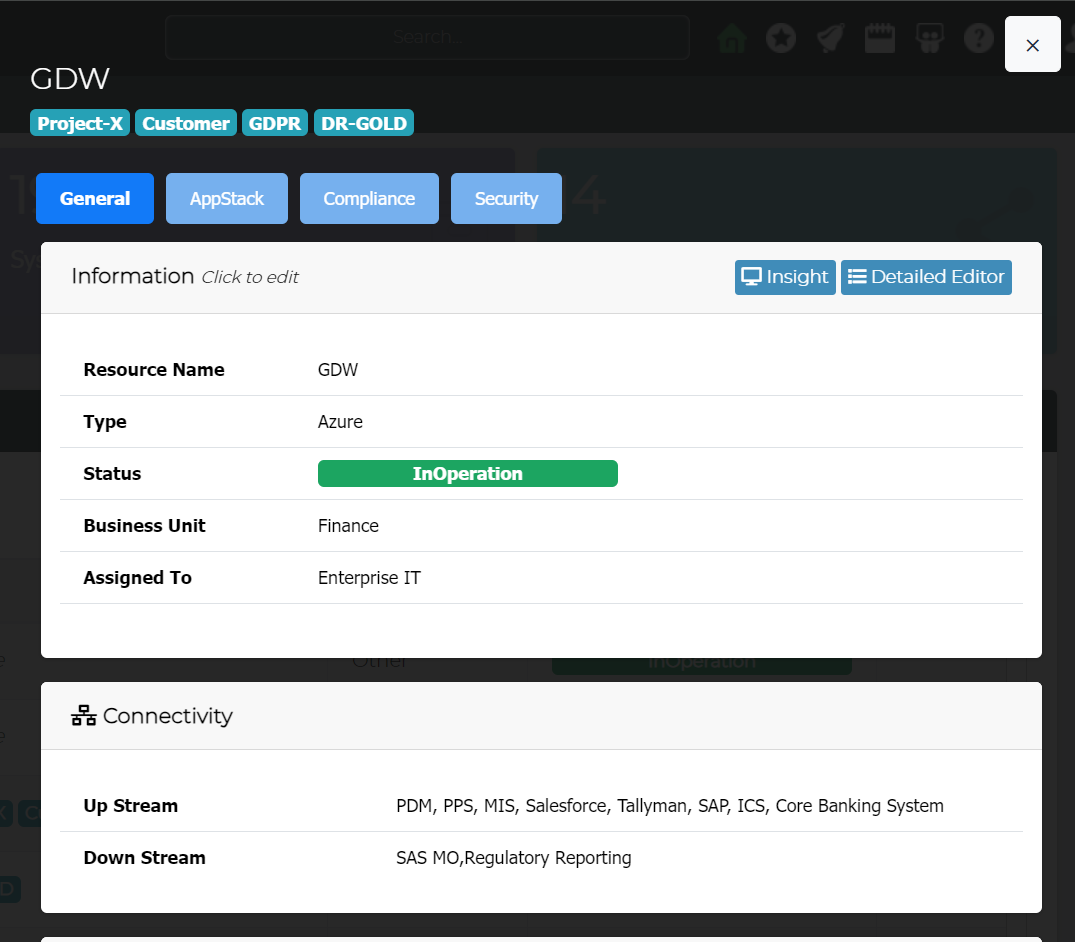
Fact sheets allows to capture platform insights to support broader decision making & governance operations. For Example: Resilience, Compliance, Security, App Stack.
Additionally, the fact sheets can also function as a quick editor
Release Board
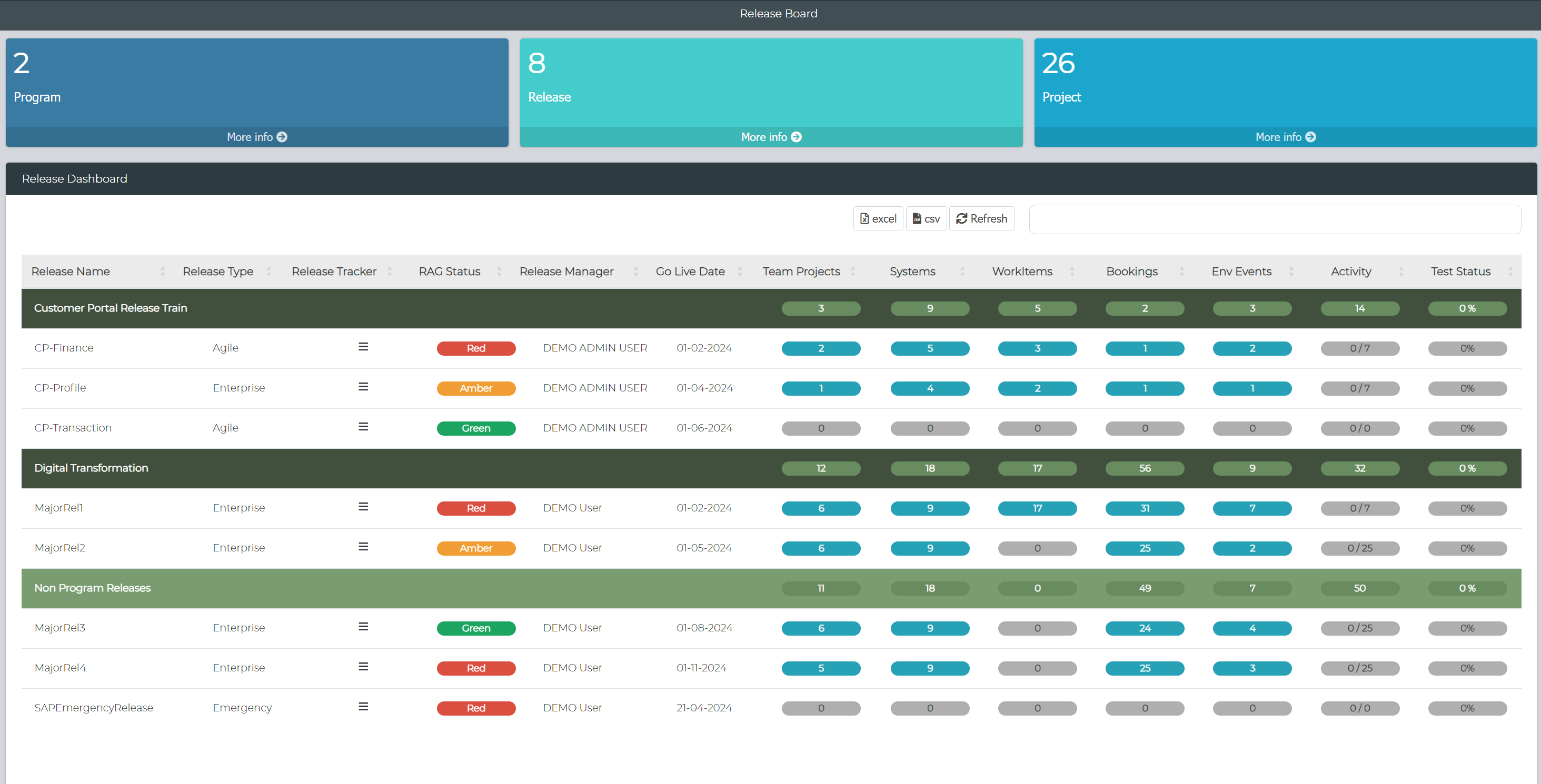
Introducing a new dashboard designed for stakeholders and release managers to monitor the current state of releases within their organization. This dashboard allows users to delve into specific statistics by clicking on the relevant elements..
BBOT Health Monitoring Agent
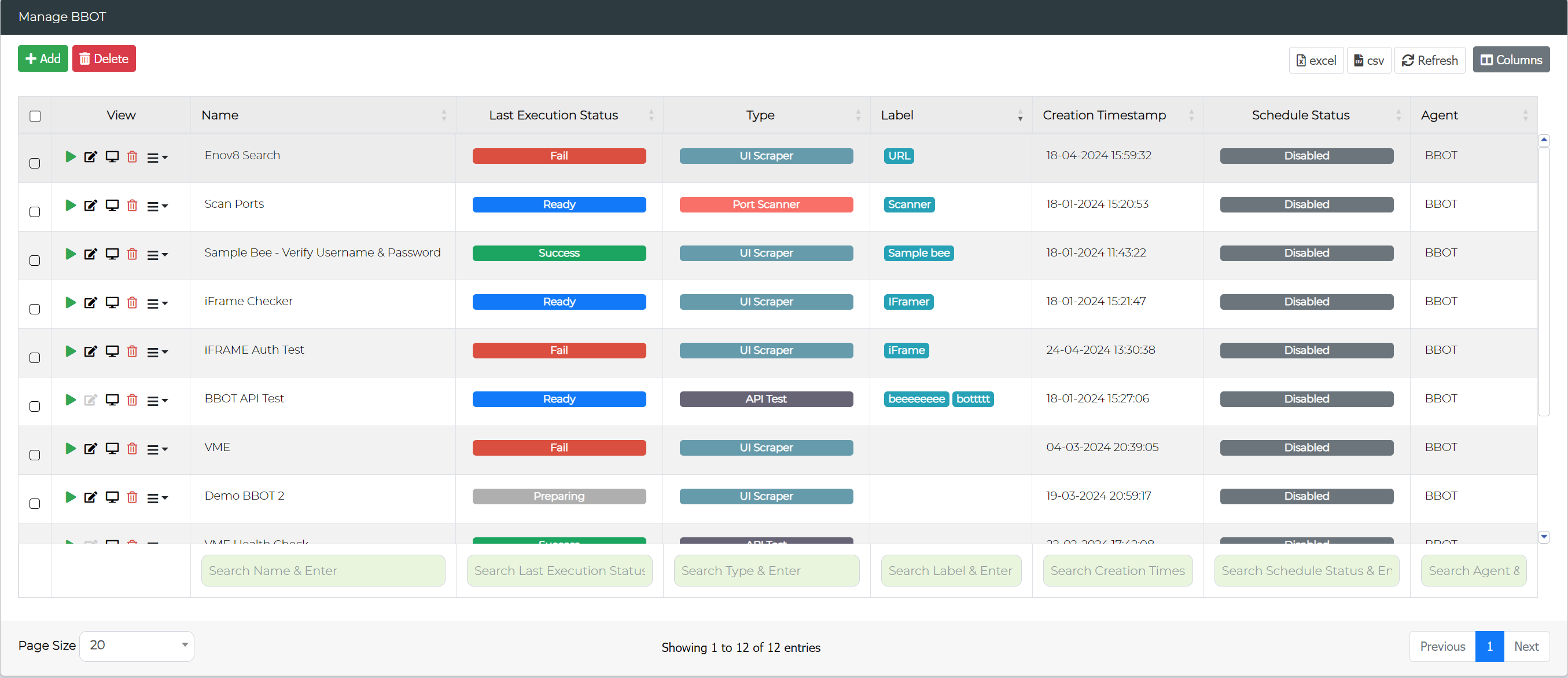
We have expanded our ecosystem platform to include BBOT Health Monitoring agent management. This new feature enables users to create and manage BBOT monitoring tests and schedule them directly within the platform under the Orchestration Management module.
New Custom Widgets
The following new custom widgets has been added
Dependancy Wheel
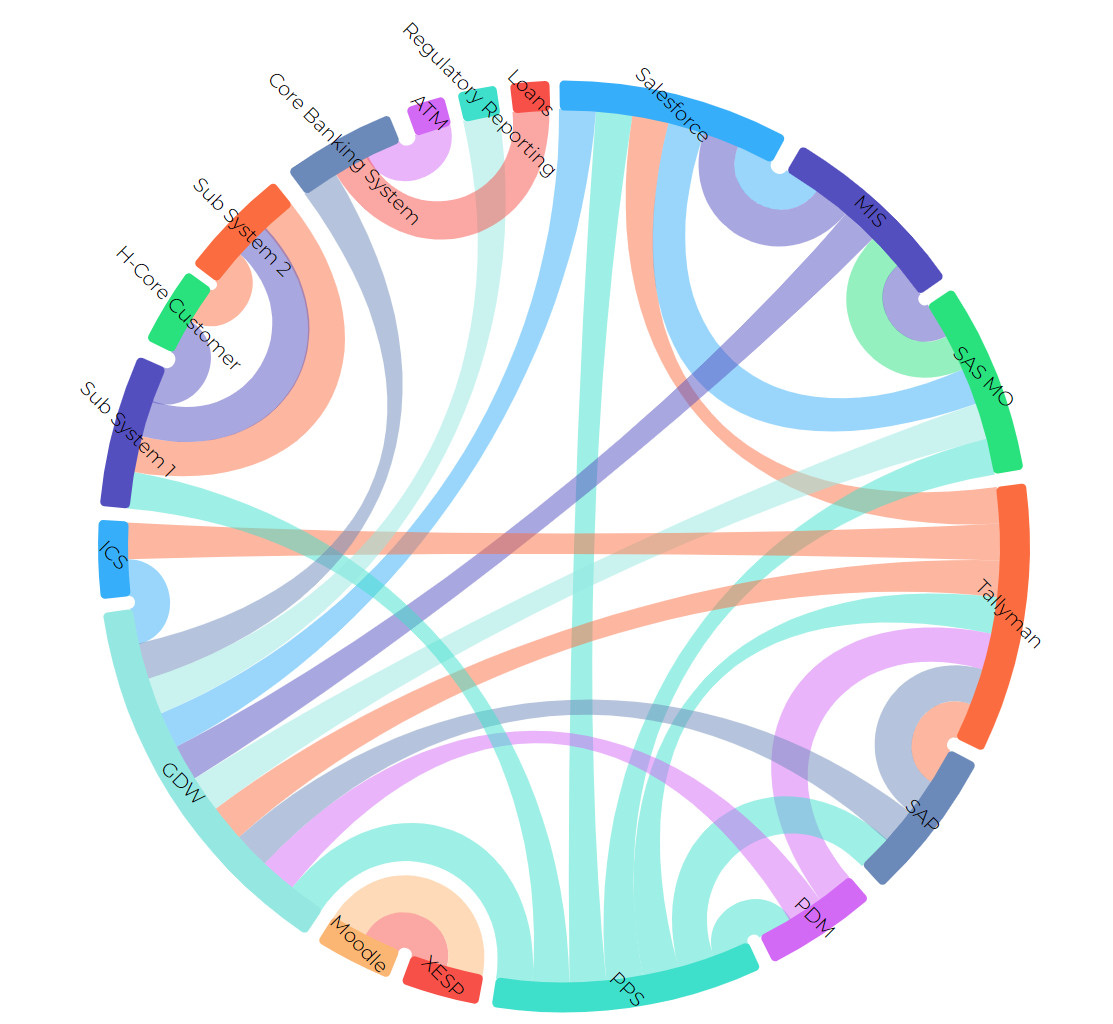
This new innovative widget visualizes system dependencies, allowing users to hover over a system to view its dependencies.
BBOT
Configure your own BBOT Dashboard to review the latest execution status of health monitoring tests.
Changes & Enhancements
LeanSR
The Lean Service Requests now include an "In Progress" status to better track ongoing requests.
Environment Calendar
Enhancements to the calendar view now include a system filter, enabling users to filter data based on system selection.
Runsheet Kanban
The runsheet kanban task view has been enhanced to show history of changes that has been actioned on the selected task.
Information Template Management
- Enhanced bulk upload feature now enables the import of questionnaires from CSV files.
- Added support for creating templates for Systems and LeanSR SubTypes.
Release / Project Environment View
Filters
Release / Project Environment view report has been enhanced with new filters for Release, Project & System.
Customisations
The new customisations allows to enhance this report and customise the color of the Go Live Date.
Scale Unit
Introduced a new scale "Week (Days)" in the Gantt view that displays data grouped by weeks, with a subscale showing individual days. This allows for a more detailed and organized view of the timeline, making it easier to track daily progress within each week.
Manage Milestone
A new feature "Shift Activity" has been added to the management console of the release and project milestone module which allows user to shift all the activities to a new start date, preserving their relative time offsets.
Bulk Upload
The bulk upload section has been enhanced to support the uploading of work items. Additionally, it now allows you to select the input date format used in the import files.
Release / Project Activity
The release and project activity reports have been relocated to the management section to improve the user experience.
Manage Implementation Plans
A new feature "Shift Task" has been added to the management console of the implementation plan module which allows user to shift all the tasks to a new start date, preserving their relative time offsets.
Data Management
The Data Compliance module has been renamed to Data Management to better reflect its expanded capabilities.
Data Management Hub
A new subsection, replacing the Profile, Mask, and Validation sections, provides a unified view for all data management operations, configuration management, and insights.
Configuration Management
Enhancements to the Manage Configuration feature now provide more detailed options for users to configure their data operations at an advanced level.
Reports
Masking and Validation reports have been updated to include the total scan time for each column.
Config Library
A new feature in the Config Library allows users to test custom masking functions by inputting parameters or lookups as needed.