
What's New
Availability Trend
This new widget in System Instance insight offers a technical assessment of the application's availability by tracking and displaying its uptime and downtime trends over a specified period.
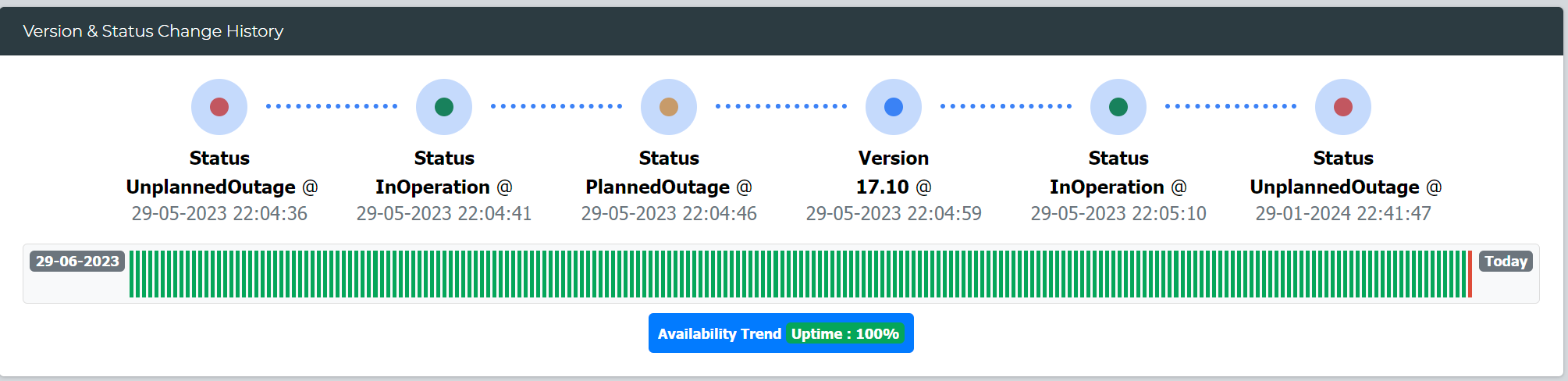
Additionally, it calculates and presents the total availability percentage for the duration, providing valuable insights into system reliability.
LeanSR
Introducing the "Cancelled" status for tracking cancelled requests
Enov8 REST API
New Parameters Added: Retrieve data based on the last modification date using "modified_start_time" and "modified_end_time."
Objectives
With this new feature, you can seamlessly capture and define objectives related to releases, program increments, and projects. This functionality enables you to establish clear goals, monitor progress, and align your initiatives with strategic objectives, ensuring a more organized and goal-oriented approach to your work.
Archiving
A new feature enabling the archiving of data for LeanSR, Environment Event, Bookings, and Workitems. Archive criteria can be configured based on creation date and status.
New Custom Widgets
The following new custom widgets has been added
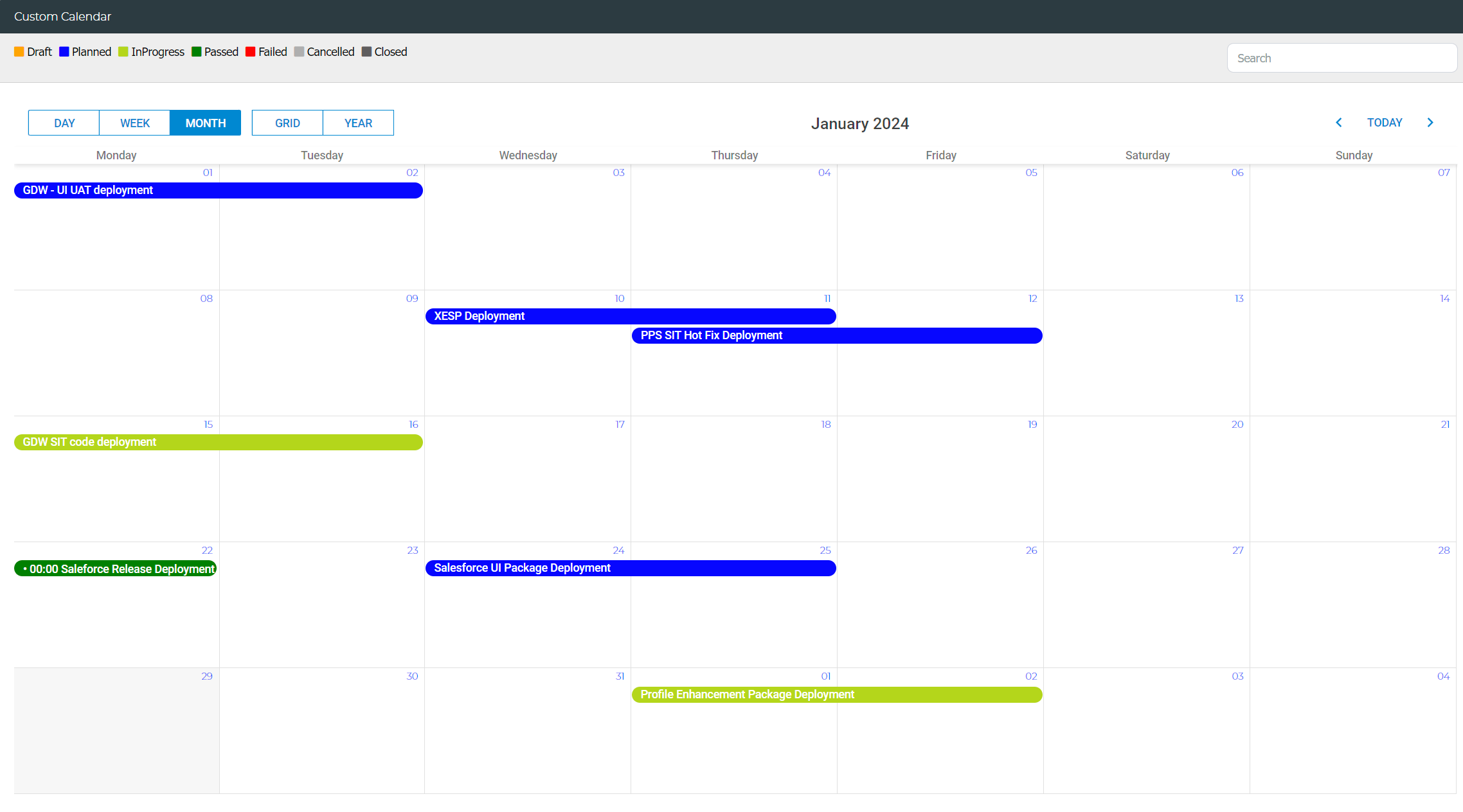
Custom Calendar
Design your own calendar based on defined conditions, with the option to customize colors.
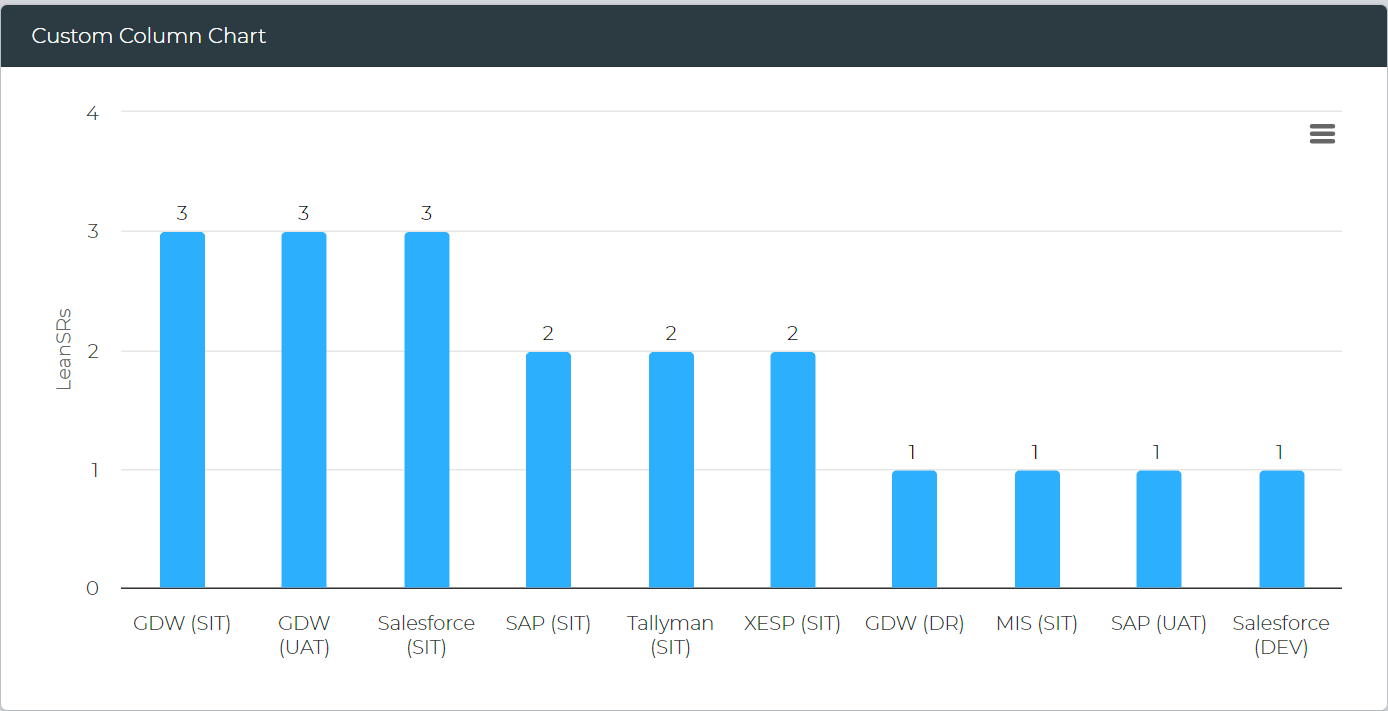
Custom Column Chart
Create personalized column-style chart widgets with custom conditions.
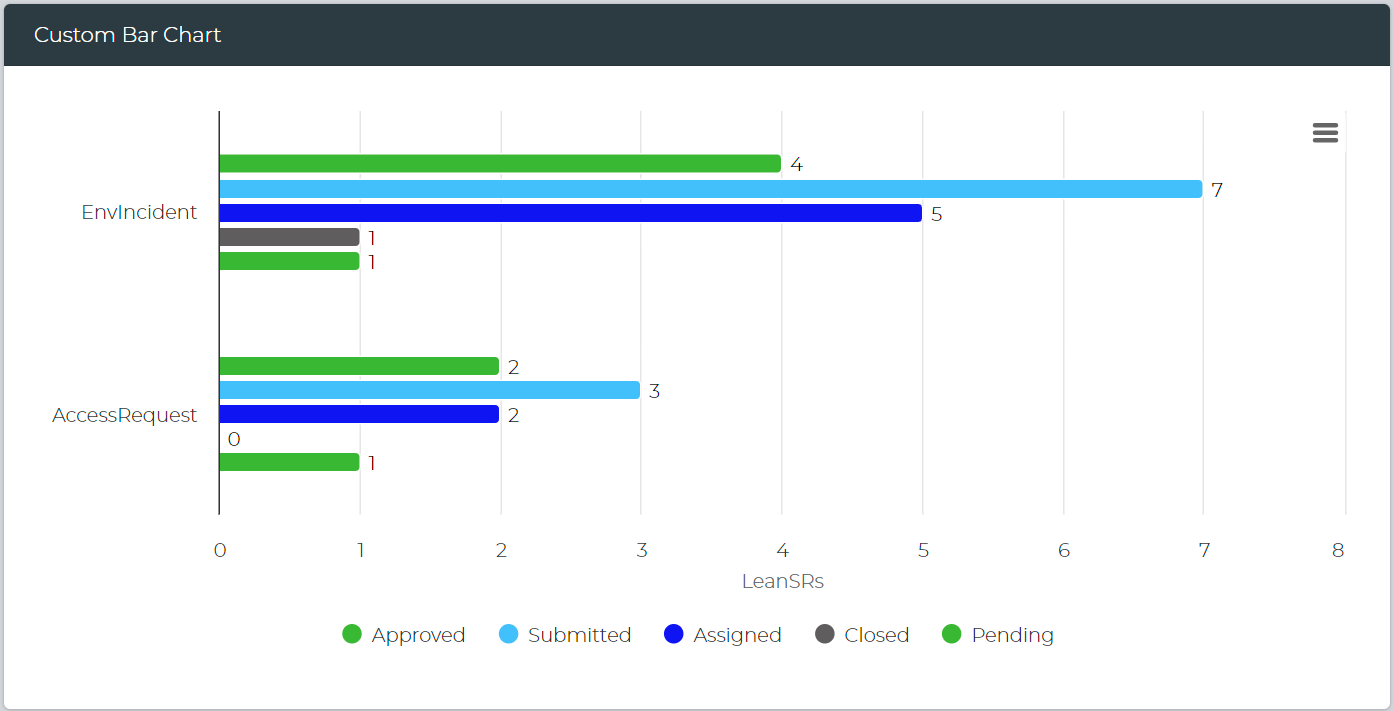
Custom Bar Chart
Generate customized bar-style chart widgets with custom-defined conditions.
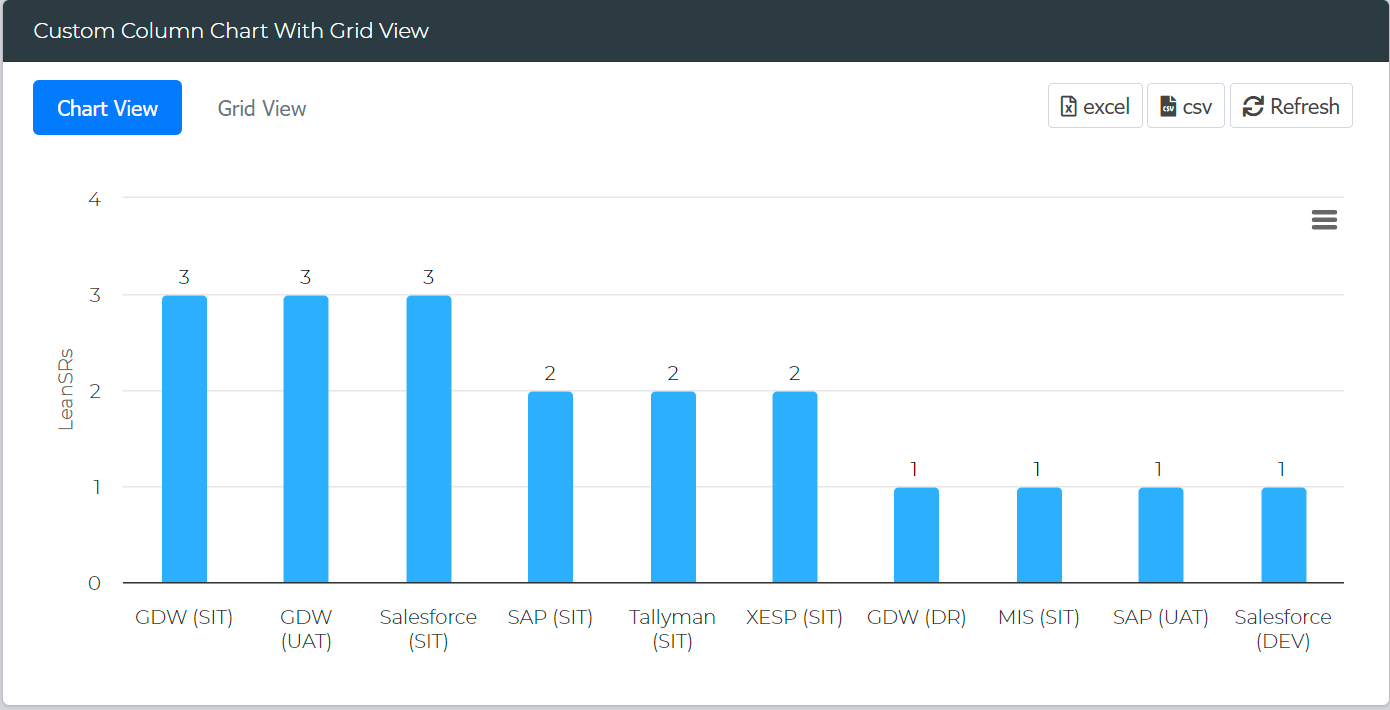
Custom Column Chart with Grid View
Create column-style chart widgets with grid views based on custom conditions.
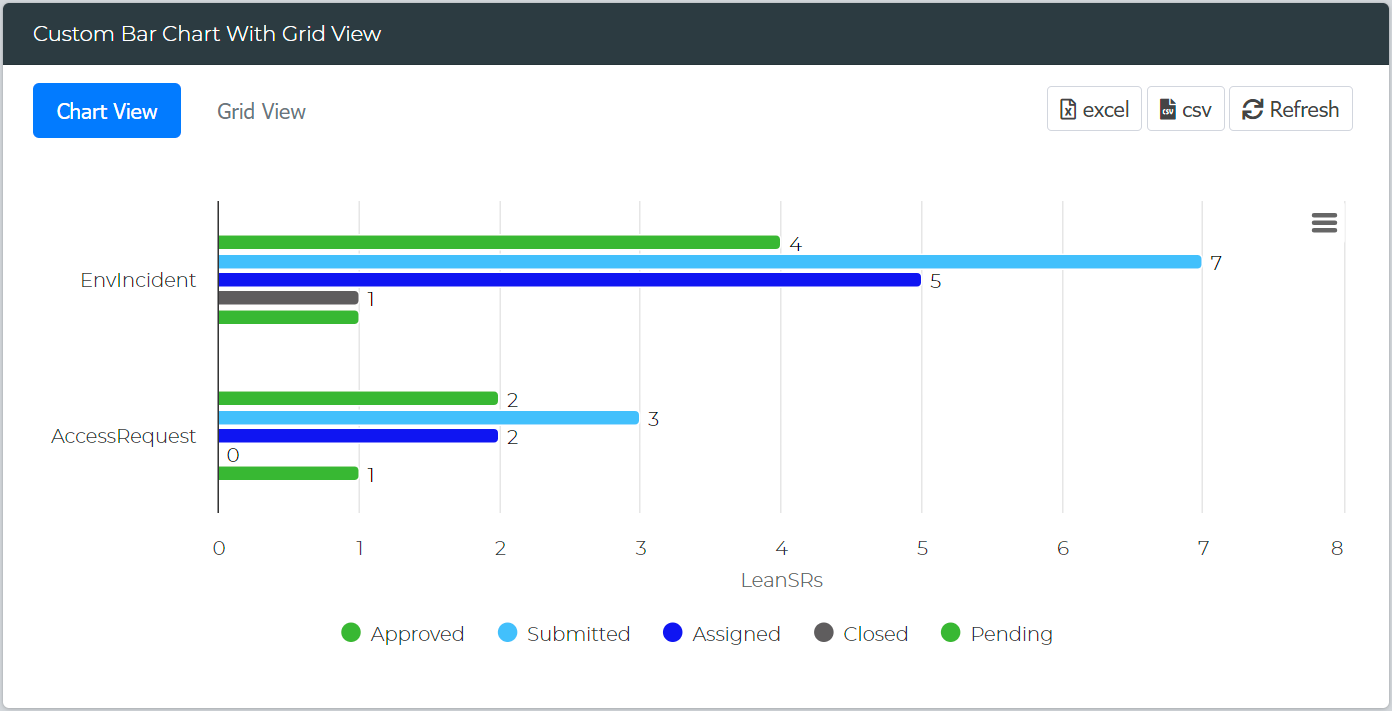
Custom Bar Chart With Grid View
Design column-style chart widgets with grid views using custom conditions.
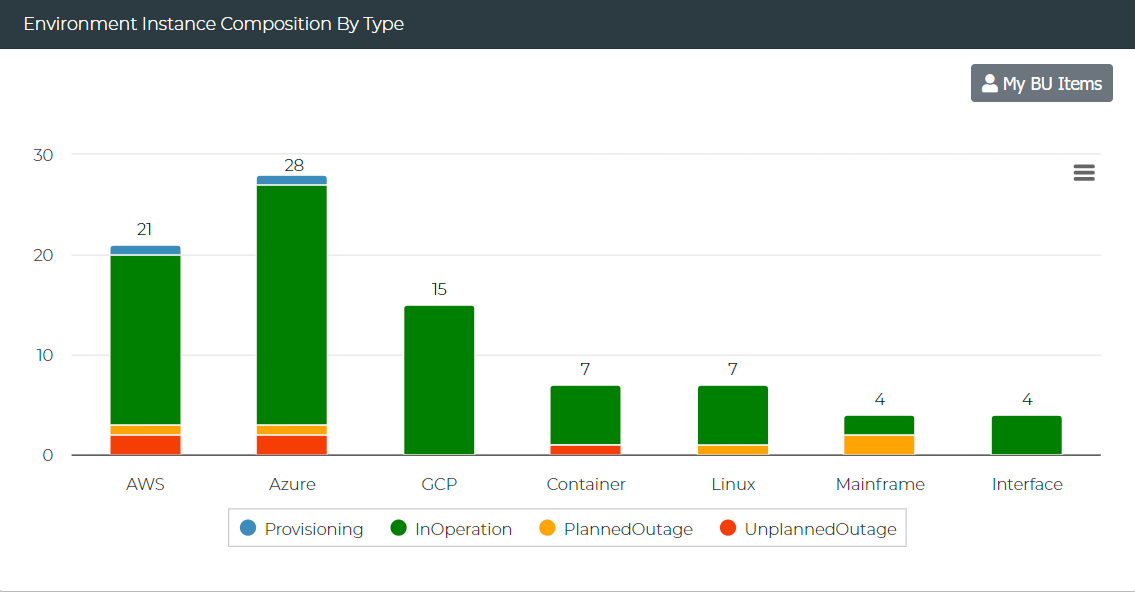
Environment Instance Composition By Type
View the current health of environment instances grouped by system types.
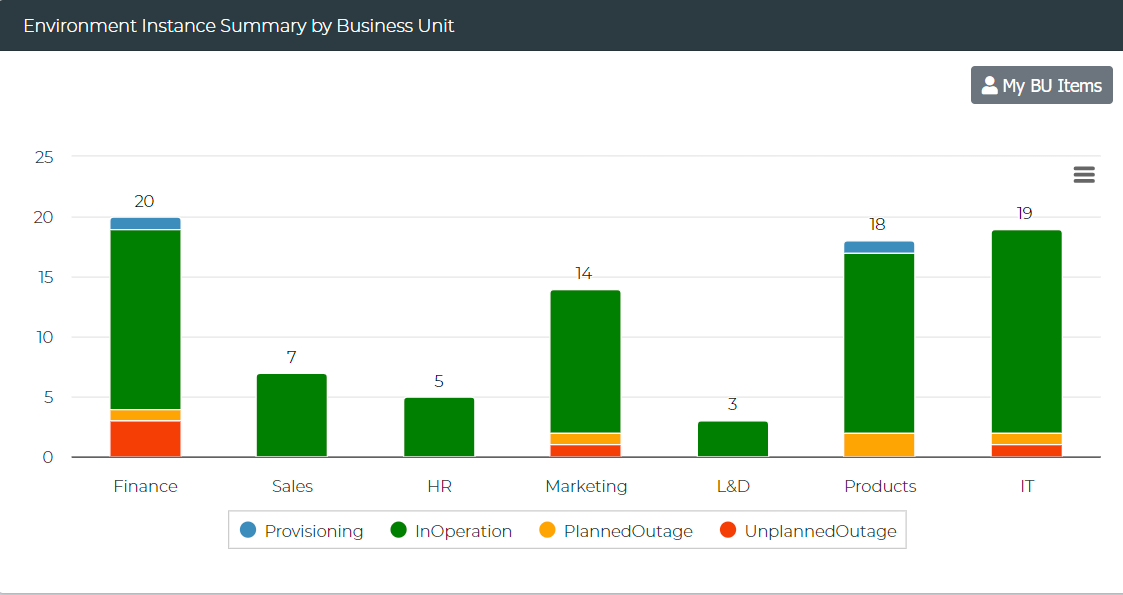
Environment Instance Summary by Business Unit
Observe the current health of environment instances grouped by business units.
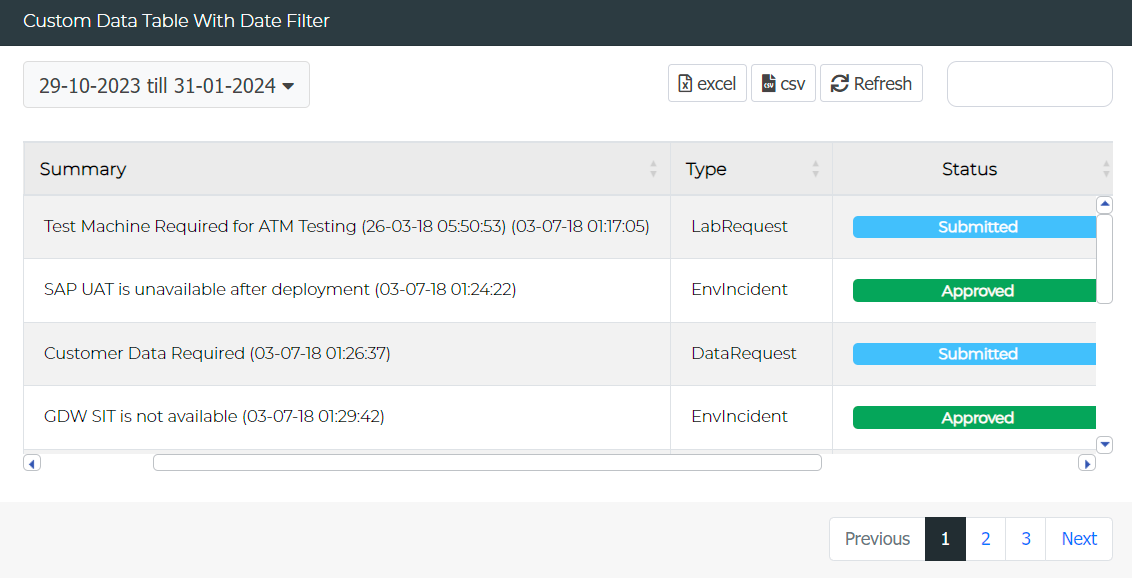
Custom Data Table with Date Filter
Build custom data tables equipped with date filters.
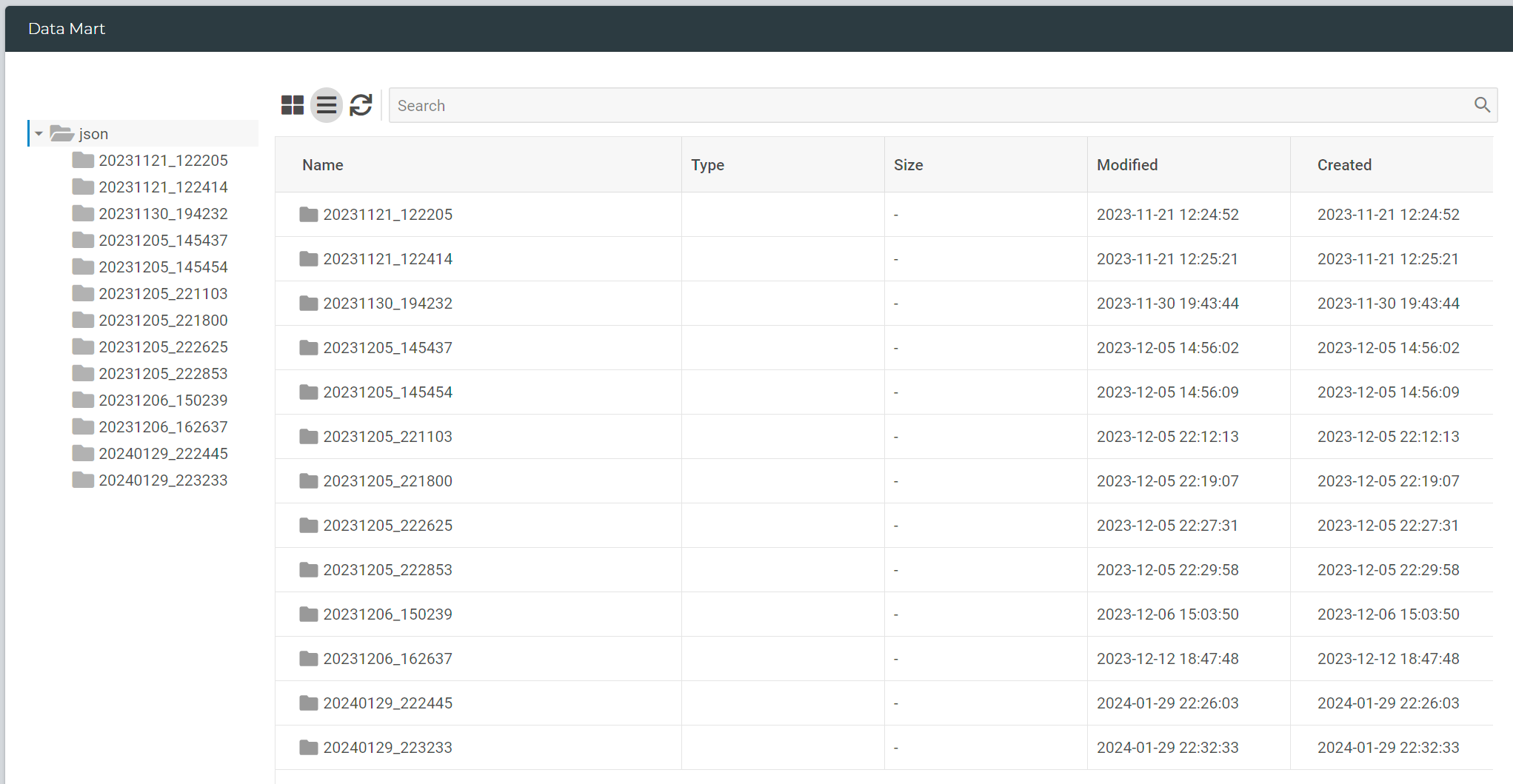
Data Mart
Create a data directory view to access outputs or files in a shared server location.
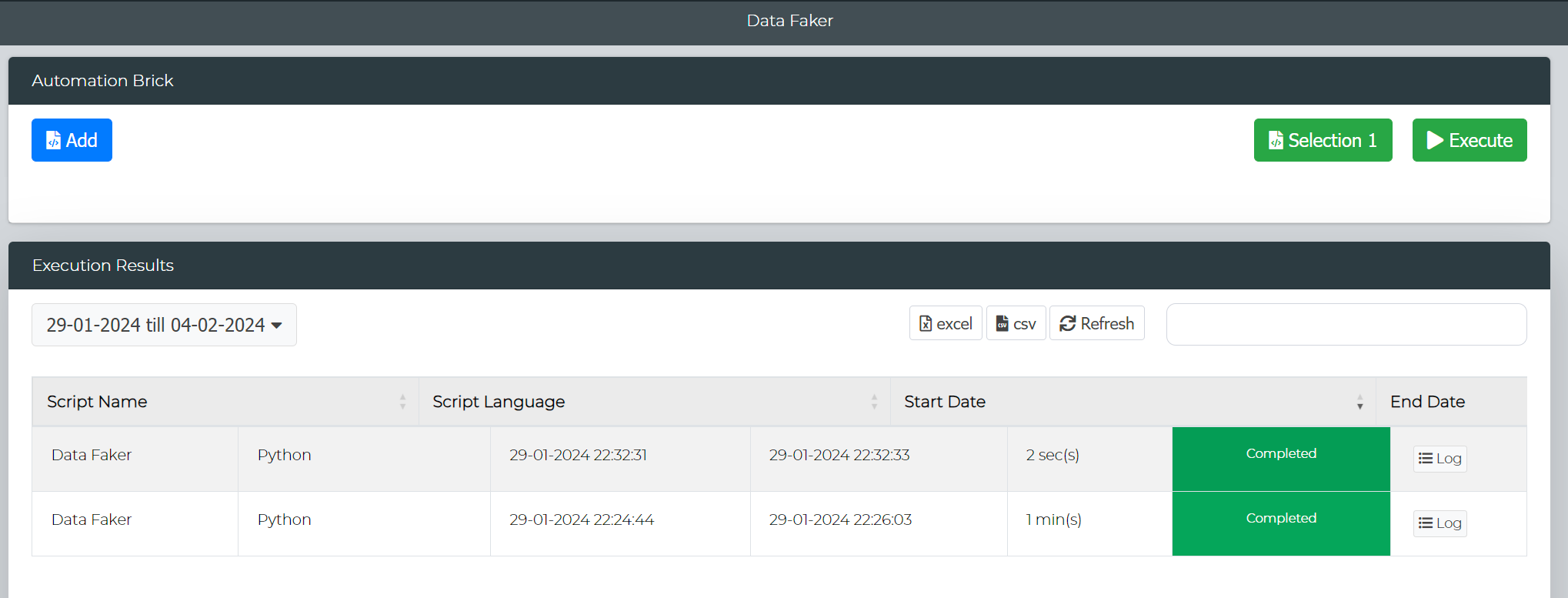
Automation Brick
Develop a user interface for end-users, enabling on-demand execution of automation scripts.
Changes & Enhancements
Service Request Form Enhancements
Approvers
Automatic inclusion of PM or System Instance Team as approvers, depending on the request type.
Validation
Service Requests linked to bookings will undergo validation to ensure they are within the booking timeline.
Environment Field
Now configurable as mandatory for specified request types.
Environment Dashboard
The Environment Composition widget has been replaced with two new widgets: "Environment Instance Composition By Type" and "Environment Instance Summary by Business Unit."
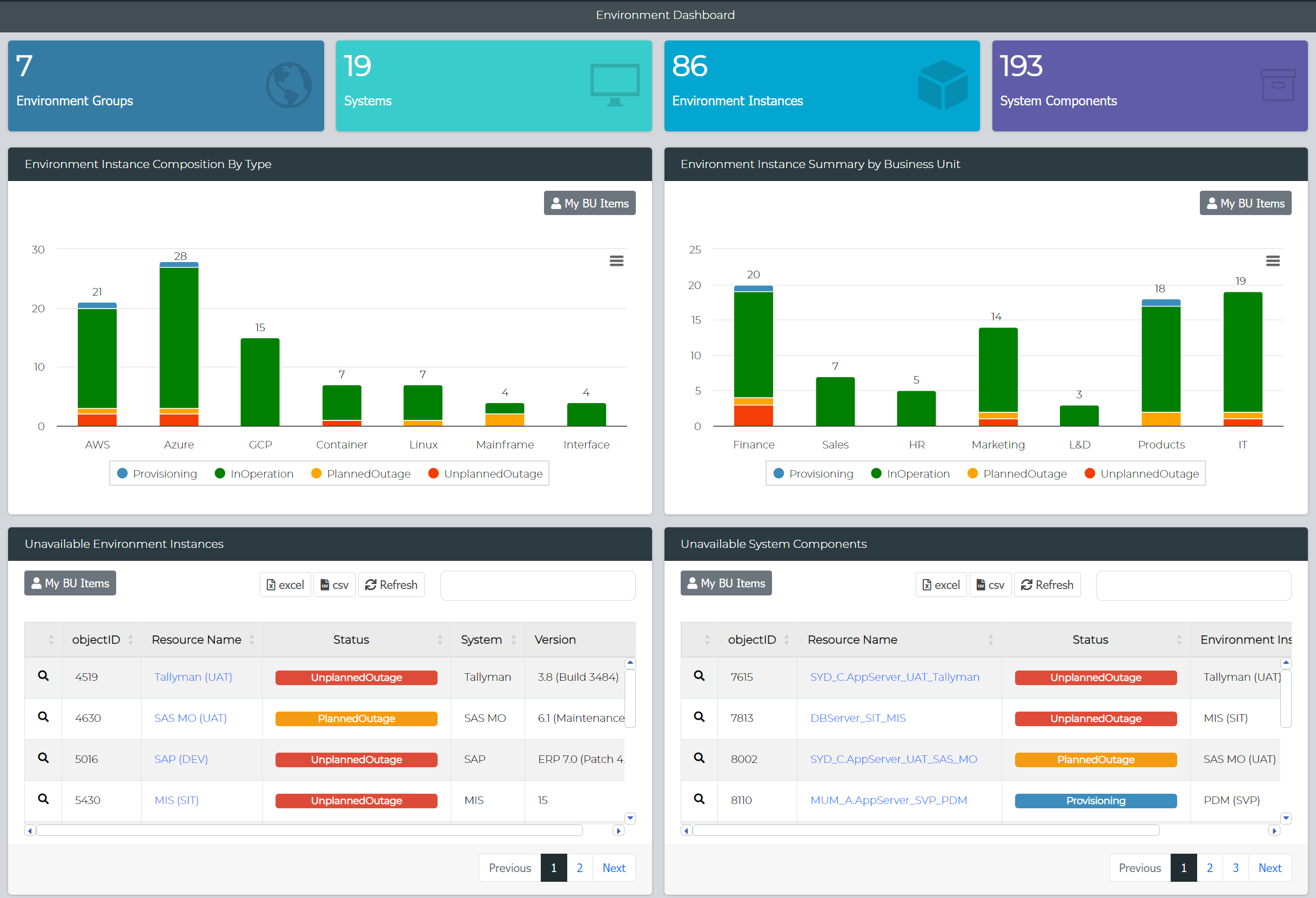
These new widgets offer enhanced insights into your environment landscape, providing more comprehensive data and analysis options.
DateTime Search Enhancement
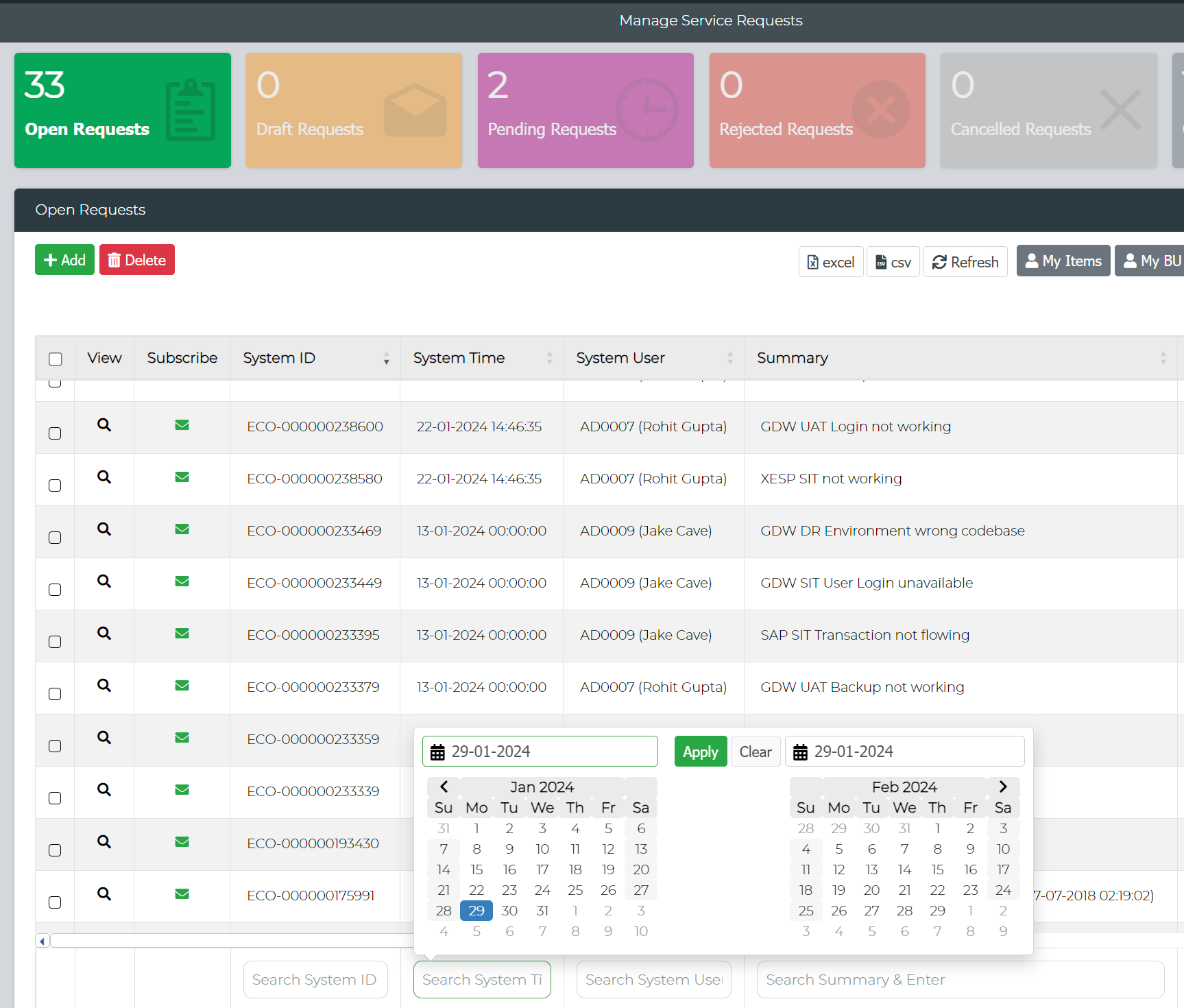
Management reports have been enhanced to include a DateTime Search feature, allowing users to search and filter records using column-specific search criteria while enabling date selection for refined data retrieval.
Active User Details
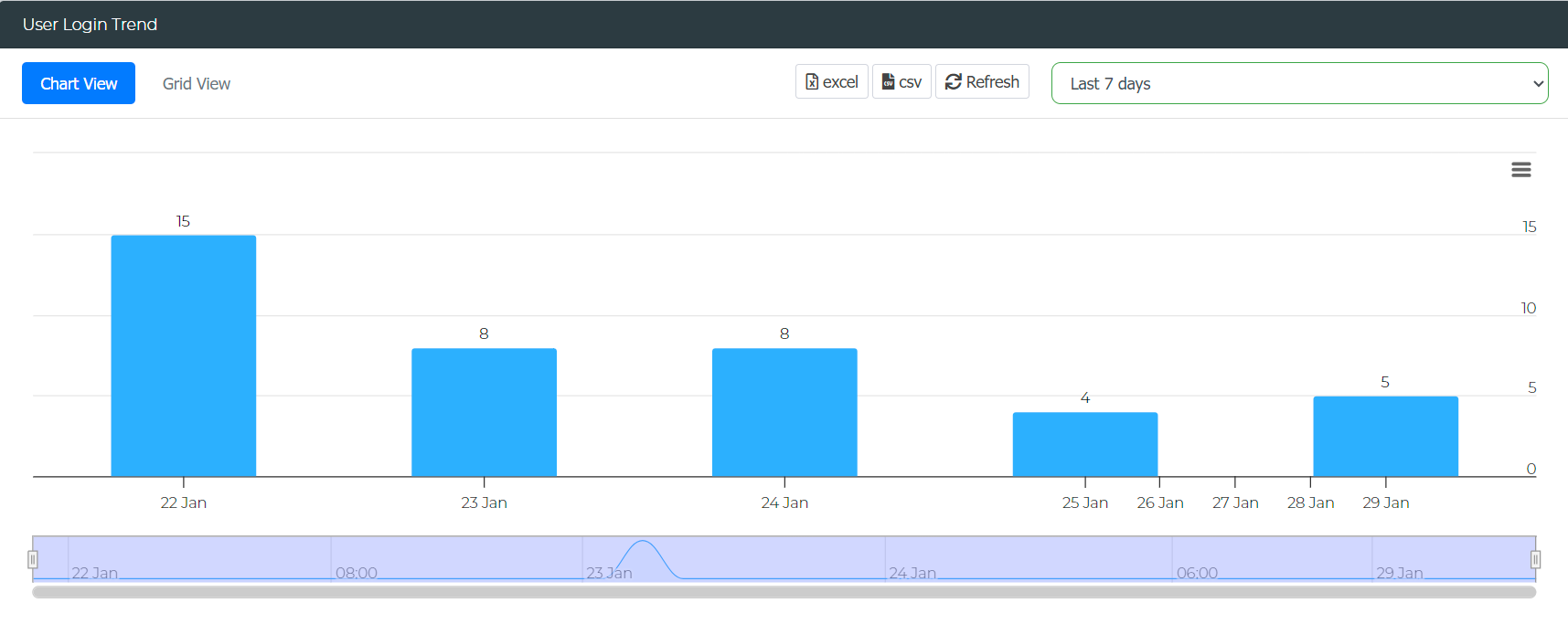
The Ecosystem Console report for Active User Details has been upgraded to offer comprehensive insights into user login details, along with a summary of platform utilization frequency by users.
URL Widget
The URL Widget has been enhanced to provide you with the ability to create quick links to various Enov8 reports and forms.
