39 posts tagged with "changes"

View All Tags

· 3 min read
Rohit Gupta

4.3.169.1

Release Date: 15th July 2026

New Features

Environment Pulse Dashboard

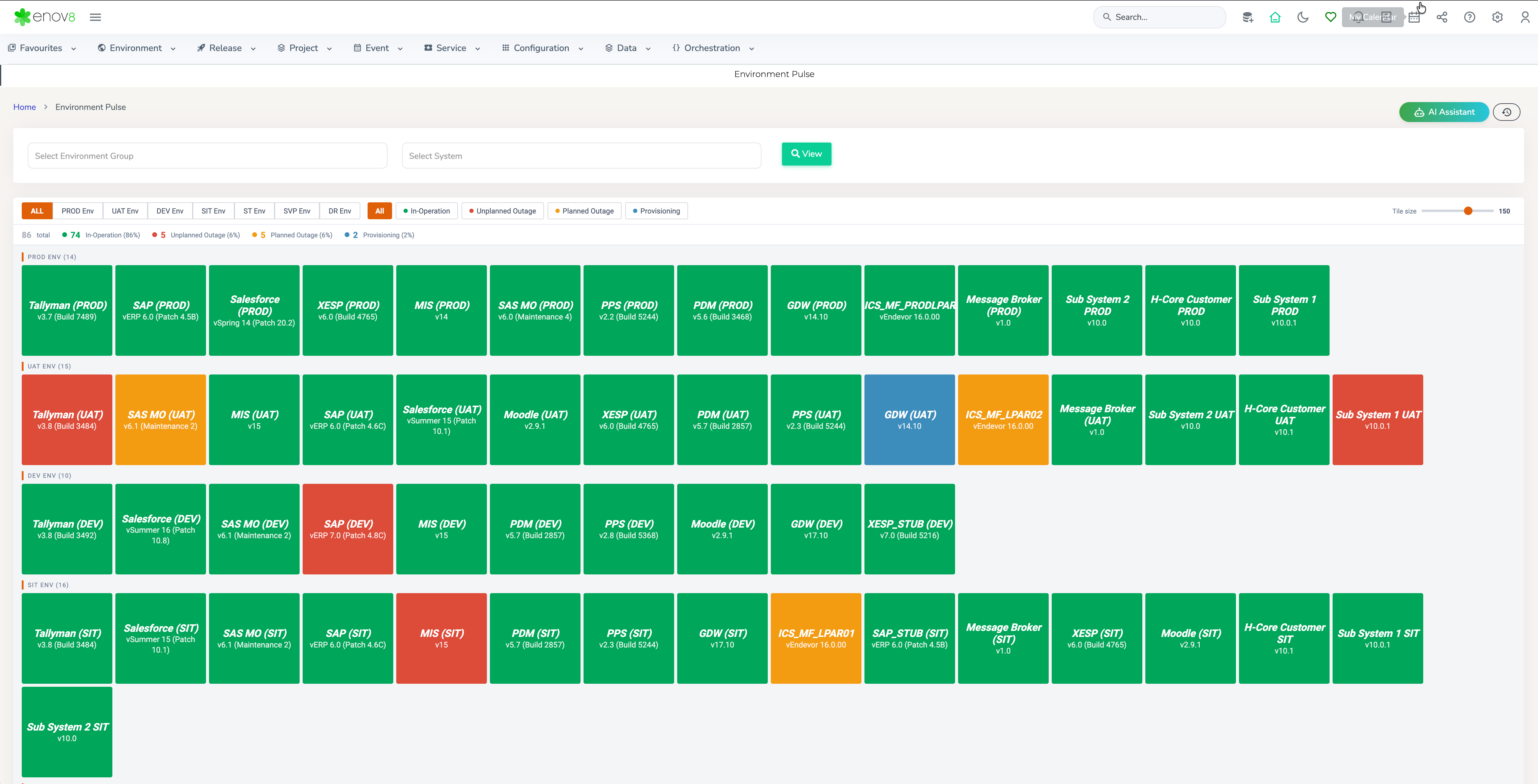
A new Environment Pulse dashboard has been added under Environment > Reports, giving users a real-time, tile-based "heartbeat" view of every environment resource across the landscape. Resources are grouped by Environment Group and colour-coded by status (In-Operation, Unplanned Outage, Planned Outage, Provisioning), with filters for Environment Group, System, and status, plus an adjustable tile size for scanning large estates at a glance.

Environment Pulse

Environment Pulse

Event Form – Recurring Events

The Event Form now supports creating recurring events, removing the need to manually create the same event multiple times. Users can define a recurrence pattern once and have future occurrences generated automatically.

Database Health Diagnostics are here!*

When a masking run is slow, you no longer have to rely on a DBA to tell you why. Get a fast, clear view inside your database - long-running queries, tablespace usage, and (on supported engines) blocking sessions - so you can investigate slowness and delays yourself. Every check is read-only and safe, and this is just the start, with more diagnostic capabilities coming in future releases. (*Data Manager License Required)

Enhancements

Manage Runsheet – Mid-Sequence Task Insertion

Manage Runsheet now supports inserting a task at a selected position within an existing sequence. Subsequent tasks automatically shift their scheduled dates/times to accommodate the newly inserted task, removing the need to manually re-date every downstream task.

Orchestration Manager – Backup & Restore Progress Updates

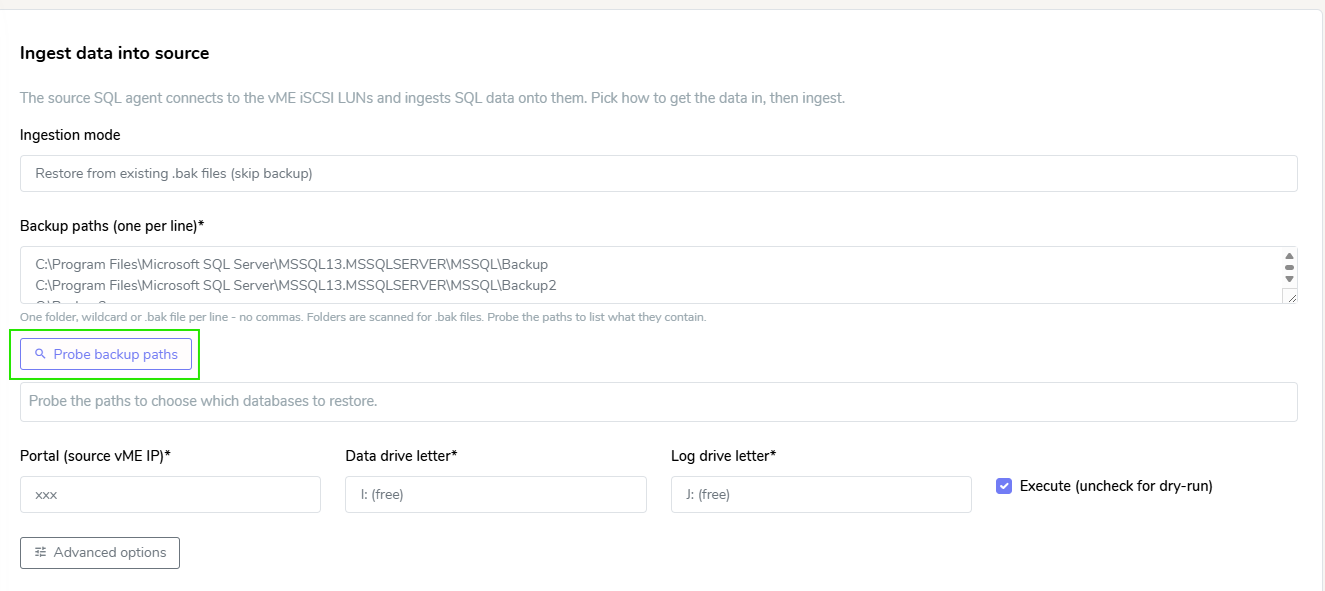
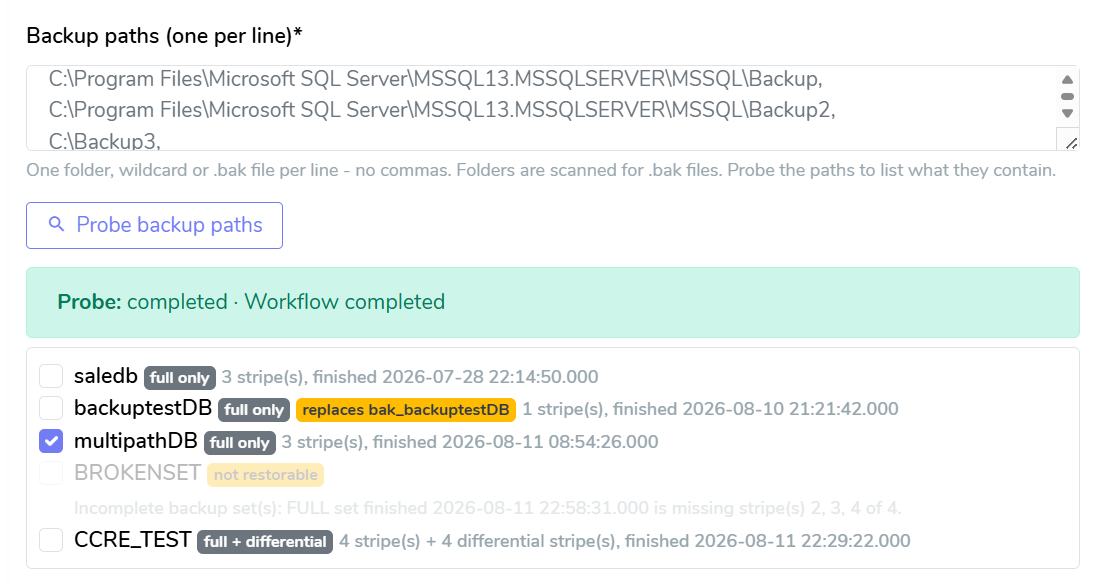
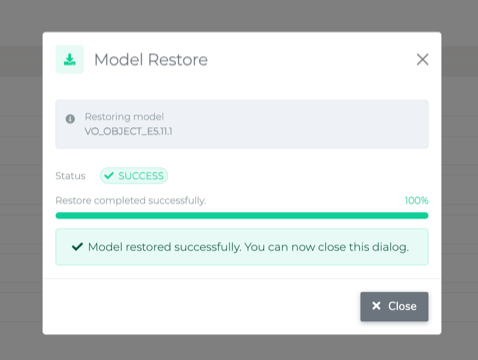
The Backup and Restore feature in Orchestration Manager has been enhanced to display live progress updates as the process runs, giving users clear visibility into how far along a backup or restore job is rather than waiting without feedback until it completes.

Environment Pulse

Restore

Security Updates

SAML Authentication Library Upgrade

The platform’s SAML authentication library has been upgraded to a newer supported version. This update improves the security, compatibility, and reliability of SAML-based Single Sign-On (SSO) authentication.

4.3.169.1.2

Release Date: 29th July 2026

Enhancements

Booking Form – Configurable Add Project Button

The Add Project button in the Booking Form can now be disabled through configuration, providing greater control over project creation.

Fixed

Detailed Editor – Tab Data Visibility

Resolved an issue where data across various tabs in the Detailed Editor was visible only to System Administrators. Authorised users can now view the data as expected.

Cache Clear – Class Selection Dropdown

Resolved an issue where data was not visible in the Class Selection dropdown when clearing the cache.

· 3 min read
Jake Cave

3.11 Major Release Items

What's New

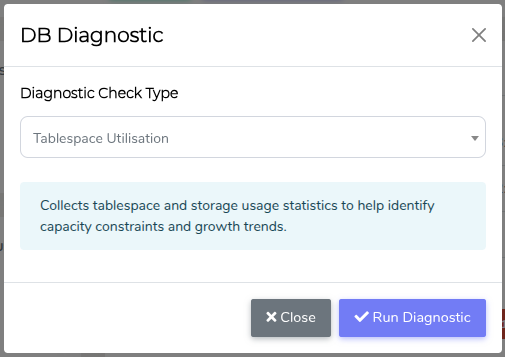
Database Health Diagnostics are here!

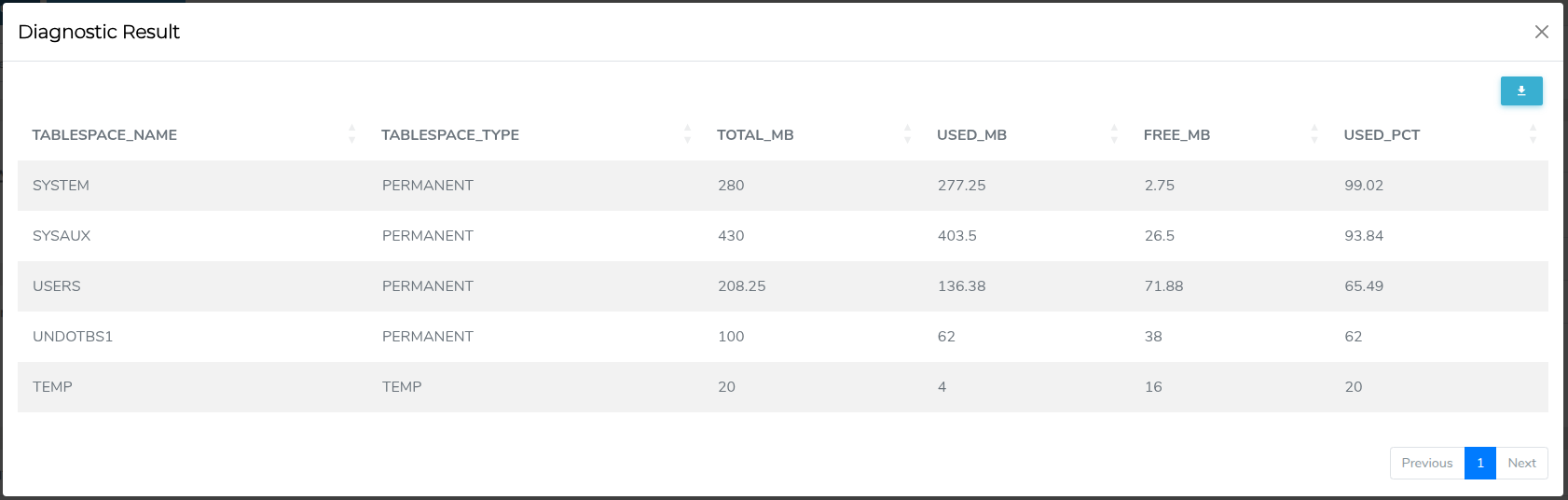
When a masking run is slow, you no longer have to rely on a DBA to tell you why. Get a fast, clear view inside your database - long-running queries, tablespace usage, and (on supported engines) blocking sessions - so you can investigate slowness and delays yourself. Every check is read-only and safe, and this is just the start, with more diagnostic capabilities coming in future releases.

  • Diagnostic Check

  • Tablespace Utilisation on an Oracle Database

IBM Informix Informix is here!

The go-to database for high-throughput transactional and embedded workloads now plugs straight into TDM - profiling, masking, and compliance included. Another key platform, fully covered.

Now supporting Ubuntu 24!

TDM workerbees and our Enov8-built MongoDB instances are now certified on the U24 operating system.

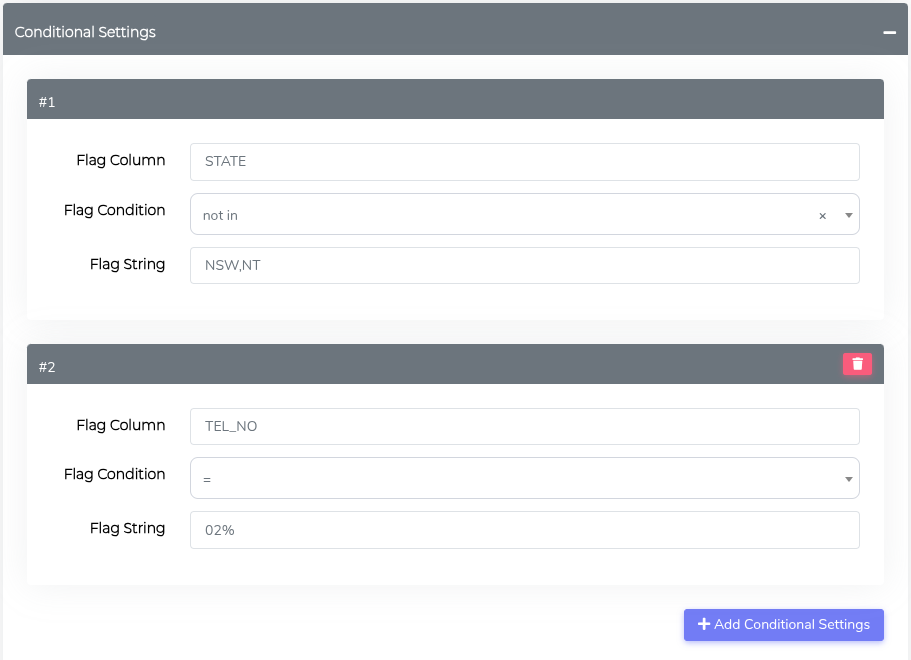
Conditional masking just got smarter.

Two new ways to build more precise rules:

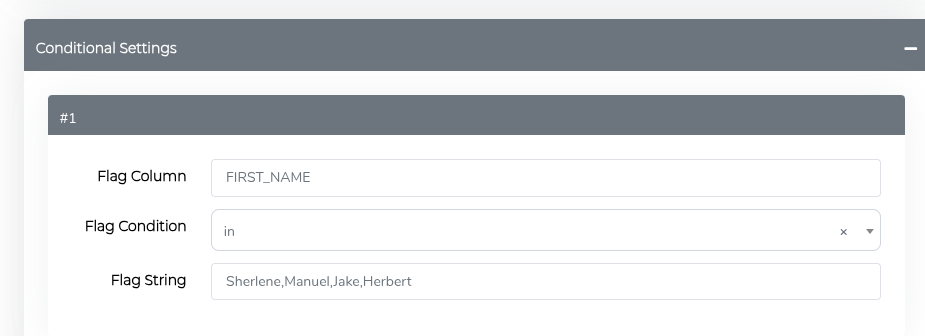
  • In operator - Check a column against an entire list of values in a single rule. No more writing one rule per value.

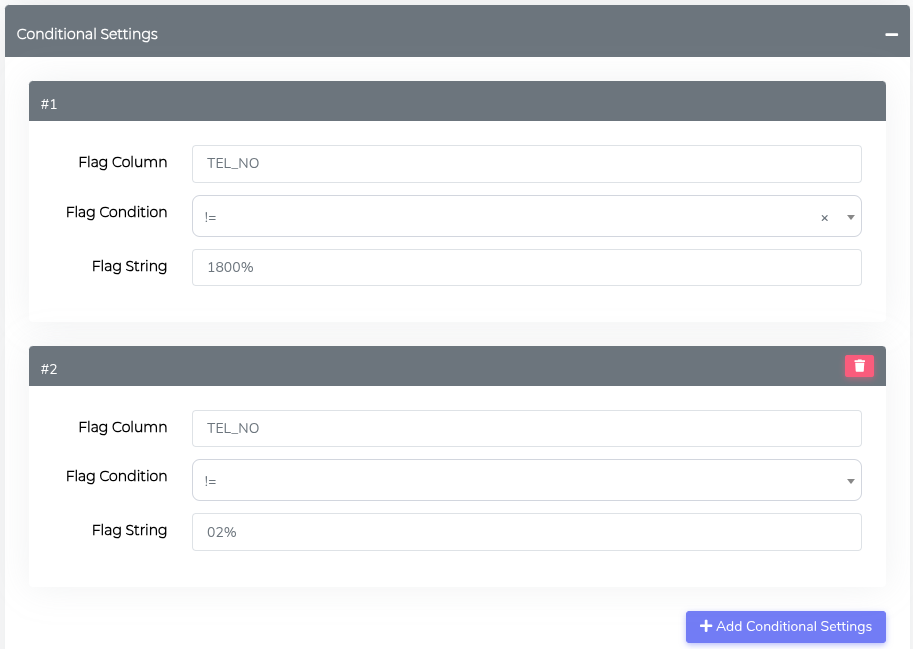
  • Multiple criteria - Combine several conditions on the same column for finer, context-aware masking.

    • Example #1: Multiple Conditions on the Same Flag Column

    • Example #2: Multiple Conditions on Multiple Flag Columns


Changes

Connection setup

  • Added tooltips, placeholder hints, and a new Description field to make connections easier to configure and reduce errors.

Connection name limit

  • Connection names now have a maximum length, preventing failures caused by overly long auto-generated config names.

Fixed Issues

Compliance Report

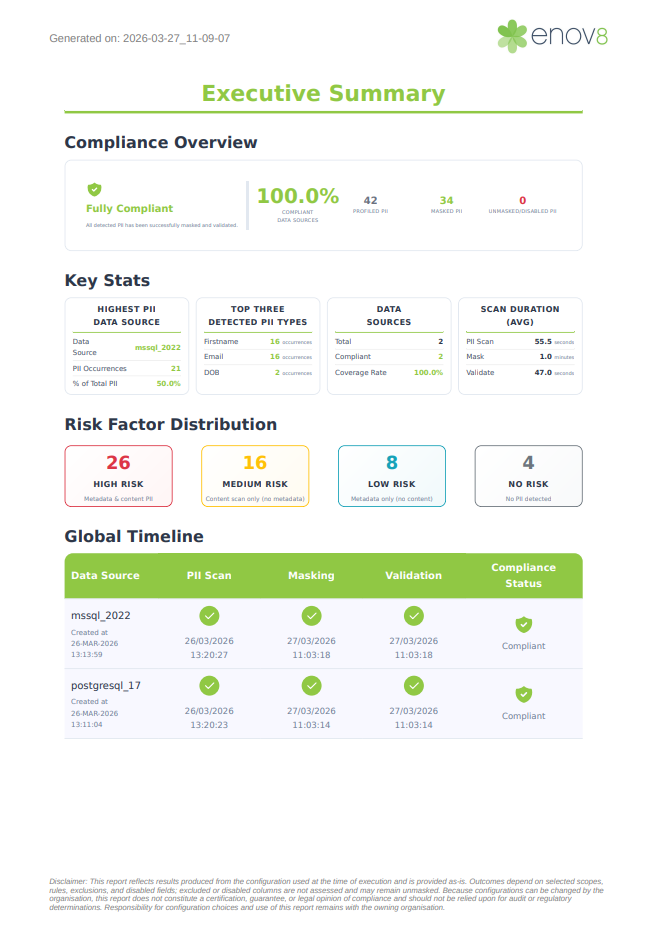
  • Sources with no PII now correctly show as Compliant in PDF reports.

Compliance timeline

  • Execution columns now stay Pending when profiling, masking, and validation run out of order, instead of showing a misleading OK.

JSON masking

  • Large files now stream during processing, so files over 20 GB mask reliably.

MSSQL masking

  • Better handling of collation mismatches between source and temp tables.

Oracle masking

  • Fixed a temp-table issue affecting Oracle 10g.

Teradata masking

  • Fixed intermittent table-resolution errors during chunked merges.

Parquet masking

  • ID fields like ACN, ABN, and TFN now stay as text, preserving leading zeros.

File masking reports

  • Entries with invalid file paths or schemas now appear in reports with a clear status.

Custom function masking

  • Config state is now isolated during runs, giving consistent results every time.

3.11.1

Release Date: 29th July 2026

Fixed Issues

Fixed Value Masking

  • Inline validation now correctly handles datasets containing a mix of null and non-null values.

Many-to-One Masking

  • Right-padded values in fixed-length CHAR columns are now masked correctly.

MSSQL Conditional Masking

  • Resolved an issue where columns could not self-reference during conditional masking.

Note: When the column used for the condition is also the column being masked, validation will be evaluated against the already-masked value, which may result in inaccurate validation results. Use a separate flag column for validation accuracy.

· 8 min read
Jake Cave

1.9.0 Major Release Items

What's New

First-Time Setup Wizard

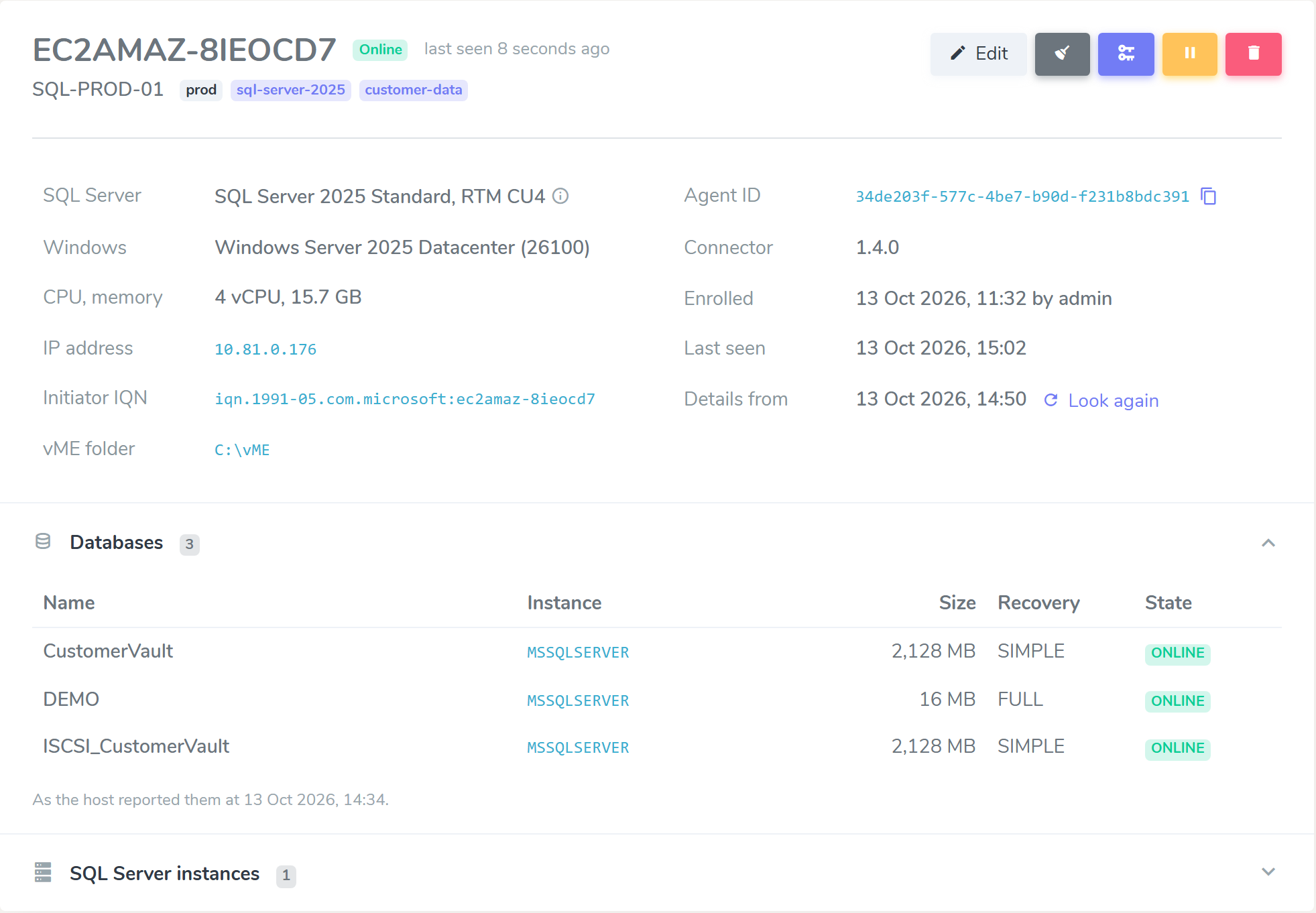
New appliances now boot into a guided Setup Wizard that walks you through every first-run step in the browser: hostname, network (DHCP or static IP with DNS), timezone, TLS certificate, licence activation, admin password, authentication method, and the initial storage pool. There is no more manual bootstrapping over SSH.
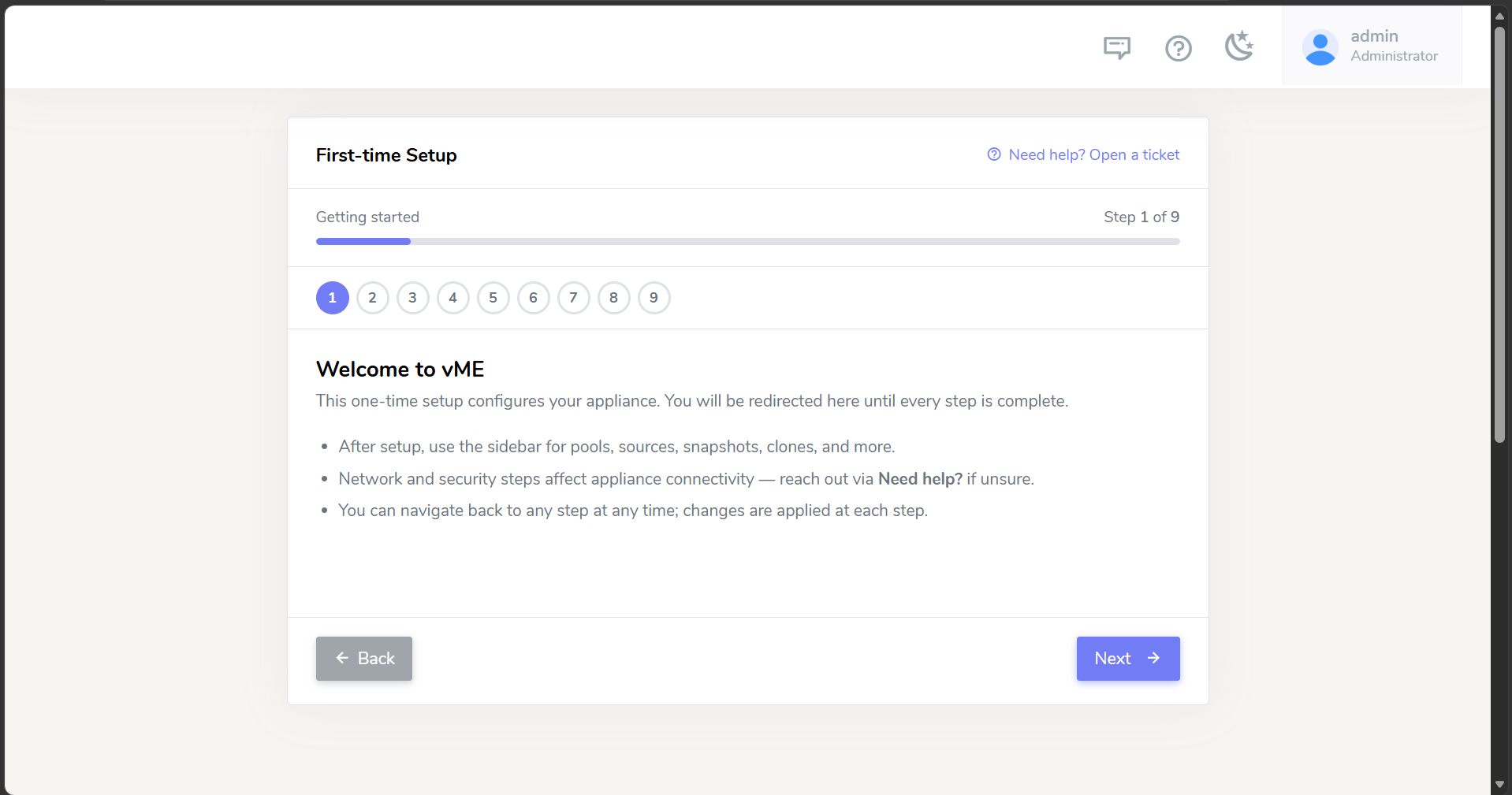
Setup Wizard - Welcome

See the Setup Wizard guide for the full step-by-step walkthrough, including DHCP vs static IP networking and installing your own TLS certificate.

End-to-End iSCSI Agent Orchestration

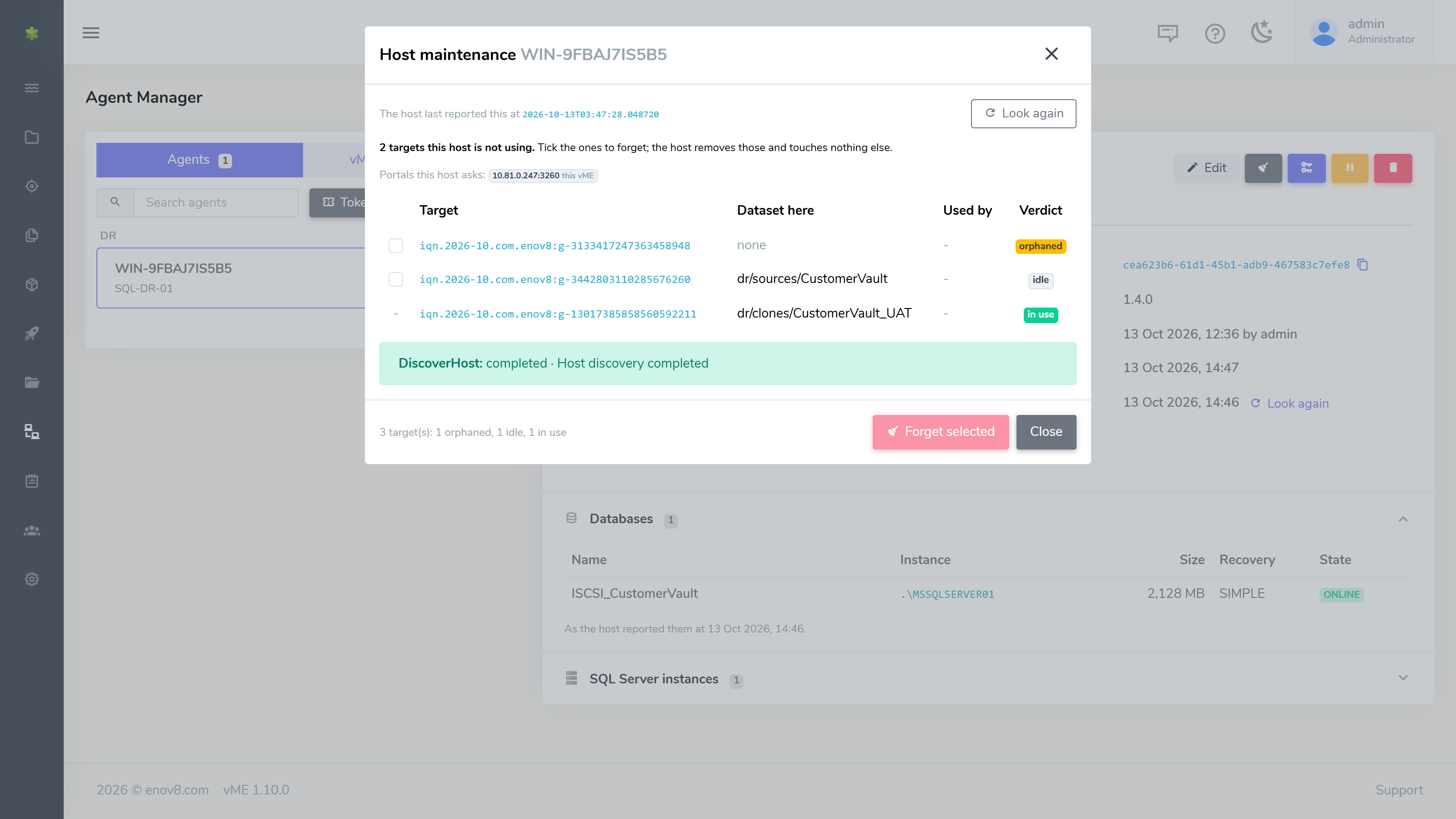
vME can now drive the SQL Server iSCSI workflow remotely and automatically. A lightweight Windows agent (installed from an MSI, run as a background service) enrols each SQL Server host with vME and then picks up and runs onboarding, migration, and clone mount/unmount jobs on demand - with no one logging in to run PowerShell.

Agents are managed centrally from the new Agent Manager in the web console: create one-time enrollment tokens, watch each agent's live status, and rotate keys - all over an outbound-only connection (port 443), so no inbound ports need to be opened on the SQL host.
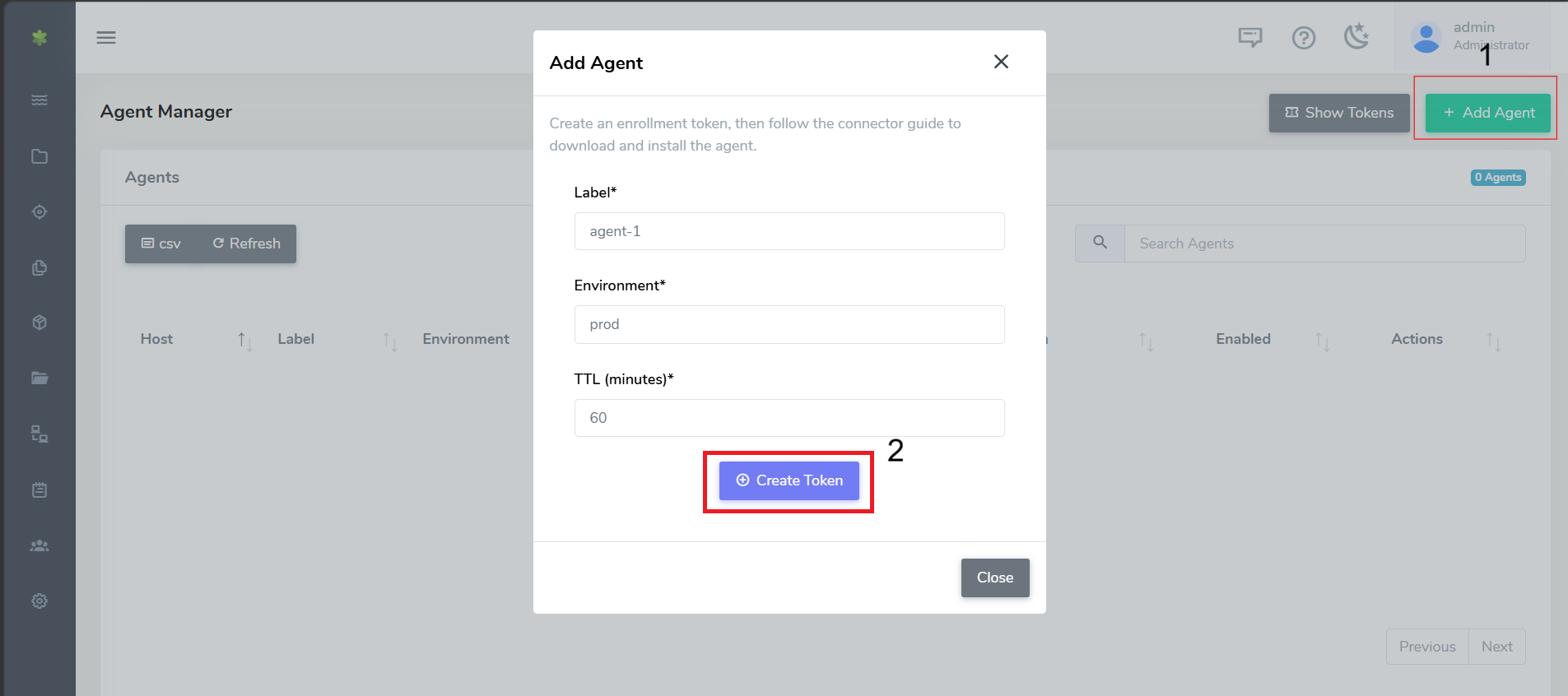
Agent Manager - enrolling a new agent

See the iSCSI Connector - Automated (Windows Agent) guide for setup and usage.

Application Onboarding Wizard (Beta)

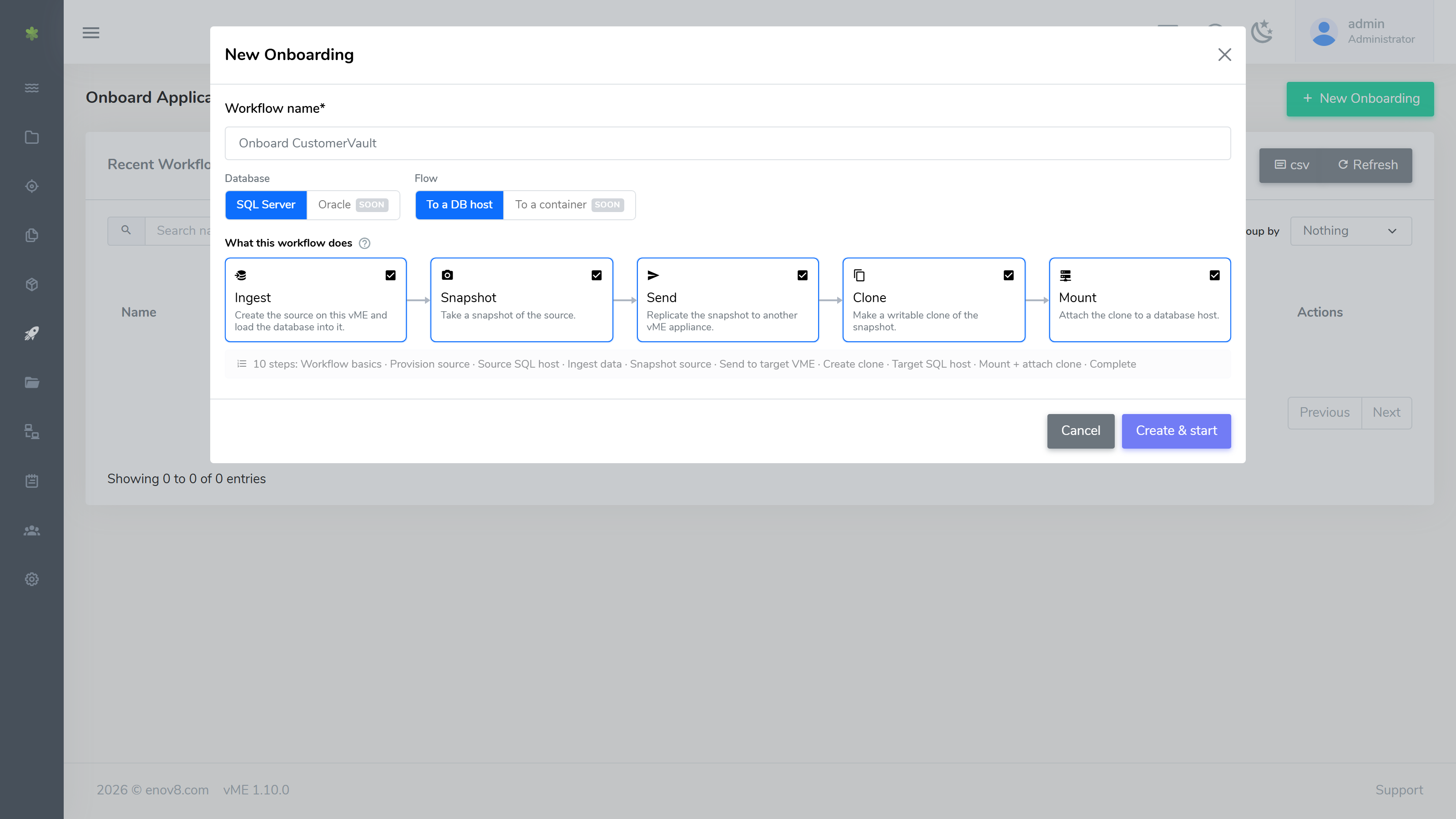
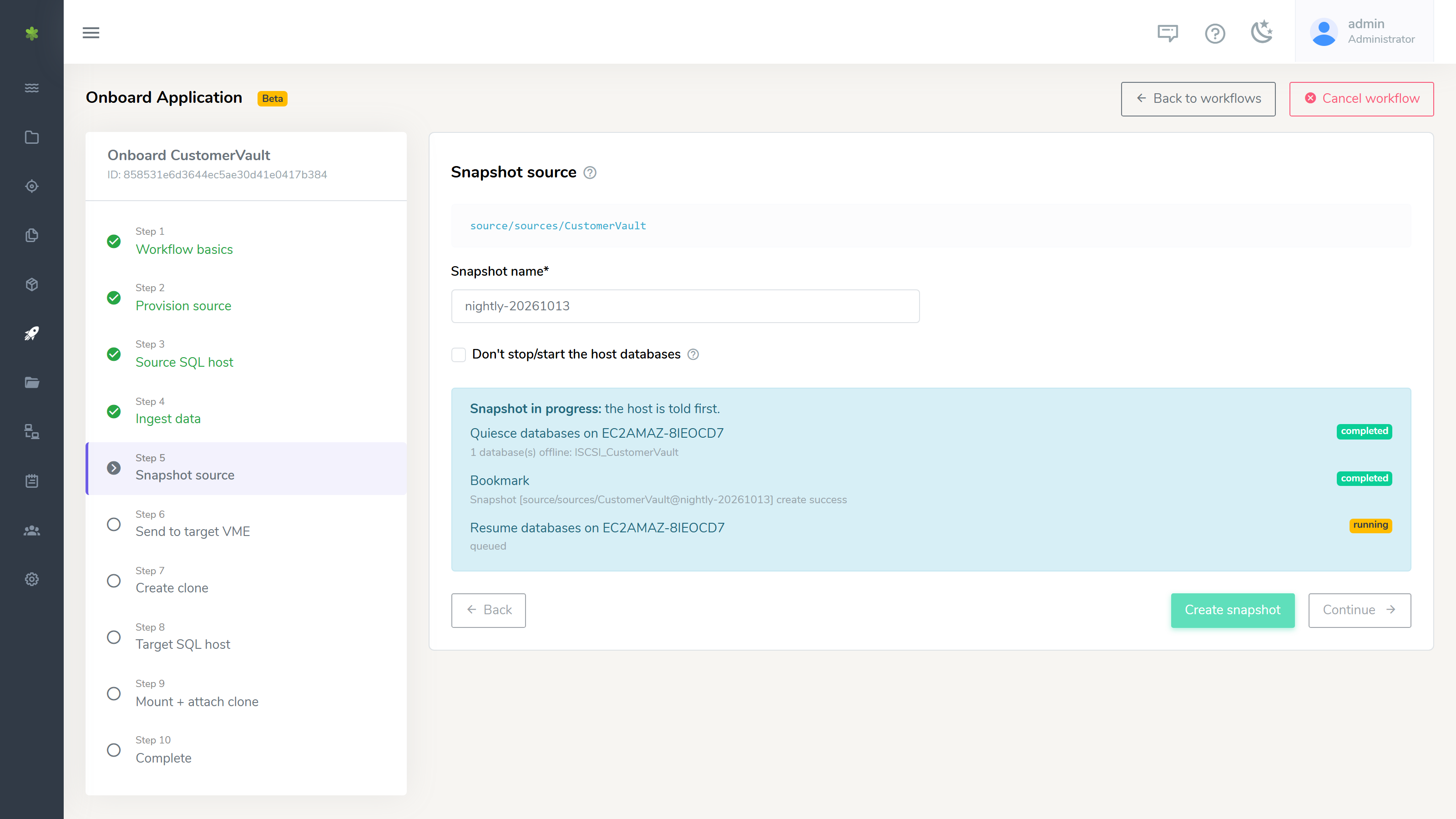
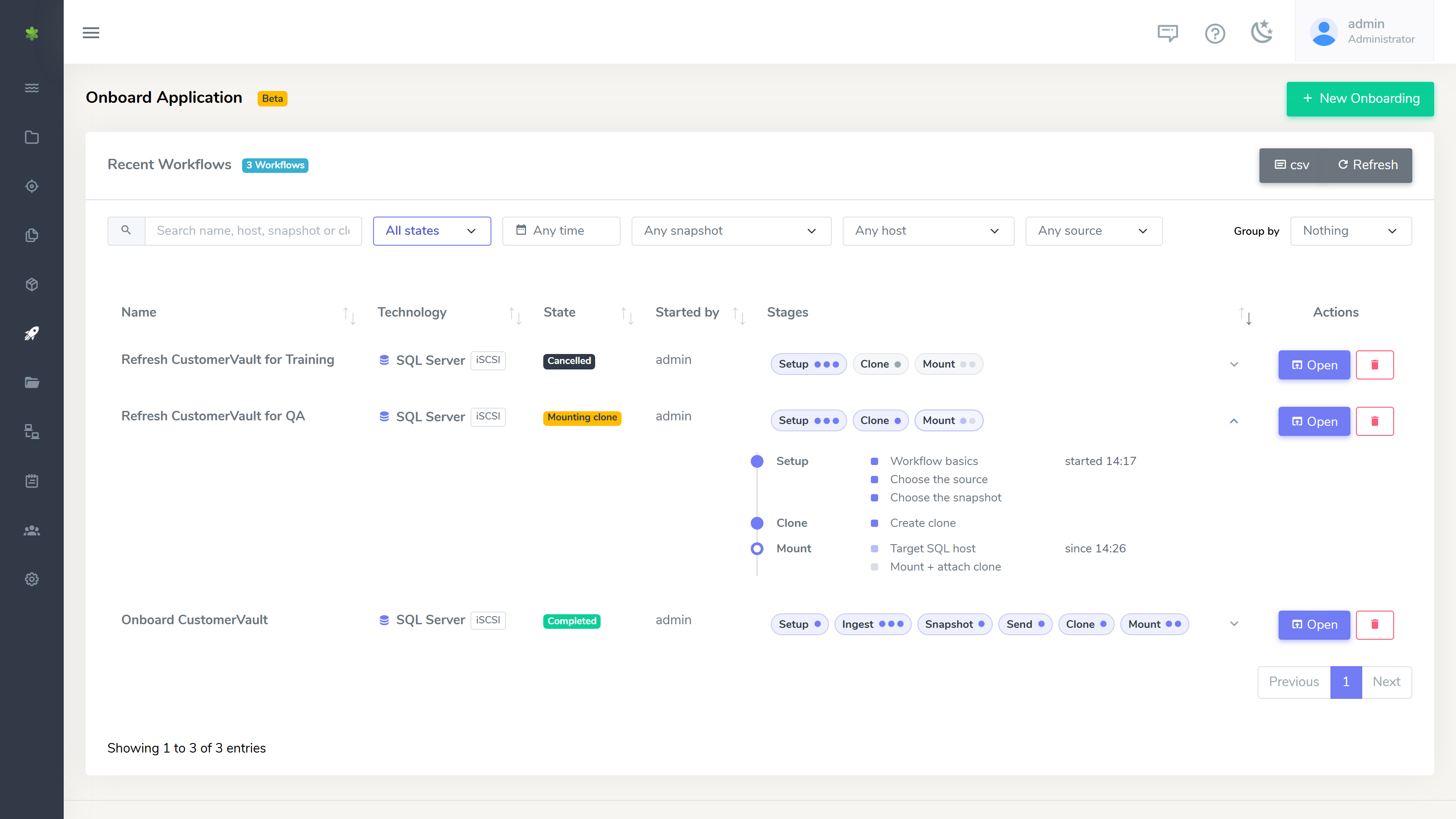
A new Onboard Application wizard (Beta) guides you through cloning a production database onto another vME appliance end to end - pairing the two appliances, discovering the source host, and driving the iSCSI agent through prep, snapshot, clone, and mount. This is an early Beta; we'd love your feedback.
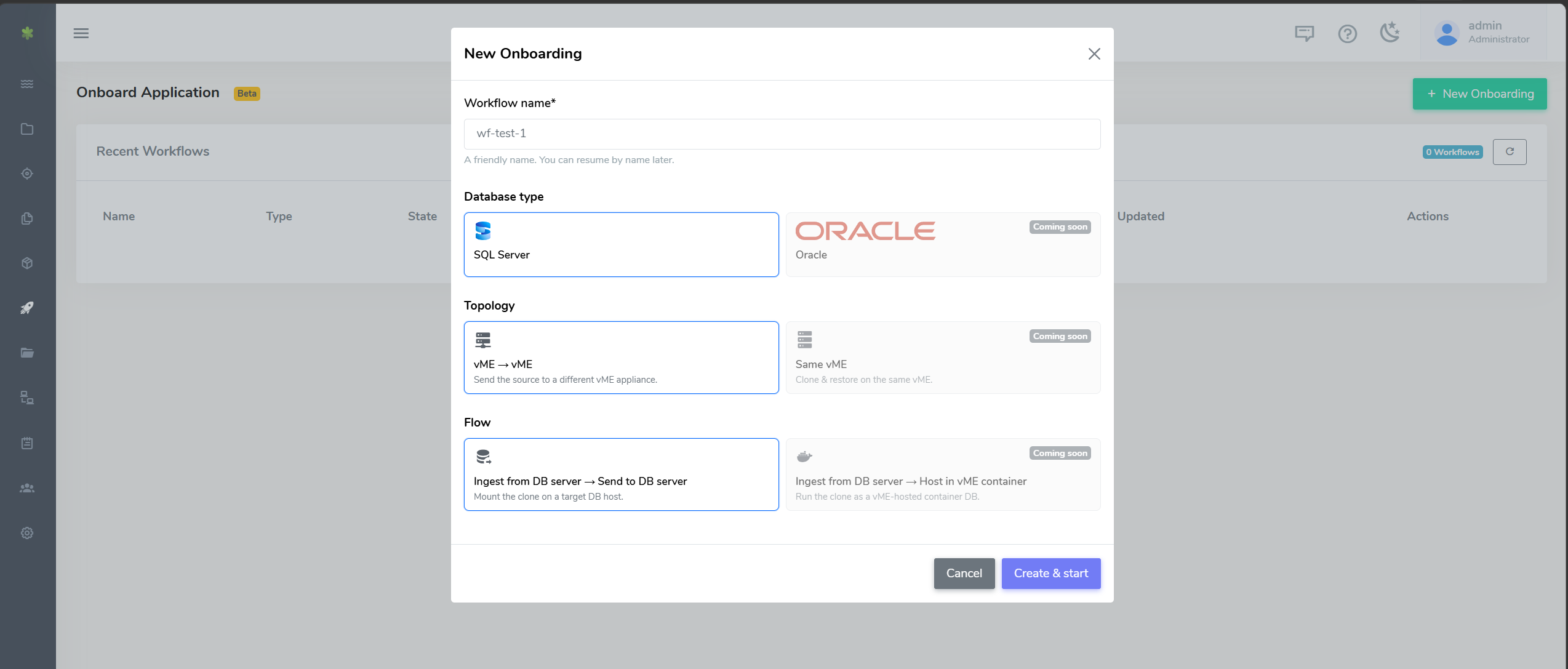
Onboard Application wizard - start

See Onboard Application (Beta) for the full workflow.

Container Connection Details

vME now surfaces each database container's connection details - host, port mappings, mount paths, database type, and environment variables (such as POSTGRES_USER / POSTGRES_PASSWORD) - in the web UI, so you can connect to a running database without hunting for its settings. The container list API (GET /docker/container/list) returns the port mappings, mounts, database type, and environment variables as well.
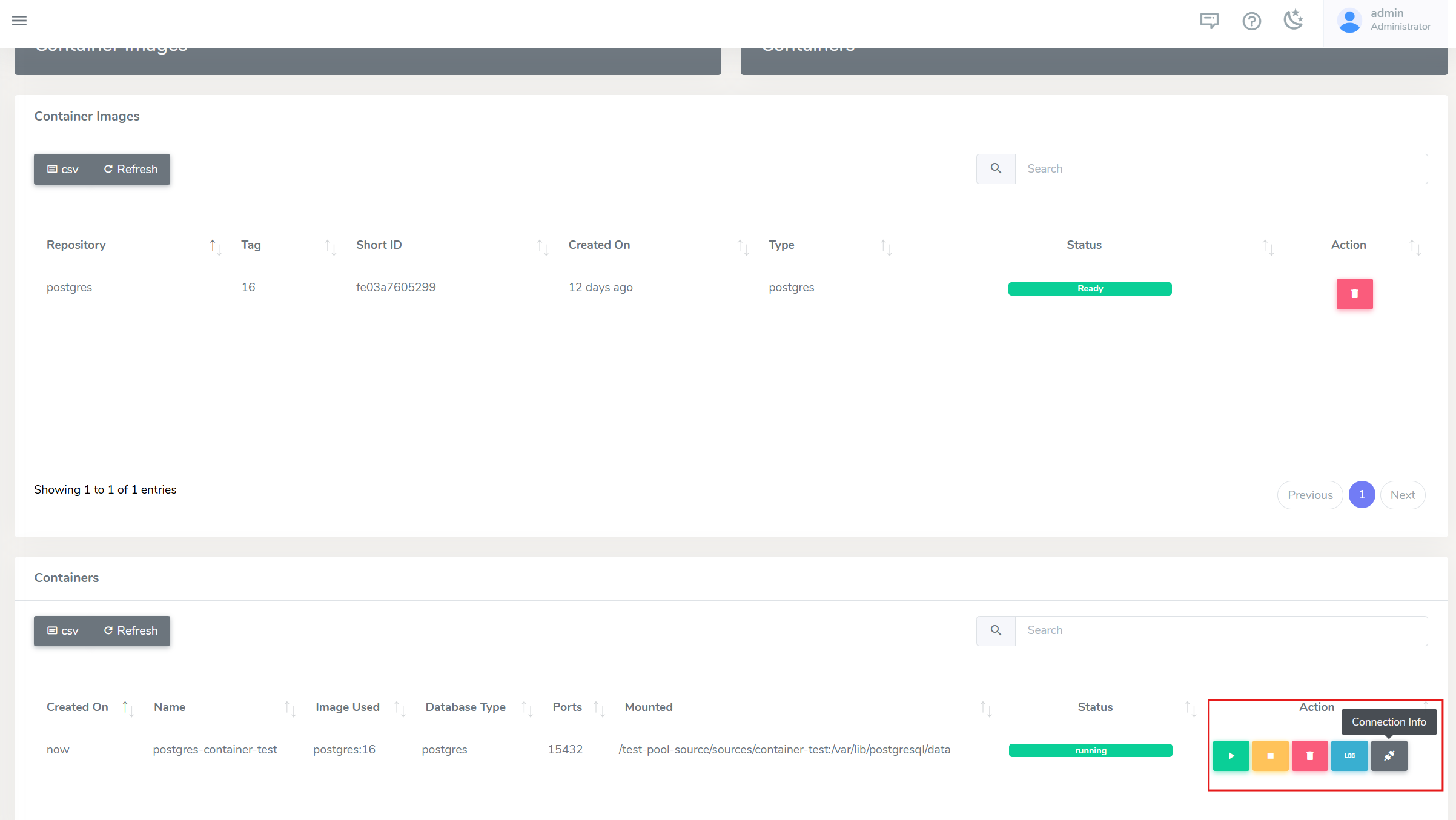
Container list - Connection Info action

See Getting container connection info for details.

Consistent Snapshots

When you snapshot a source or clone that has running database containers, vME now stops those containers first, takes the snapshot, and restarts them - so the captured data is consistent rather than mid-write. The UI shows a container-aware confirmation listing exactly what will be stopped.

See Snapshots for more info.

Rename Sources and Clones in the UI

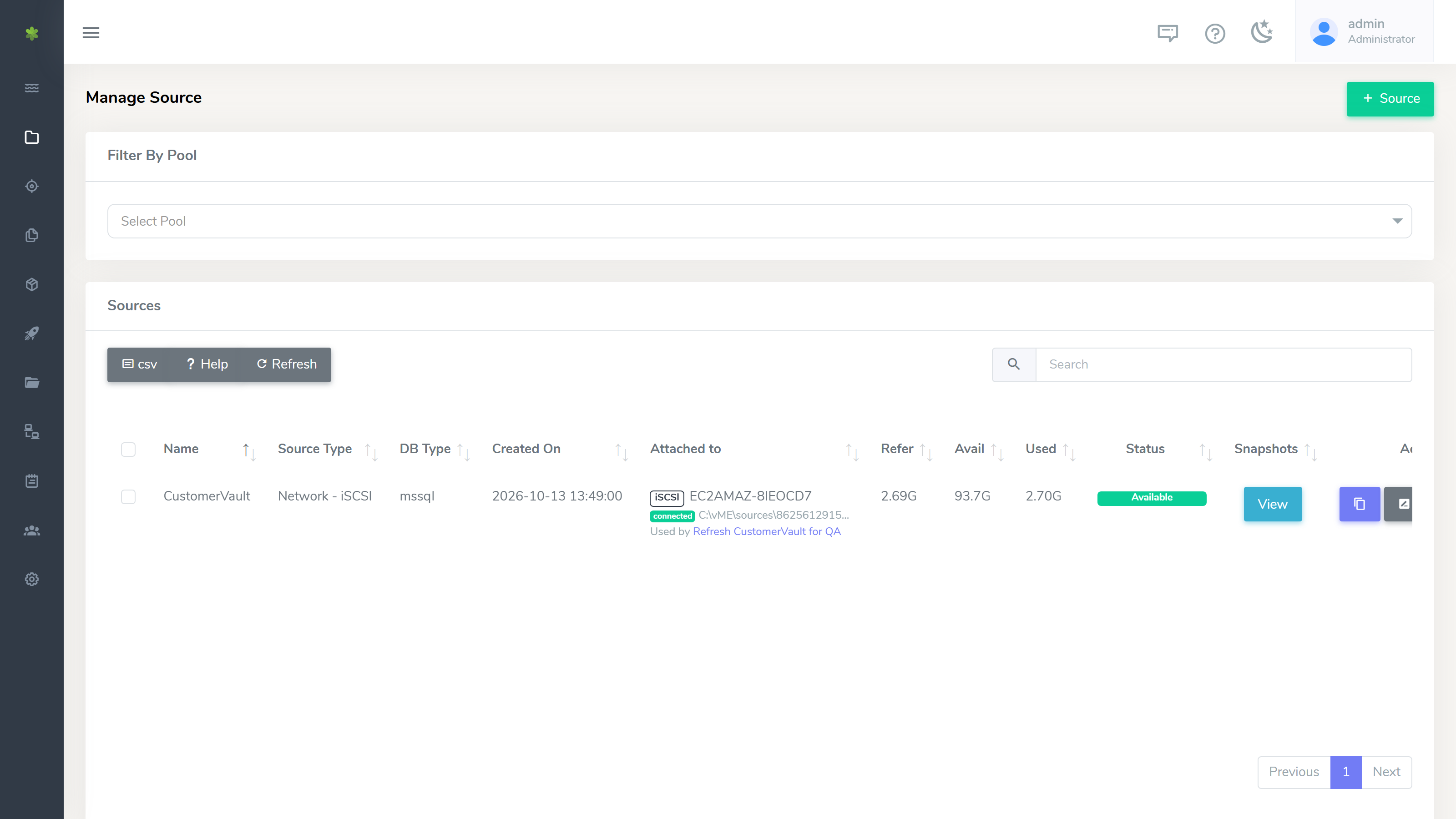
You can now rename sources and clones directly from the web console, instead of destroying and recreating them. (Renaming is not supported for iSCSI sources and clones.)
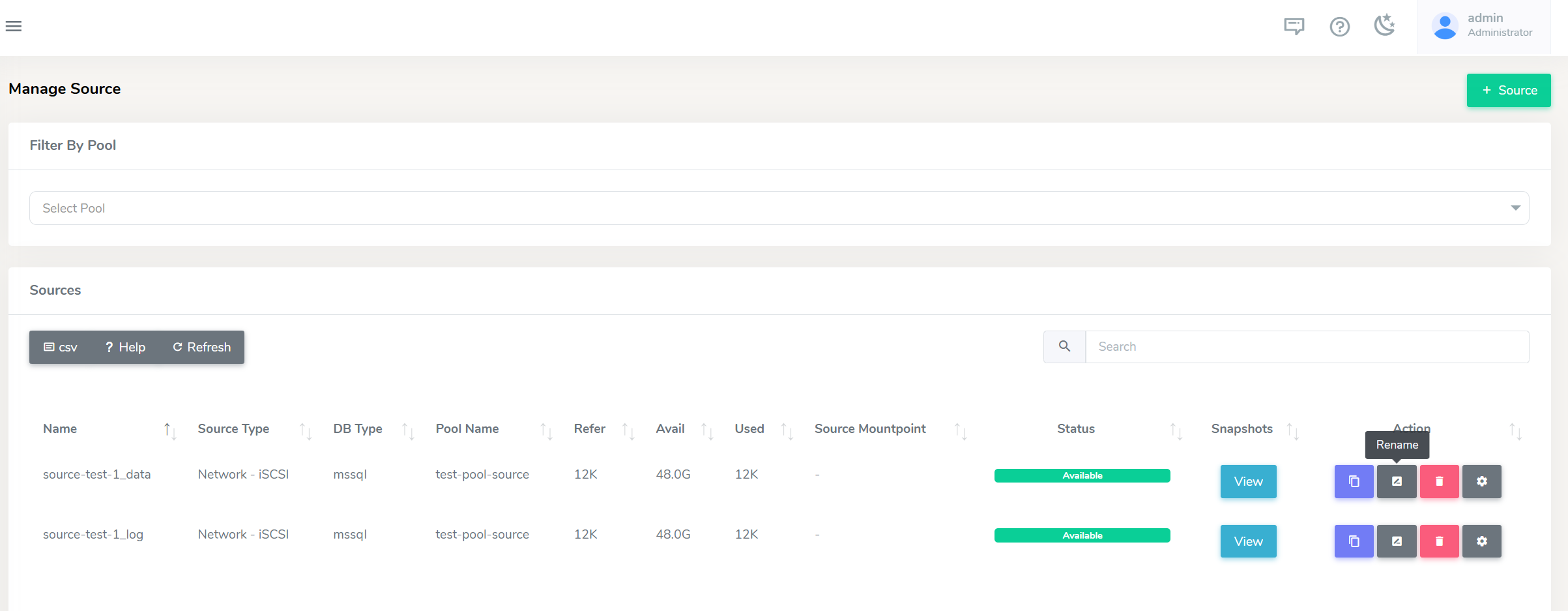
Rename button on a source or clone

Unix CLI Install

The vME CLI can now be installed on Unix, in addition to Windows, so you can run it from the command line on either platform. The CLI is also up to date with the 1.9.0 API. See the CLI guide to download and install.

Improvements

  • Clearer LDAP errors - a failed LDAP login now shows the actual error returned by the directory, instead of a generic message.
  • Licence errors surfaced - operations blocked by an unlicensed or expired appliance now show a clear licence error.
  • Longer sessions - the web session timeout has been extended to 24 hours.

Fixed Issues

iSCSI connector

  • Snapshots now flush the LUN write cache before the snapshot is taken, so clones are no longer occasionally created RAW/empty.
  • Skip-backup no longer crashes when pointed at a single backup file.

Platform

  • Login now signs in correctly on the button press after a session timeout.
  • Fixed a UI refresh glitch when switching between menu items.
  • Fixed cross-appliance API calls failing due to certificate handling.
  • Resolved intermittent stale database-connection errors.

API Changes & Upgrading

The 1.9.0 REST API is documented in the vME API reference. A few endpoints changed shape in this release - if you maintain a custom REST integration, review these before upgrading. (The vME web UI and CLI ship updated with the release and need no changes.)

Grab the updated vME Postman collection to get all the new and changed endpoints ready to run - it also includes an Onboarding (API) folder that replicates the full Onboard Application flow as ordered, chained requests.

Breaking changes

  • POST /user/modify now requires your current_password, and a password change is sent as a structured object:
    - { "username": "jane", "password": "NewPass456!" }
    + {
    + "username": "jane",
    + "current_password": "OldPass123!",
    + "password": { "current": "OldPass123!", "new": "NewPass456!", "confirm": "NewPass456!" }
    + }
  • DELETE /user/delete now requires your password and a typed confirmation:
    - { "username": "ubuntu123" }
    + { "username": "ubuntu123", "password": "MyPassword123!", "confirm_text": "DELETE ubuntu123" }
  • POST /db/receive is now asynchronous - it returns 202 Accepted with a task_id. Poll GET /tasks/<task_id> for completion instead of expecting a synchronous result.

New and improved

  • New endpoints: POST /db/send/cancel, POST /user/changepass, POST /db/network/create, DELETE /db/network/delete, and GET /tasks/<task_id>.
  • iSCSI sources & clones over the API: POST /source/create and POST /clone/create accept a network_info block (type: iscsi, with auto_grow / vsize), and the iSCSI target is provisioned automatically as part of creation.
  • System-to-system db send no longer needs an SSH/PEM key - vME establishes trust with the receiver automatically using its admin api-key.

1.9.1

Version 1.9.1 is a focused update to the Onboard Application workflow and the iSCSI connector, based on feedback from teams using them day to day.

What's New

Choose Your Own Database Name Prefix

Databases ingested onto iSCSI storage were always named with a fixed ISCSI_ prefix. The ingest step now has a Target database prefix field (under Advanced options) so you can pick a naming scheme that suits your environment. The default remains ISCSI_, already-ingested databases are detected using your chosen prefix, and teardown detaches using the same prefix the workflow ingested with.

Tear Down the Source Host

Once an application has been onboarded and cloned to the target appliance, you can clean up the source SQL host with one click. Tear down source detaches the staging databases, disconnects the workflow's iSCSI sessions, and frees the drive letters on the source host - without touching the source dataset on the appliance, so you can keep cloning from it. Only the workflow's own sessions and databases are affected.

Recognisable Snapshot Names

Snapshots created in the wizard now default to a name derived from your source name (for example SalesDB-20260729103000) instead of the generic prepared-<timestamp>. The name stays fully editable, and invalid characters are rejected with a clear message.

Automatic Drive Letter Assignment

The ingest and clone-mount steps now pick free drive letters automatically instead of defaulting to fixed letters that may already be in use. The pickers prefer the host's recommended letters when free, and never assign the same letter to data and log. Selecting an in-use letter manually still asks for confirmation before reformatting.

Improvements

  • P: and S: are now assignable as data/log drive letters across the wizard and the Windows connector.
  • Teardown is kinder to shared hosts - a full iSCSI cleanup no longer restarts the Windows iSCSI service, so other iSCSI workloads on the same host are not interrupted, and mount-point cleanup only touches the drive letters the workflow owns.

Fixed Issues

Onboard Application

  • Workflow steps completed directly via the REST API (for example with the Postman collection) are now recorded on the workflow and shown on the wizard's stepper, which refreshes live - previously the stepper only updated for actions taken inside the wizard itself.

iSCSI Connector

  • Tearing down a clone could leave the iSCSI session reconnecting automatically: persistent target registrations are now parsed and removed correctly, so a torn-down target stays disconnected.
  • Sessions are now disconnected reliably even when the target is no longer in the discovered-targets list.
  • Disks are taken offline before their session is disconnected, so volumes dismount cleanly during teardown.
  • The teardown's database-detach step can be skipped cleanly when there is nothing to detach, instead of stalling the run.

API Changes & Upgrading

Update the Windows connector to use the new features. The custom database prefix and the teardown fixes live in the Windows iSCSI connector - update the connector (MSI) on your SQL Server hosts as part of this upgrade. Until a host's connector is updated, ingests on that host keep the default ISCSI_ prefix regardless of what is set in the wizard.

Behaviour change for direct connector use: in the teardown script, the disconnect selection now takes Windows disk numbers (as shown in the script's disk listing) instead of session list positions. ALL and MATCH selections are unchanged, and wizard-driven teardowns are unaffected.

API additions (all optional, backwards compatible):

  • The ingest and teardown jobs accept a dbPrefix value (migrate.dbPrefix / unmount.dbPrefix).
  • The snapshot, clone, source, and send APIs accept optional workflow tracking fields (workflow_id, wizard_step, role) so API-driven onboarding steps appear on the wizard's stepper.
  • The vME Postman collection's Onboarding (API) folder has been updated to use these fields.

· One min read
Rohit Gupta

4.3.168.2.2

Release Date: 10th June 2026

Fixed

  • Resolved an issue where users could encounter an incorrect Max Concurrent User count error during login.

4.3.168.2.3

Release Date: 11th June 2026

Fixed

  • Improved session cleanup to ensure session files are removed correctly.

· 6 min read
Rohit Gupta

4.3.168.1

Release Date: 1st April 2026

New Features

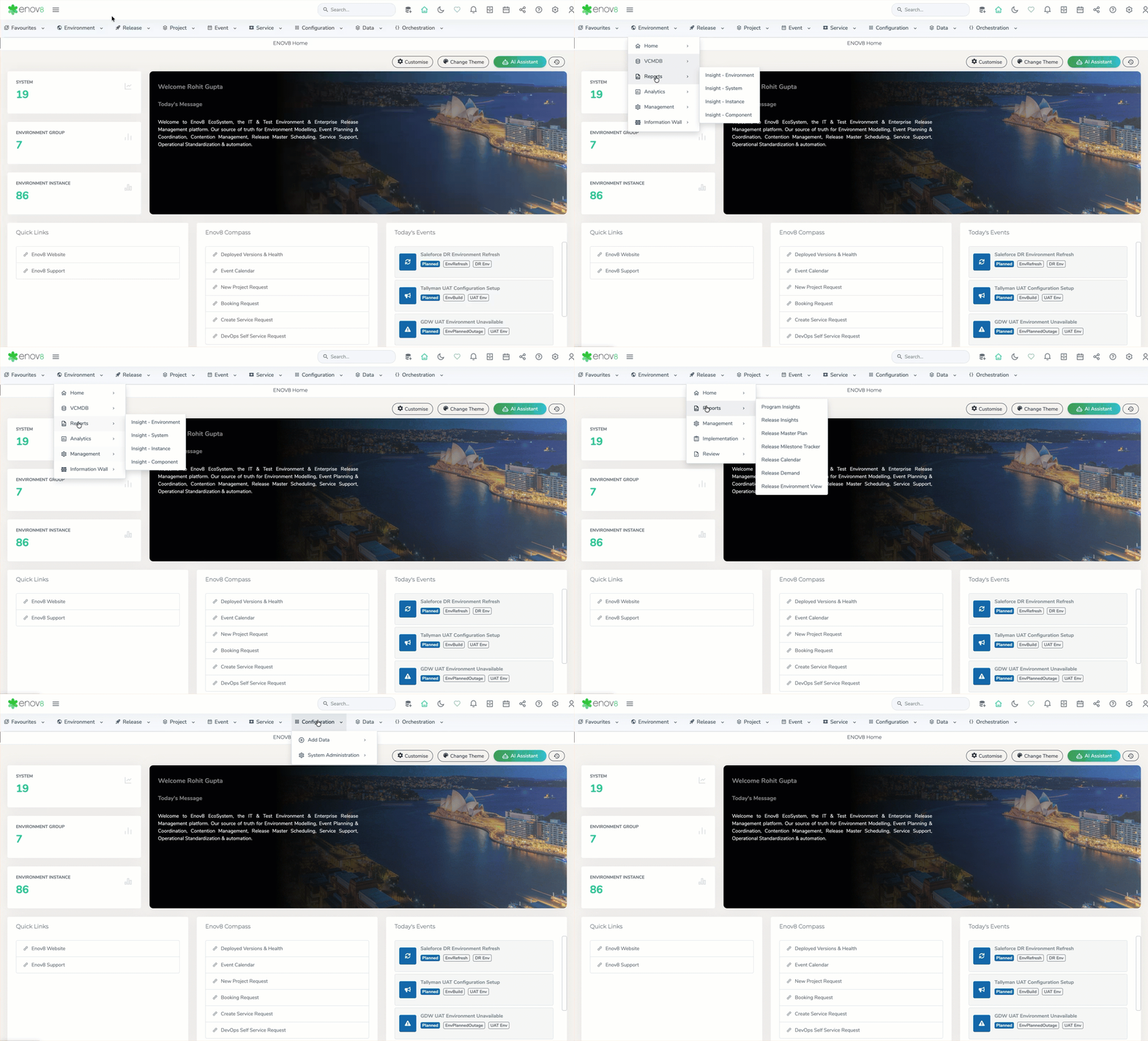
Horizontal Navigation Menu

A new horizontal navigation menu has been introduced to provide direct, streamlined access to core Enov8 modules, reducing reliance on nested navigation structures.

The updated navigation model centralises access to key modules (Environment, Release, Project, Event, Service, Configuration, Data, Orchestration), improving efficiency and simplifying the user experience. The scalable design also ensures the menu can accommodate future module expansion without impacting usability.

Horizontal Menu

Horizontal Menu

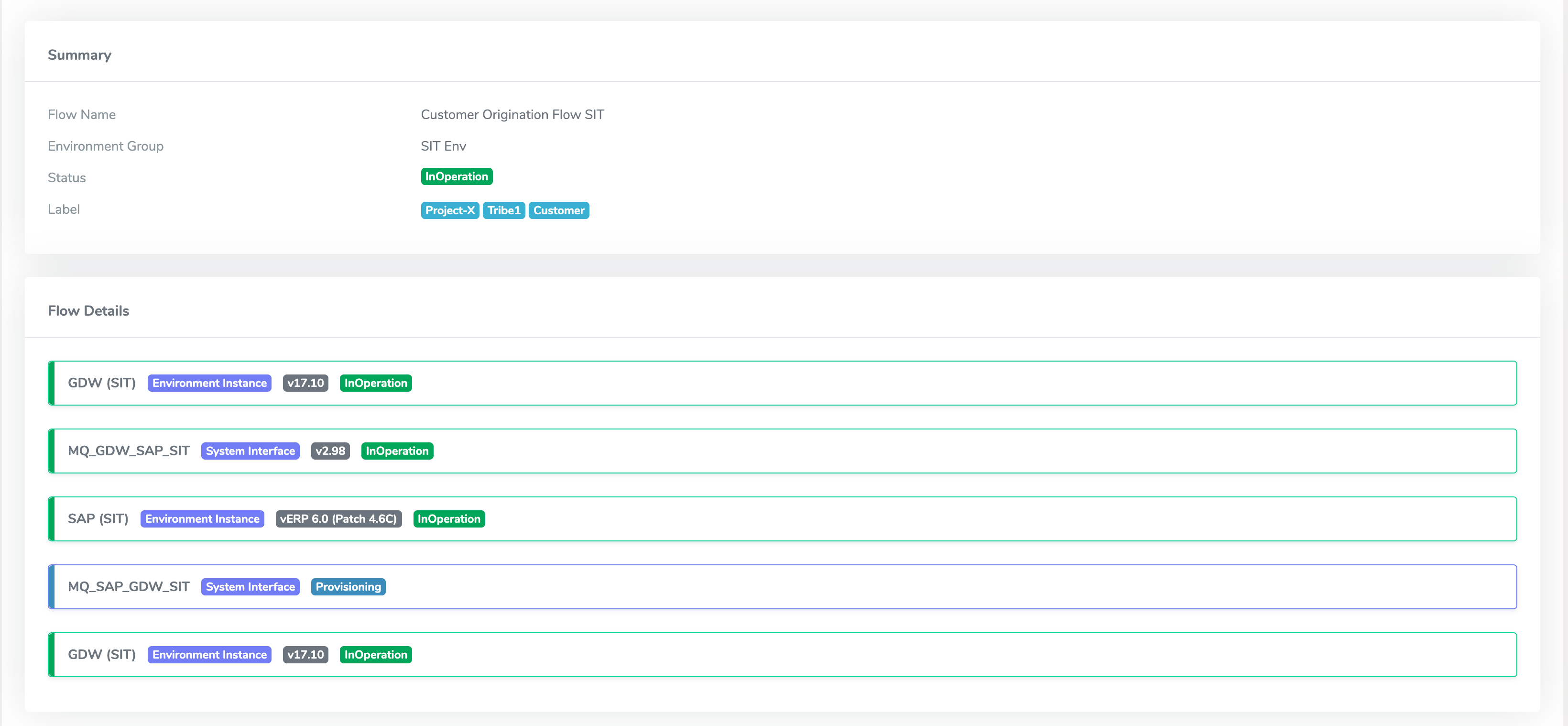
Environment Flow – End-to-End Flow Modelling & Status Monitoring

A new capability, Environment Flow, has been introduced to enable modelling of end-to-end flows across environment instances and system interfaces. Users can define logical flows representing interconnected components within their environment landscape, providing a clearer view of system interactions and dependencies.

Each flow is assigned a dynamic status that reflects the health of its underlying components. Any change in the status of an environment instance or interface (e.g., downtime or failure) is automatically propagated to the associated flow, allowing users to quickly identify impacted flows and take corrective action. This enhances visibility, improves impact analysis, and supports proactive monitoring of critical environment pathways.

Environment Flow

Environment Flow

Enhancements

Redesigned Top Bar

The top bar has been redesigned to deliver a cleaner, more structured interface with enhanced accessibility to global actions. The update introduces support for dark and light mode, along with modernised icons and refreshed visual styling, improving overall clarity and consistency.

The enhanced layout and visual hierarchy provide a more intuitive user experience, enabling quicker access to key actions while aligning with the platform’s broader UI modernisation.

Top Bar

Top Bar

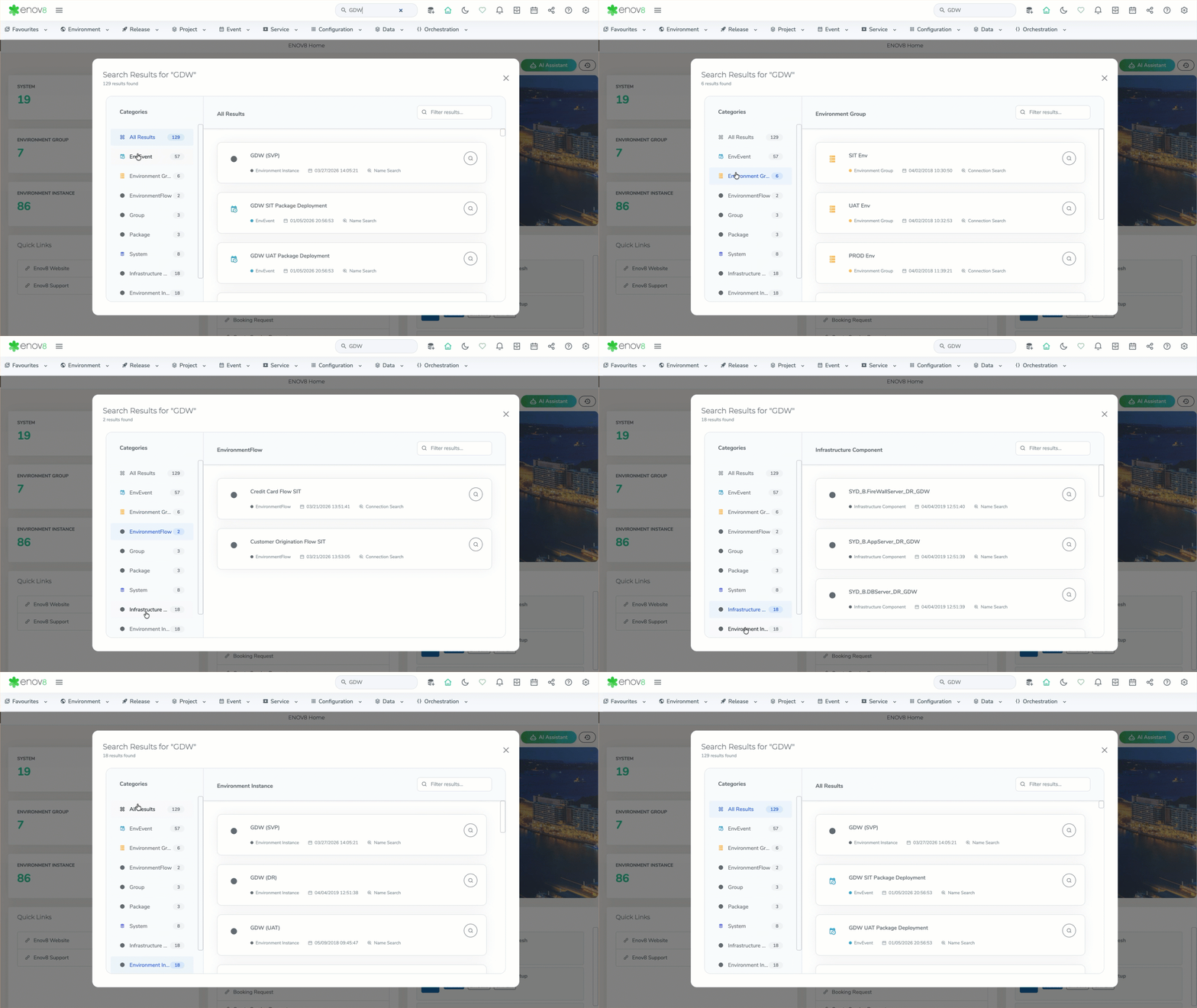
Global Search – UI Modernisation & Category-Based Filtering

The Global Search experience has been redesigned with a modern UI, improving usability, readability, and overall visual consistency across the platform.

The update introduces category-based filtering via a left-hand panel, allowing users to quickly refine results across areas such as Environment, Events, Systems, and Packages. With grouped results and category-level visibility, users can navigate search outcomes more efficiently, reducing the time required to locate relevant records.

Global Search

Global Search

Data Model Management – Unified Interface & Backup Restore Enhancement

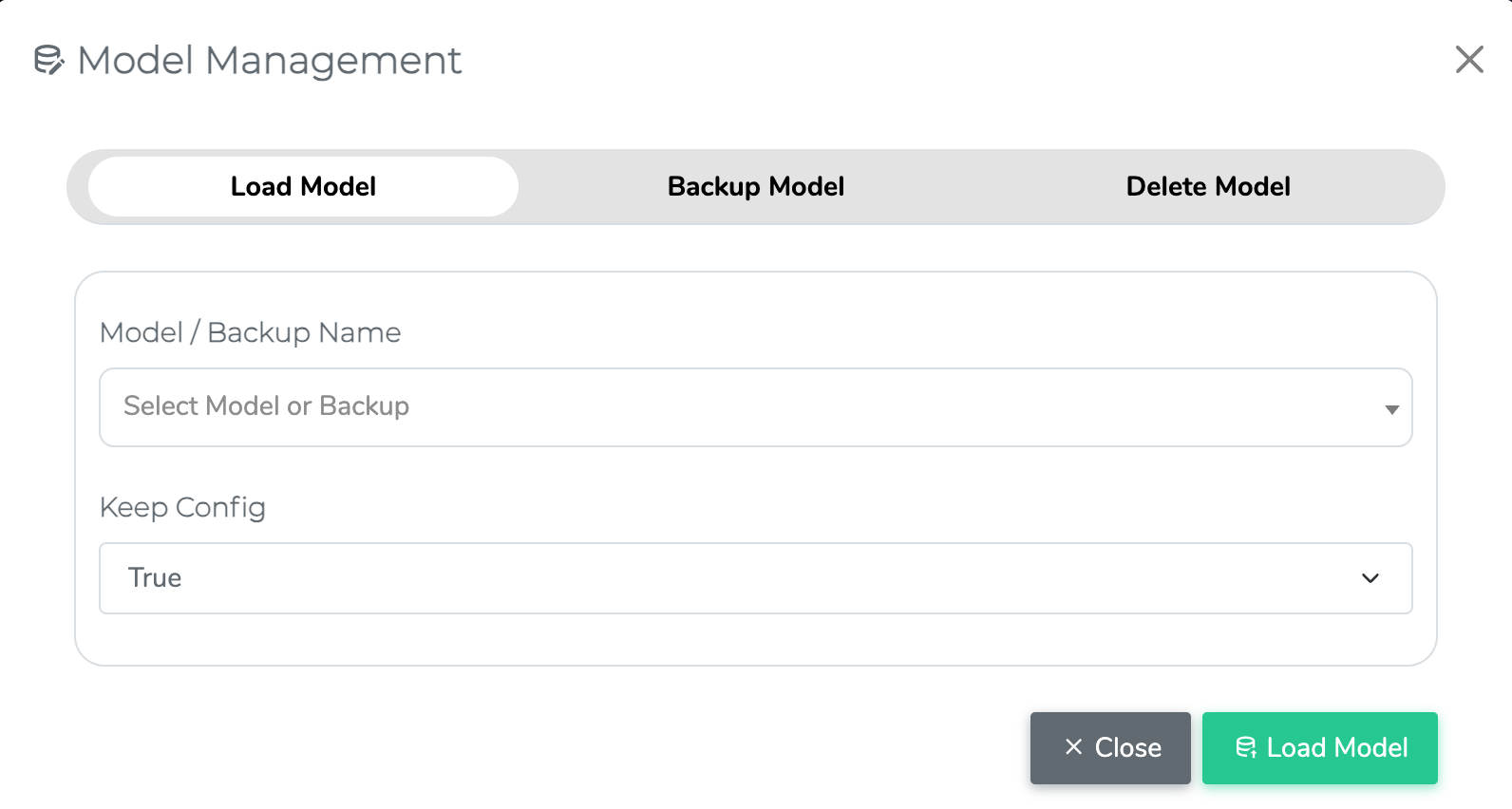
Data Model Management has been streamlined into a unified interface, bringing all model lifecycle operations into a single, consolidated view. Previously distributed across multiple dropdown options (Load, Backup, Delete), these actions are now centrally accessible, improving usability and reducing navigation complexity.

The Load Model capability has also been enhanced to include visibility of automated system backup files. This enables users to quickly restore models directly from available backups without relying on external tracking or manual processes, significantly improving recovery efficiency and operational control.

note

This enhancement improves usability and does not impact existing model configurations or backups.

Data Model Management

Data Model Management

Bulk Edit Enhancements

Bulk edit capabilities have been extended across key modules to support additional update and configuration actions, enabling more efficient management of large datasets.

The following enhancements have been introduced:

ReportBulk Actions Supported
Configure EnvironmentCreate Tags, Update Versions
Manage EventsCreate Tags, Update Version, Update Environment
Manage Service RequestsUpdate Root Cause Type, Update Priority

These enhancements reduce manual effort, improve data consistency, and streamline administrative workflows across the platform.

Subscription Manager – UI Redesign & Category-Based Unsubscription View

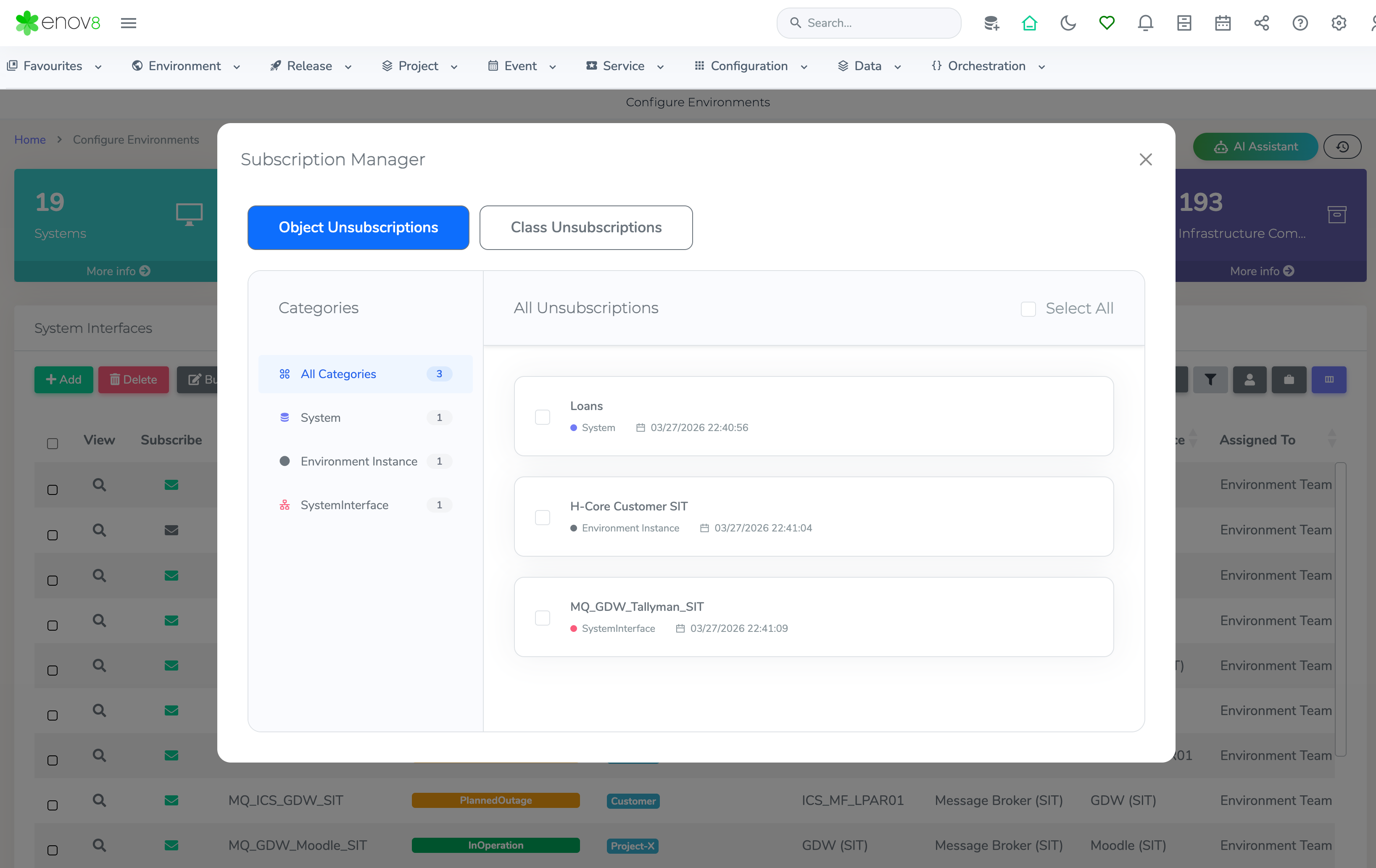
The email unsubscribe experience has been redesigned with a modernised UI, improving usability and providing clearer visibility into subscription preferences.

The updated interface introduces a category-based view, allowing users to filter unsubscribed items by class (e.g., System, Environment Instance, System Interface) from the left-hand panel. This enables users to quickly identify and manage the specific objects they have unsubscribed from, improving transparency and control over notification settings.

Subscription Manager

Subscription Manager

Dynamic Date Range Handling in Shared Report URLs

Date range handling in shared report URLs has been enhanced to support dynamic date selections. Previously, when users selected predefined ranges (e.g., This Month, Last 30 Days) and shared the URL, the exact date values at the time of sharing were persisted.

With this update, shared URLs now retain the selected date range type rather than fixed dates. When the URL is accessed, the report dynamically recalculates and displays data based on the current date context. For example, a report shared with This Month will always display data for the current month at the time of access.

For Custom Date selections, the explicitly chosen date range is preserved and consistently displayed when the shared URL is opened.

This enhancement ensures reports remain contextually relevant while maintaining accuracy for fixed-date scenarios.

Orchestration Manager – Enhanced Scheduling (Weekly & Monthly Support)

Scheduling capabilities within Orchestration Manager have been extended to support Weekly and Monthly execution frequencies. This enhancement provides greater flexibility in defining automation schedules, enabling alignment with more complex operational and business-driven timelines.

4.3.168.1.7

Release Date: 21st April 2026

Fixed

  • Resolved an issue where user login approval status did not update correctly.

4.3.168.1.8

Release Date: 8th May 2026

Enhancements

  • Async Orchestration Backup: Added an asynchronous backup feature to Orchestration Manager. Users can now trigger backups without blocking other operations.

Fixed

  • Resolved an issue where data format was different to the configured format in Runsheet Activity & Event Insight Reports
  • Increased the width of Data Source in Execution Console for TDM
  • Resolved an issue with Status color not coming properly in Action Runsheet area.

4.3.168.1.9

Release Date: 20th May 2026

Enhancements

  • The Booking Form "Service Request" copy feature has been improved to support copying the booking sub type.
  • The WYSIWYG Editors within Manage Runsheets now include enhanced table editing capabilities, allowing users to easily add or remove rows and columns.

Fixed

  • Addressed an issue that prevented changing the booking status to "deleted."

· 4 min read
Jake Cave

3.10 Major Release Items

What's New

Reporting & Compliance Enhancements

TDM reporting has been redesigned to provide a more in-depth compliance view across onboarding and operational activity. Reports can be generated at any stage of application onboarding, with time and date filters to review database activity for defined periods (for example, quarterly reporting windows). PDF and CSV outputs consolidate profiling, masking, and validation outcomes at the column level across multiple executions. Users can also download reports for all jobs executed within the selected period, with filters applied to target specific results such as TFN matches across a single database or grouped databases.

Enhanced Chunking for Fixed-width File Masking

Added chunked processing support for fixed-width file masking to improve throughput on large datasets. This update improves scalability and reduces memory overhead for high-volume file inputs.

Enhanced Grouped Connection Support

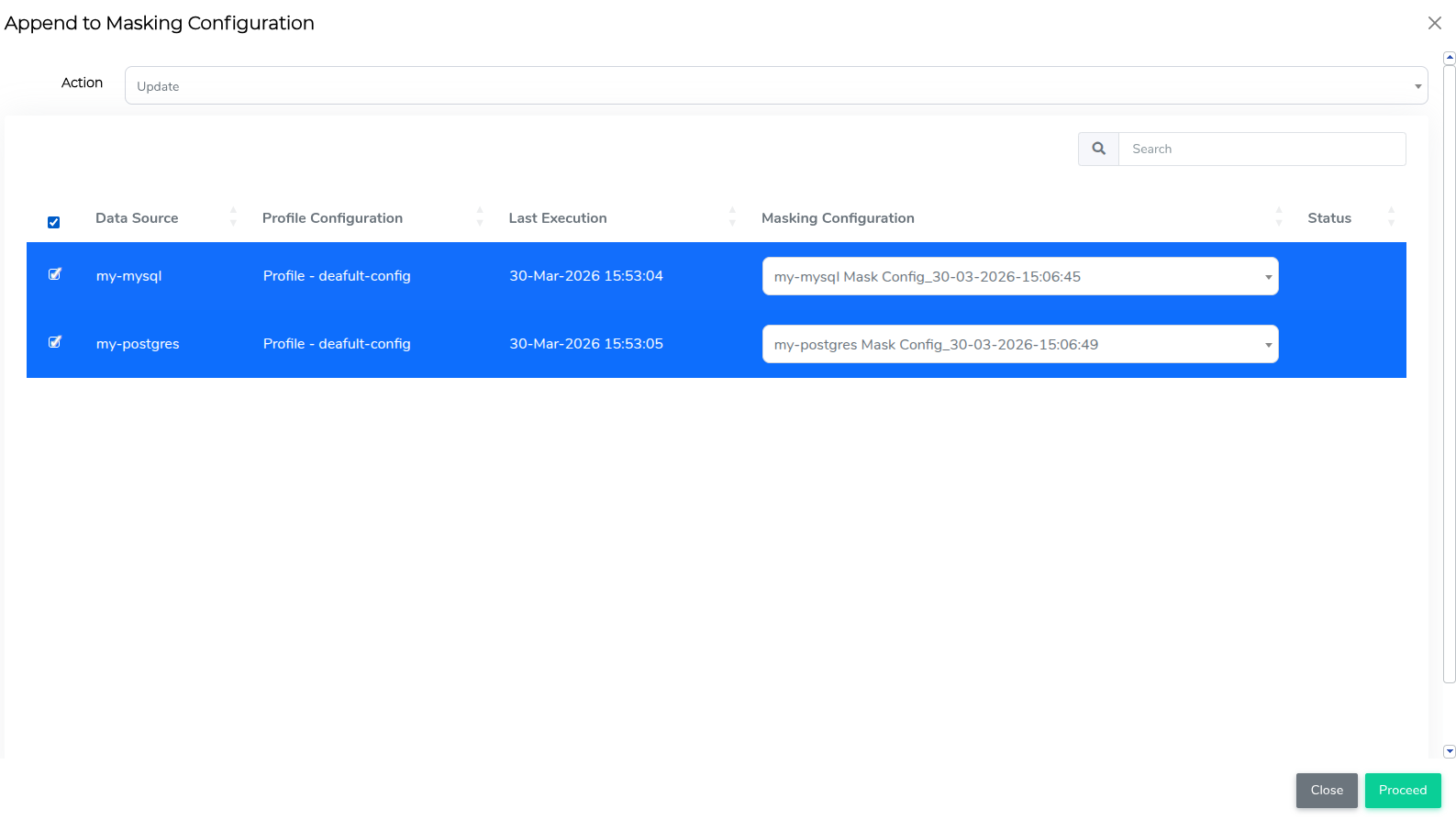
Extended grouped data connection capabilities with delta profiling and bulk delta scan execution across related data sources. Masking configurations can now also be created or updated in bulk, improving operational efficiency and consistency in larger environments.

Expanded Database & Feature Support

Added new capabilities across multiple platforms, including:

  • XML masking and casting support for MSSQL
  • SSL/TLS (including TCPS) support for Oracle and Sybase
  • Enhanced MongoDB GSSAPI authentication with additional configuration options

Changes

MongoDB Log Rotation

Automated log rotation is now configured during MongoDB installation to prevent log growth and disk space issues. The installer creates and validates a daily rotation policy that retains 7 compressed logs.

Enhanced TDM Configuration Descriptions

Field descriptions in profile and mask configurations have been updated to provide clearer, more informative guidance. Users will now see contextual information, including usage considerations and any limitations, helping to improve configuration accuracy and reduce setup errors.


Fixed Issues

Others_UniqueID Pattern - Database Masking

  • Updated masking logic for columns with unique constraints so generated values maintain uniqueness and avoid integrity conflicts during masking operations.

Improved Database Profiling Accuracy

  • Profiling status for columns containing special characters is now reported correctly, including detailed failure information where applicable.

Conditional Masking

  • Improved conditional masking behavior when the dependent or flag column contains null values. Conditions are now evaluated consistently so rules behave as expected for null-based scenarios.

Database Compatibility Fixes

Resolved compatibility issues across supported databases, including:

  • Oracle — conditional masking, date handling, and quoting issues
  • PostgreSQL and Aurora variants — validation accuracy and empty table handling
  • MySQL and MariaDB — cross-table masking and merge behaviour
  • MSSQL and Sybase — masking, validation, and function handling
  • Teradata — schema handling and function stability

File Processing Enhancements

Improved file-based workflow behavior and diagnostics, including:

  • Consistent masking and validation for fixed-width, CSV, and JSON files
  • Improved handling of file paths, including missing files and non-standard path formats
  • Clearer, more informative messages during file processing

3.10.1

Release Date: 24th April 2026

Fixed Issues

Teradata

Resolved cleanup of Enov8_Rn_Tbl post-masking to ensure it is removed after execution.

MSSQL

  • Introduced chunking support for inserts into temporary tables to improve performance and stability during large operations.

  • Fixed issues with fixed value masking when chunking is enabled, ensuring consistent processing.

  • Resolved issues in cross-table conditional masking to ensure reliable execution.

Compliance Report

  • Improved UI/CSS styling for the TDM Compliance Report for better readability and presentation.
  • Reintroduced the Forensic Results section within the report, now positioned in the appendix.

Free Text Masking

Enhanced free text masking capabilities to:

  • Detect and sanitise numeric data within unstructured text.
  • Recognise and mask Australian Medicare numbers.
  • Dynamically adjust text character limits based on available server memory to prevent out-of-memory errors.

3.10.2

Release Date: 13th May 2026

Fixed Issues

Oracle and MongoDB Masking

  • Resolved an issue where chunked distinct value retrieval caused an error during Many-to-One masking.

PostgreSQL Masking

  • Improved fixed-value masking SQL generation for PostgreSQL when no flag conditions are configured, avoiding an unnecessary flag-column reference in that scenario.

· 2 min read
Ash Hosking
Jake Cave

Release Date: 6th March 2026

Key Features

  • User & Role Management: Added full administrative user management capabilities within vME. Administrators can now add, modify and delete users directly from the platform.
  • LDAP Integration: vME now supports integration with Active Directory via LDAP, allowing centralised authentication and improved enterprise security alignment.
  • ZFS Pool Disk Discovery: When creating a ZFS storage pool, vME now automatically retrieves and displays available disks and partition information, simplifying storage configuration and reducing manual effort.
  • iSCSI Volume Autogrow: iSCSI storage volumes now automatically grow as needed. Manual size configuration has been removed, providing a simpler and more reliable provisioning experience.
  • CHAP Authentication for MSSQL iSCSI: Added CHAP authentication support when mounting MSSQL databases over iSCSI for enhanced security.

Enhancements

  • Operating System Disk Protection: System disks are now clearly identified and protected from accidental pool creation, reducing risk during storage configuration.
  • Improved Logging: Logging has been enhanced to provide clearer, more structured messages to assist with troubleshooting and operational visibility.
  • CLI Alignment: The CLI has been updated to align with the latest API capabilities, ensuring consistent behaviour across interfaces.
  • Container Image Pull Refresh: Added automatic refresh during container image pulls to provide better visibility into progress.
  • Dark Mode Improvements: Improved text consistency and readability in Dark Mode.
  • Frontend Stability Improvements: Addressed UI refresh behaviour and improved overall frontend responsiveness.
  • Documentation Updates: Updated API, CLI and frontend documentation to reflect new capabilities and screenshots.

Bug Fixes

  • Disk Validation: Resolved an issue where invalid physical device paths could be passed during disk operations.
  • Pool Disk Display: Fixed an issue where newly created iSCSI disks were incorrectly appearing as available disks for pool creation.
  • Security Library Update: Addressed frontend security warnings related to third party libraries.

· One min read
Rohit Gupta

4.3.167.2

Release Date: 28th Nov 2025

Fixed

  • Data clean up for out of box DataLibrary Objects.

4.3.167.2.2

Release Date: 11th Dec 2025

Fixed

  • Resolved an issue where the User Group dropdown did not render correctly in Manage Runsheets.
  • Corrected a problem in the Availability Dashboard that prevented data from displaying accurately for instances containing multiple environments.
  • Addressed an issue in the Connectivity view where the interface instance name was not shown when multiple names were present.

4.3.167.2.3

Release Date: 30th Dec 2025

Fixed

  • Booking approval emails now correctly exclude notification groups associated with system instances.
  • Improved the formatting of the Description property in email notifications.

4.3.167.2.4

Release Date: 15th Jan 2026

Fixed

  • Resolved an issue where jobs were not getting processed in the DCS Queue Manager.

4.3.167.2.6

Release Date: 28th Jan 2026

Fixed

  • Improved performance in Data Configuration Management when handling large configurations.
  • Fixed an issue where notification lists did not populate correctly in Manage Runsheets.

· 4 min read
Rohit Gupta

4.3.167.1

Release Date: 10th Nov 2025

New Features

Release Activity Checklists & Attachments

Checklists and file attachments have been introduced within release milestones and phases, enabling more detailed progress tracking. Users can now attach supporting documents or evidence directly to release activities for improved auditability.

Enov8 AI Assistant (Beta)

The Enov8 AI Assistant now supports integration with external LLMs such as OpenAI and Gemini, allowing organizations to connect their own AI models. Additionally, it can leverage existing report data to deliver deeper insights and context-aware assistance.

ServiceNow Add-On (Orchestration Manager)

A new ServiceNow Add-On has been introduced to streamline change management between ServiceNow and Enov8. The add-on listens to payloads triggered by ServiceNow Business Rules for any change requests and automatically creates corresponding records in Enov8, ensuring real-time synchronisation and improved workflow automation.

Enhancements

Automated Status Synchronisation

The automated synchronization of environment instance statuses has been improved. Status updates now depend on the Monitoring flag—synchronization occurs only when monitoring is enabled, ensuring more accurate and relevant environment updates.

Bulk Edit

The Bulk Edit capability has been extended to the Configure Environments, Manage Events, and Service Requests modules, enabling users to efficiently perform bulk updates across multiple records.

Connectivity View

The Connectivity View has been optimized for handling large datasets and now includes a Focus Mode. This feature allows users to emphasize specific nodes and edges while dimming others, improving clarity and usability.

Version Drift - Deployed Version Report

A new enhancement in the Deployed Version Report highlights version discrepancies across environments, helping teams quickly identify and resolve configuration drift.

Data Management - Execution Console Enhancement

The Execution Console within Data Management has been enhanced to display real-time health status indicators for both the Worker Bee and the associated data source, improving visibility into system operations.

Microsoft Teams Plugin Enhancement (Orchestration Manager)

The Microsoft Teams integration has been enhanced to support webhook connectivity via Script Mode instead of the traditional Webhook URL mode. This update enables greater flexibility and security in configuring Teams notifications. Additionally, the plugin now supports configuration for multiple class alerts, allowing broader and more customisable alert management across environments and release.

Word Wrap in File Explorer (Orchestration Manager)

The File Explorer within the Orchestration Manager now supports word wrap mode, making it easier to view and analyze lengthy log files without horizontal scrolling.

Scheduling Alerts (Orchestration Manager)

The scheduling functionality has been enhanced to automatically send an email notification when a schedule is disabled, ensuring improved visibility and awareness across teams.

Script Download Feature (Orchestration Manager)

The script download capability has been updated to include the script name in the downloaded file, making identification and management easier.

Deprecation Notice

caution

As previously announced in Release 166.2, Ubuntu 20.04 LTS is no longer supported. All upcoming Enov8 Platform releases now require Ubuntu 22.04 LTS or RHEL 8.8 (or later) for continued compatibility and support.

Please verify that your environments have been upgraded to meet these requirements.

4.3.167.1.2

Release Date: 21st Nov 2025

Fixed

  • Resolved an issue where the Event Calendar was not applying colour coding based on event type.
  • Resolved an issue preventing masking configurations from displaying for the correct data source in the Connection Group Execution Console.
  • Resolved an issue where the Environment Drift report displayed an invalid request error when opened via bookmarks.
  • Resolved an issue causing incorrect ordering of objects in the Project Environment View report.

4.3.167.1.3

Release Date: 26th Nov 2025

Fixed

  • Resolved an issue where the text search was not working in Data Source Management.

4.3.167.1.4

Release Date: 27th Nov 2025

Fixed

  • Fixed an issue where lean SR requests were being automatically approved or rejected when approvers were added via the REST API.
* To be configured by admin

· 4 min read
Jake Cave

3.9 Major Release Items

What's New

Introducing the New In-line & Free Text Masking

Introducing a new Presidio-powered masking capability designed for unstructured fields such as descriptions, comments, and notes. This enhancement brings data protection to free text content, extending masking coverage beyond traditional structured columns and strengthening overall data privacy.

Smart Readiness Indicators

New status tiles have been added to the Execution Console page, allowing users to quickly verify system readiness before execution.

Pre-Execution Review for Profiling and Masking

A new confirmation step has been added before running Profiling or Masking jobs. This review screen highlights key configuration details, helping users verify settings and prevent accidental executions.

Expanded Multi-Cloud Data Source Support

We've broadened our data connectivity options to support more cloud platforms, enabling greater flexibility for hybrid and multi-cloud environments. Newly supported connections include:

  • Google AlloyDB
  • Amazon Aurora PostgreSQL
  • Amazon Aurora MySQL

Validation Revolution

Validation has been completely re-engineered to run in real time, validating each column immediately after it's masked rather than waiting for the entire job to finish. Results are written live into the report, giving users instant visibility into masking accuracy as the process runs.

The new parallelised validation engine now supports all masking functions - including custom logic - ensuring complete, consistent validation coverage across every data scenario.

Changes

Centralised Logging and Backup

All file-based logs and output backups are now stored in a single global logging directory, making it easier to manage and retain backups - especially in recycled or containerised environments where persistent file mounting is required.

Dynamic Bulk Upload Data Sample

Bulk upload samples now auto-adjust to match the selected Data Source Type, providing the correct format instantly and streamlining multi-source setup.

Fixed-width Data Source

A new footer configuration option has been added for Fixed-width data source connections, bringing greater consistency across all file-based connection types.


Fixed Issues

MYSQL Masking

  • Improved performance for chunked fixed-value masking operations, significantly reducing execution time.

Oracle Profiling

  • Corrected an issue where row count data was occasionally not captured during profiling.

MongoDB Profiling

  • Resolved a condition where column statuses could remain in Queued state after scans completed.

MongoDB Masking

  • Applied low-level stability improvements to masking routines to ensure more consistent and reliable behavior across different environments.

Deprecation Notice

Parameter Field in Pattern Configuration

As announced in the previous release, the Parameter field in the Pattern Configuration UI has now been fully deprecated and is no longer supported starting from this release (v3.9). This enforcement is part of our system-wide update to streamline and standardise masking logic via structured configuration options under Additional Configuration.

What You Need To Know

  • Any existing configurations that still rely on the Parameter field will not function as expected.

  • All masking logic or values previously set under the Parameter field are migrated into the appropriate fields, such as Fixed Value, Chunk Size, or other relevant options.


3.9.1

Release Date: 3rd December 2025

Fixed

File Profiling

  • Made adjustments to improve handling of remote file paths with subdirectories so that profiling consistently follows the file path defined in the Data Source Page.

MSSQL Masking

  • Improved fixed-value masking for date fields by updating the date comparison logic, ensuring consistent and predictable masking behavior.

Oracle Masking

  • Refined handling of certain cross-table conditional masking scenarios involving specific join column types, helping these masking operations run more reliably.

Sybase Validation

  • Enhanced validation behavior for fixed-value masking to ensure more consistent and reliable results.

MongoDB

  • Improved MongoDB information handling to ensure accuracy and consistency of schema, table, and column names.

Deprecation Notice

Deprecation Logging

  • Added a warning in the logs to indicate usage of the deprecated Parameter field.