Add a connection
A connection tells DataFactory how to reach a database. Prune and Bloom read from it, and Bloom can load into it once it's approved as a test database.
Supported databases
| Database | Default port |
|---|---|
| MySQL (also for MariaDB) | 3306 |
| Microsoft SQL Server | 1433 |
| Oracle | 1521 |
| PostgreSQL | 5432 |
| Db2 for LUW | 50000 |
| SAP HANA | 30015 |
Steps
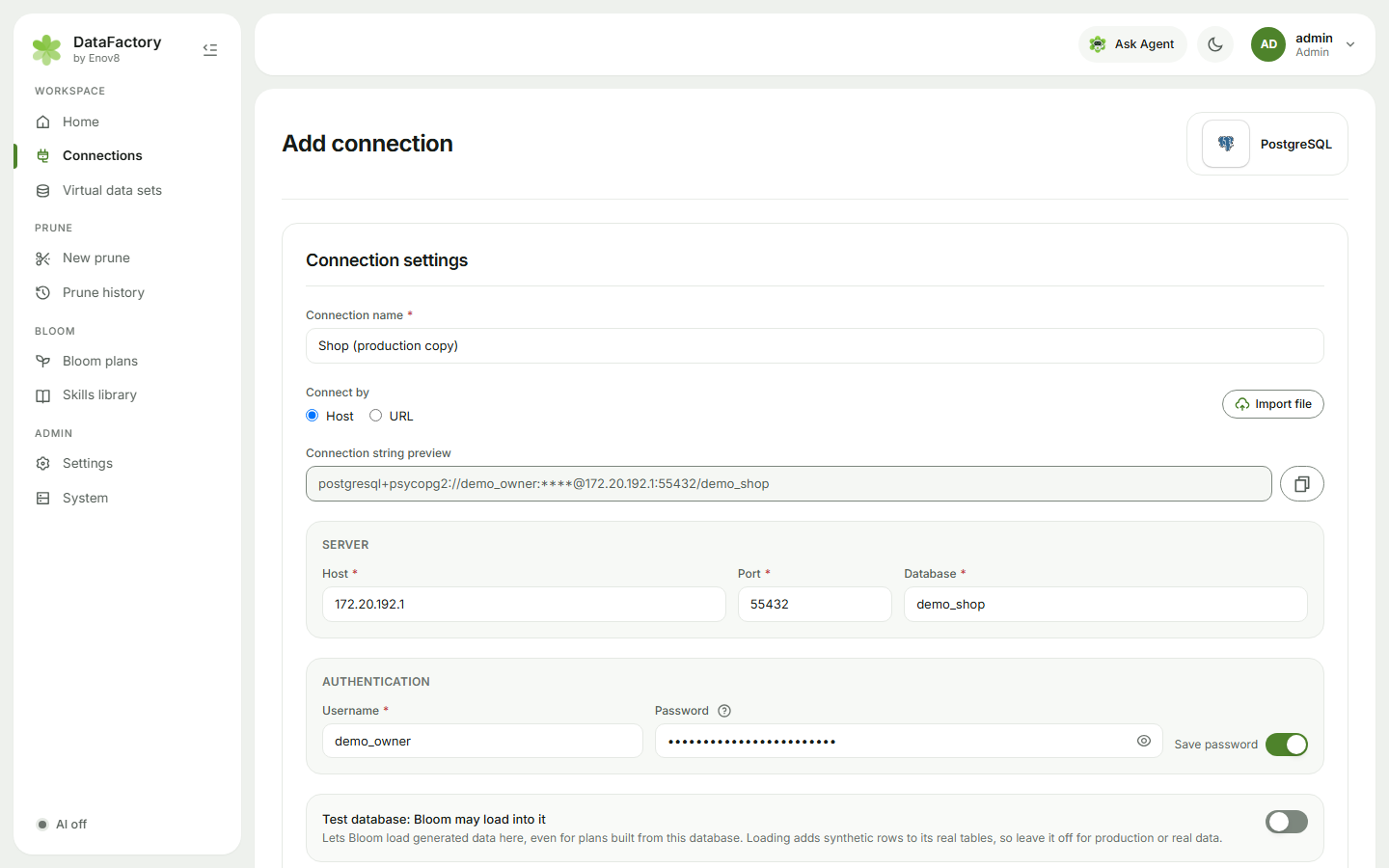
- Go to Connections and click Add connection. (If you start a prune without a connection, DataFactory takes you here and brings you back afterwards.)
- Choose database type.
- Fill in Connection settings:
- Connection name: what you'll see in DataFactory.
- Connect by: Host (host, port, database) or URL (an SQLAlchemy-style URL such as
postgresql+psycopg2://user@host:5432/db). You can also Import file. - Username and Password. Turn on Save password if you want to run prunes and Bloom loads without being asked each time. Automation needs a saved password. Saved passwords are encrypted and never shown again.
- Oracle: choose Service name or SID, and a Role if needed.
- SQL Server: Show all schemas and Trust server certificate are available. To sign in with an Active Directory account instead of a SQL login, see Windows authentication.
- Click Save connection. DataFactory tests it first and shows Connection works, or Could not connect with the database's message. If the test fails you can still Save anyway.
DataFactory then scans the schema. It waits up to 20 seconds for the scan, then carries on to New prune (or wherever you came from). The card shows Scanning schema until the scan is done.
Prune and Bloom only read from a source. A read-only database user is all DataFactory needs. A test database that Bloom loads into needs an account that can write.
Manage a connection
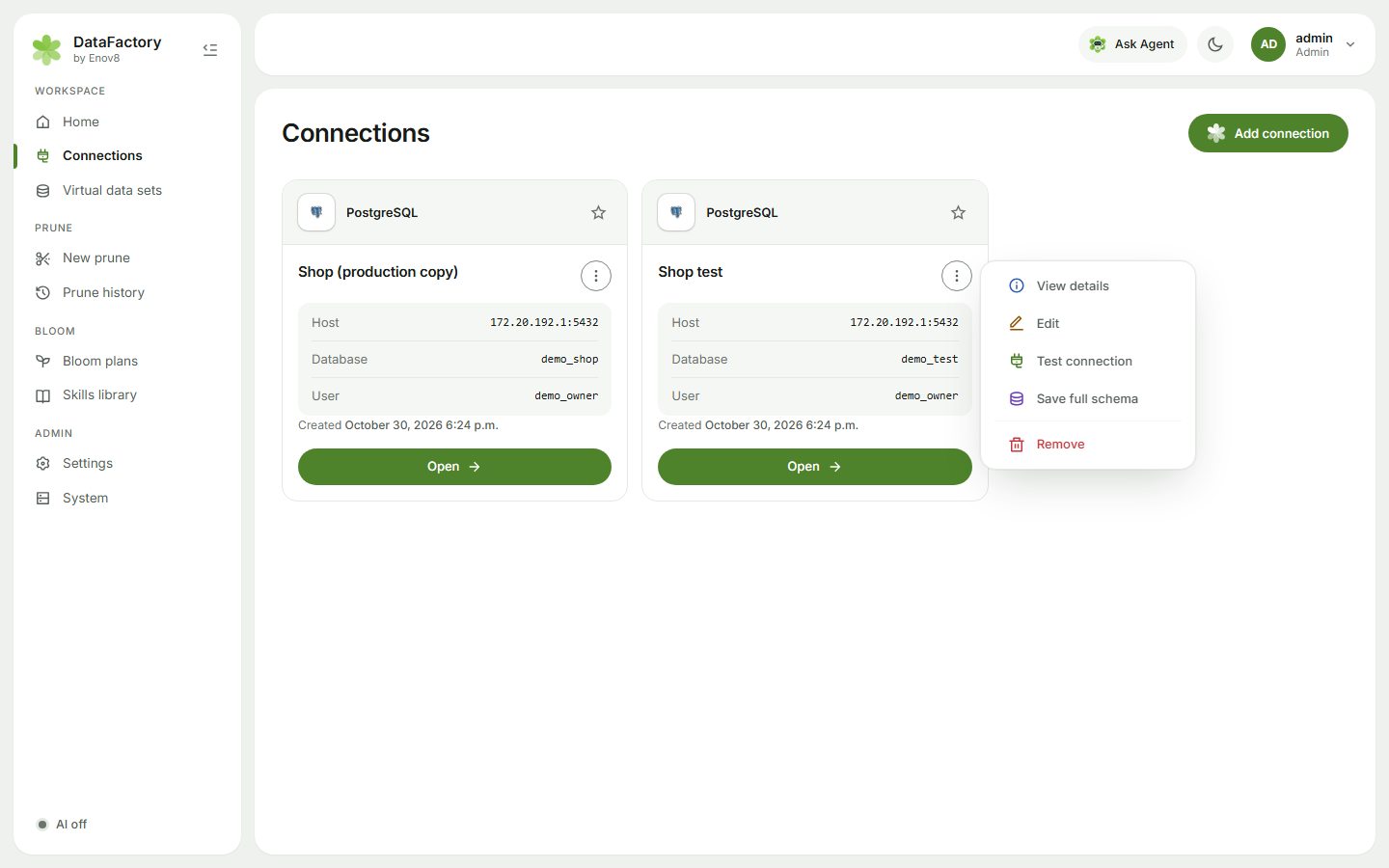
Each card's menu has View details, Edit, Test connection, Save full schema and Remove. When editing, click Save changes. If you change the host or port, enter the password again to test it. Use the star to bookmark the connections you use most.
Test databases
PostgreSQL, MySQL, MariaDB and SQL Server connections have a Test database: Bloom may load into it switch, for the connection's owner. Bloom loads only into connections with it on. Turn it on only for databases without real data. See Load into a test database.