· 3 min read
Rohit Gupta

What's New

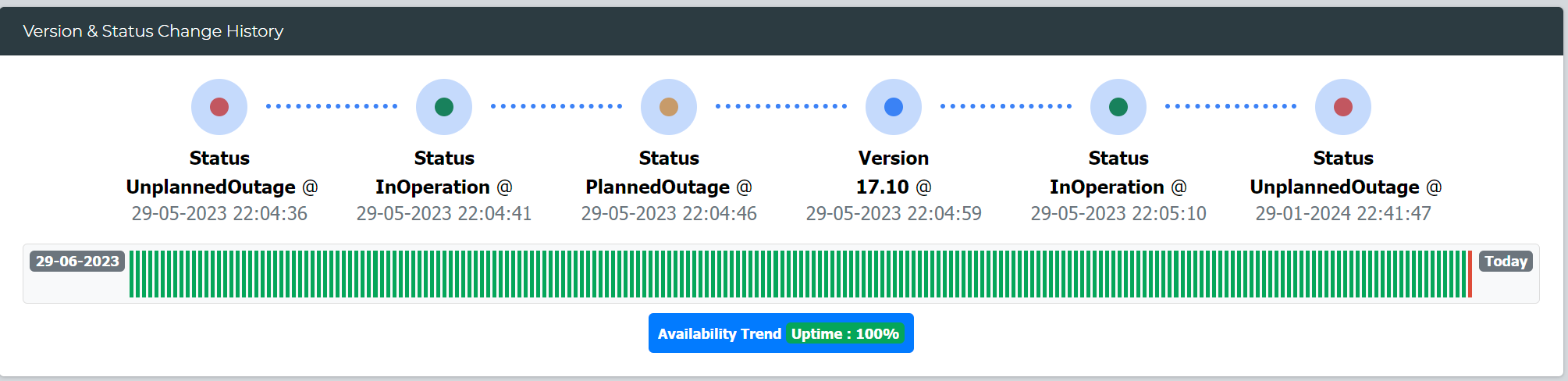
Availability Trend

This new widget in System Instance insight offers a technical assessment of the application's availability by tracking and displaying its uptime and downtime trends over a specified period.

Alt text

Additionally, it calculates and presents the total availability percentage for the duration, providing valuable insights into system reliability.

LeanSR

Introducing the "Cancelled" status for tracking cancelled requests

Enov8 REST API

New Parameters Added: Retrieve data based on the last modification date using "modified_start_time" and "modified_end_time."

Objectives

With this new feature, you can seamlessly capture and define objectives related to releases, program increments, and projects. This functionality enables you to establish clear goals, monitor progress, and align your initiatives with strategic objectives, ensuring a more organized and goal-oriented approach to your work.

Archiving

A new feature enabling the archiving of data for LeanSR, Environment Event, Bookings, and Workitems. Archive criteria can be configured based on creation date and status.

New Custom Widgets

The following new custom widgets has been added

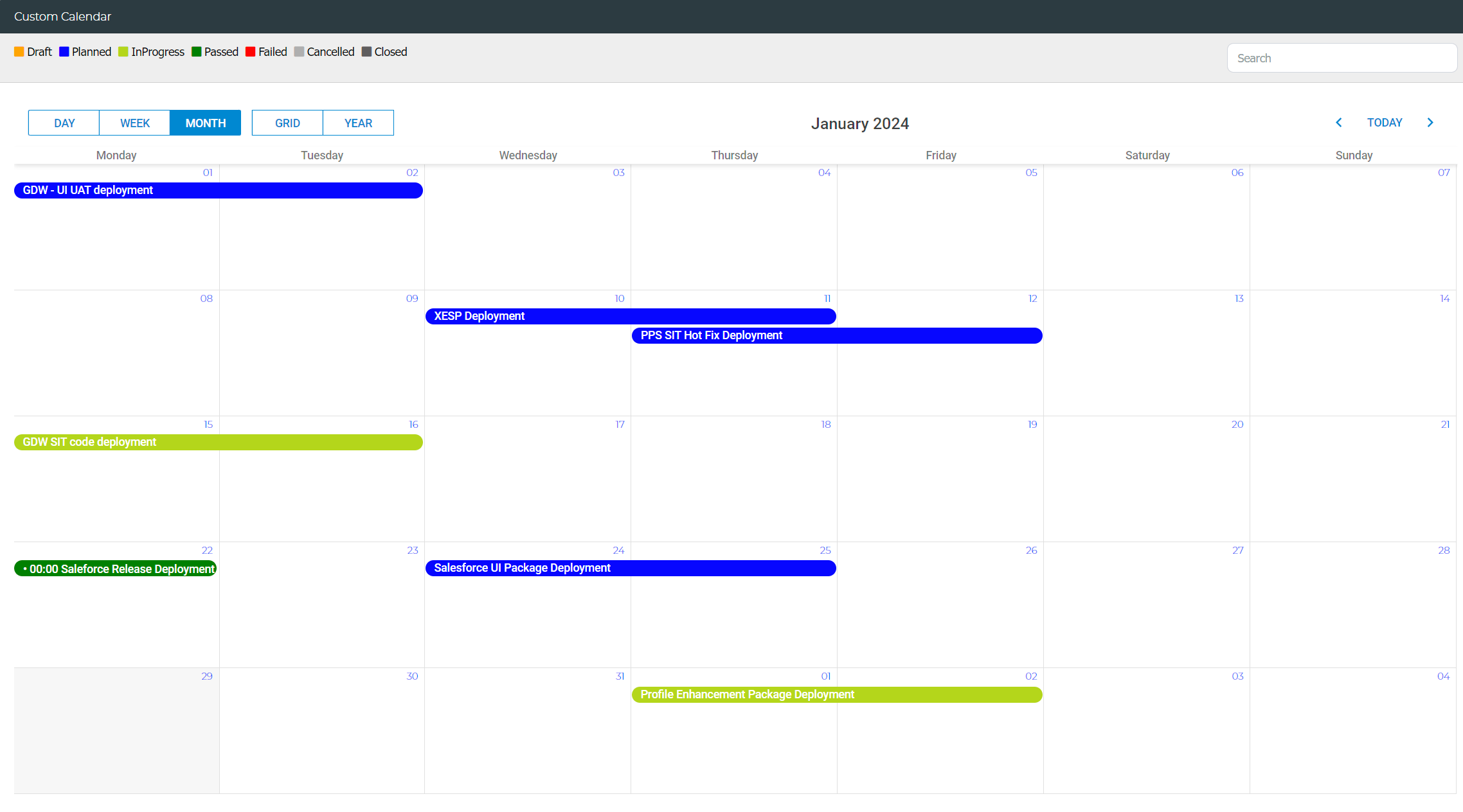
Custom Calendar

Design your own calendar based on defined conditions, with the option to customize colors.

Alt text

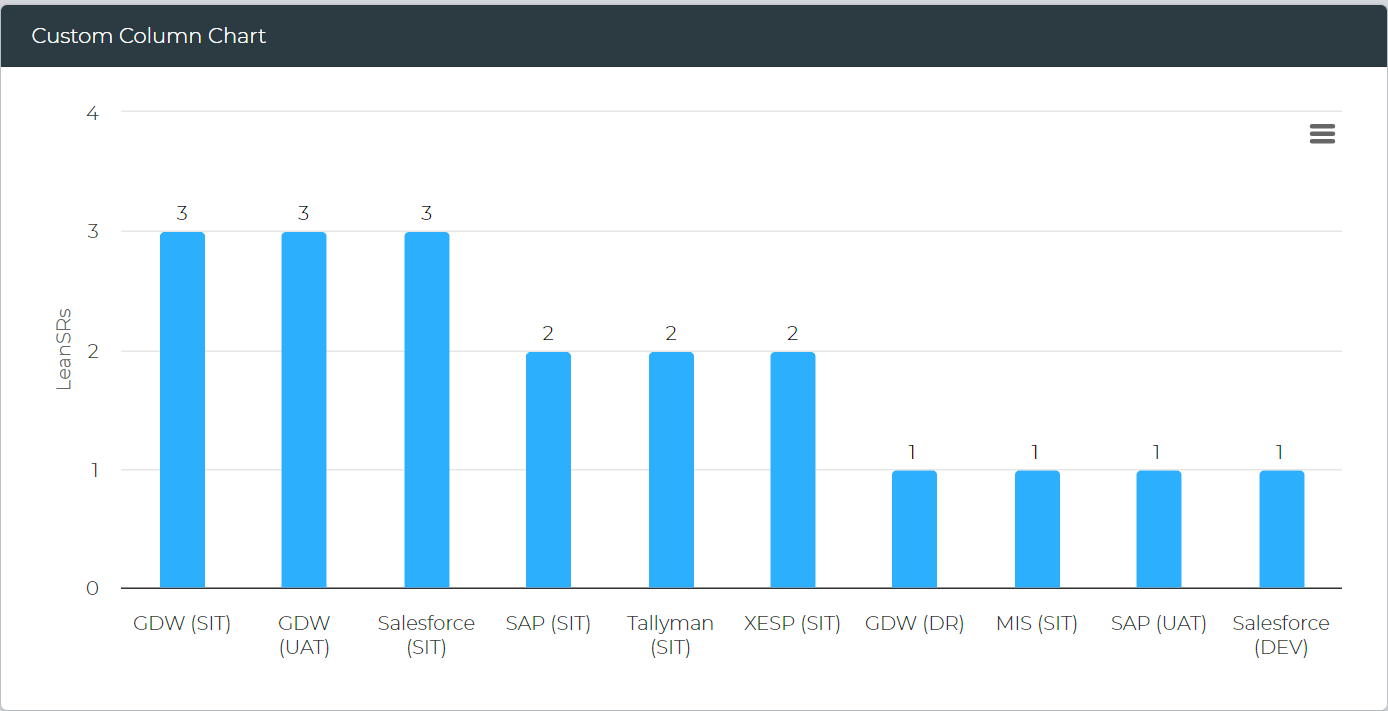
Custom Column Chart

Create personalized column-style chart widgets with custom conditions.

Alt text

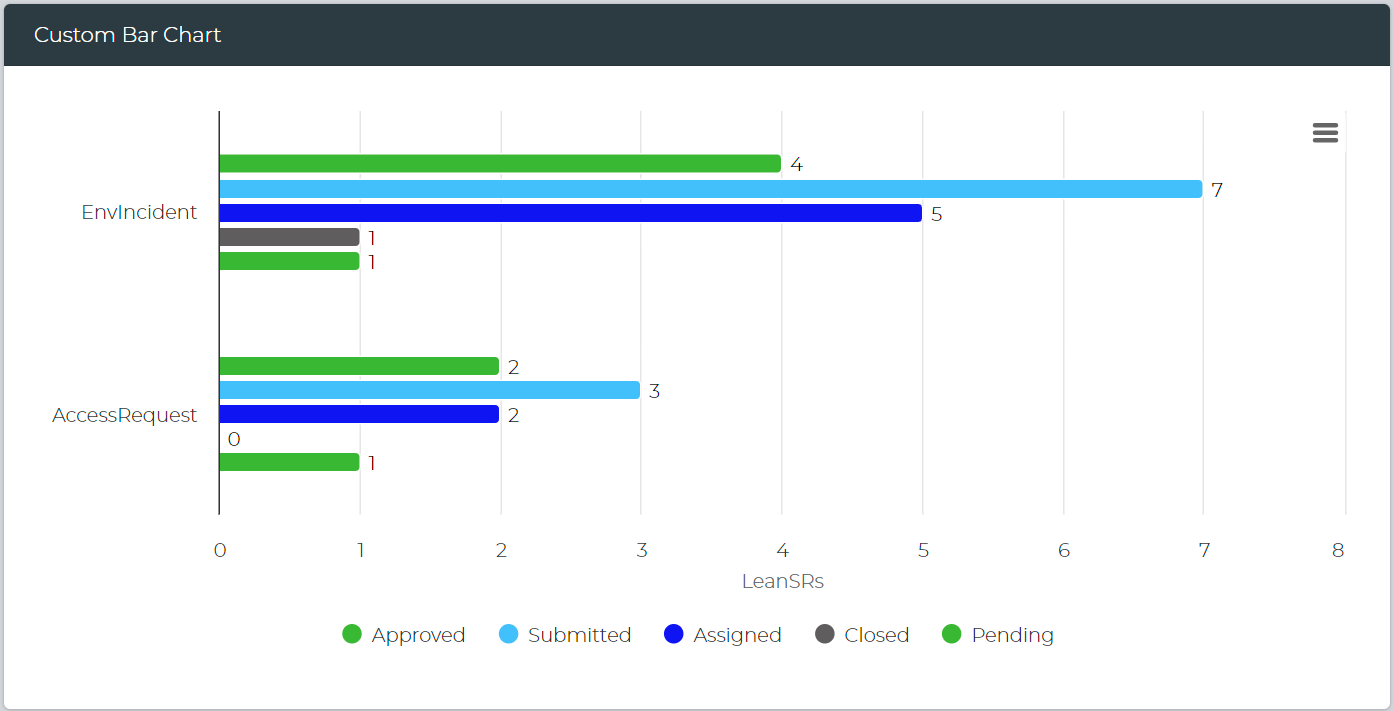
Custom Bar Chart

Generate customized bar-style chart widgets with custom-defined conditions.

Alt text

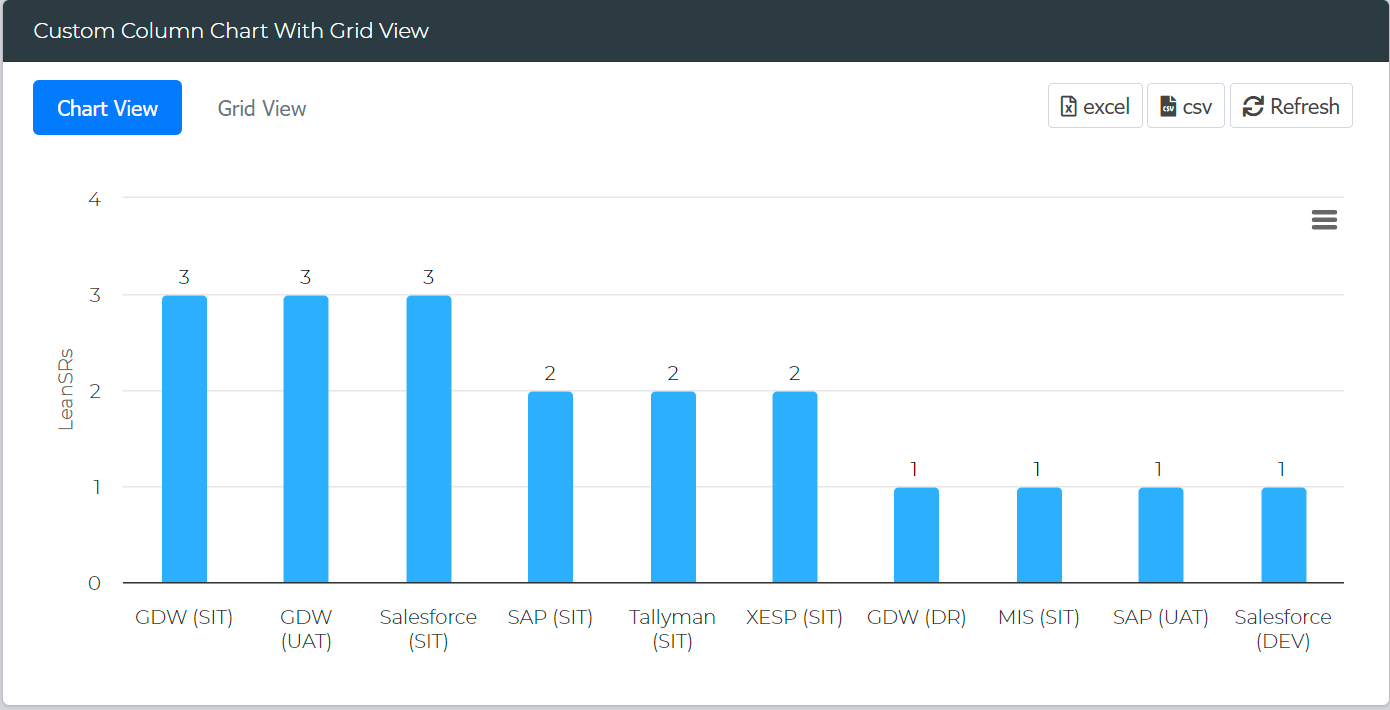
Custom Column Chart with Grid View

Create column-style chart widgets with grid views based on custom conditions.

Alt text

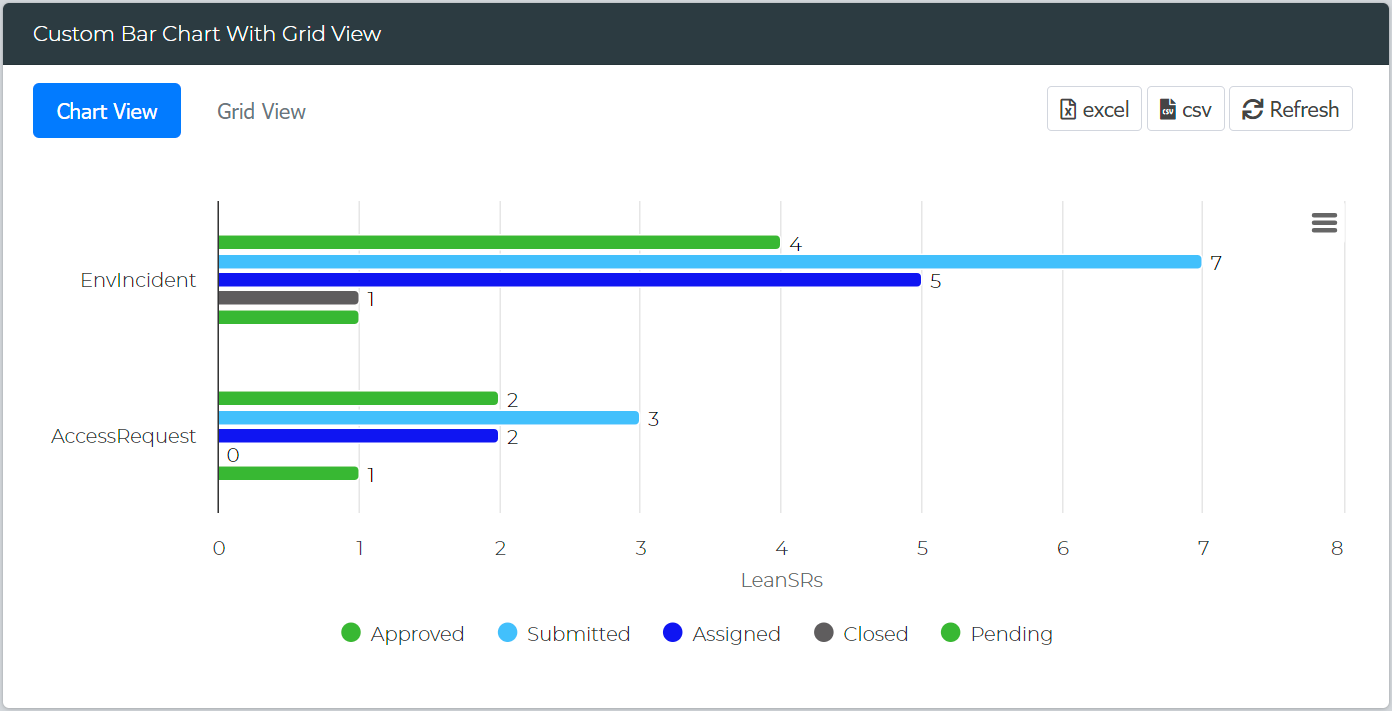
Custom Bar Chart With Grid View

Design column-style chart widgets with grid views using custom conditions.

Alt text

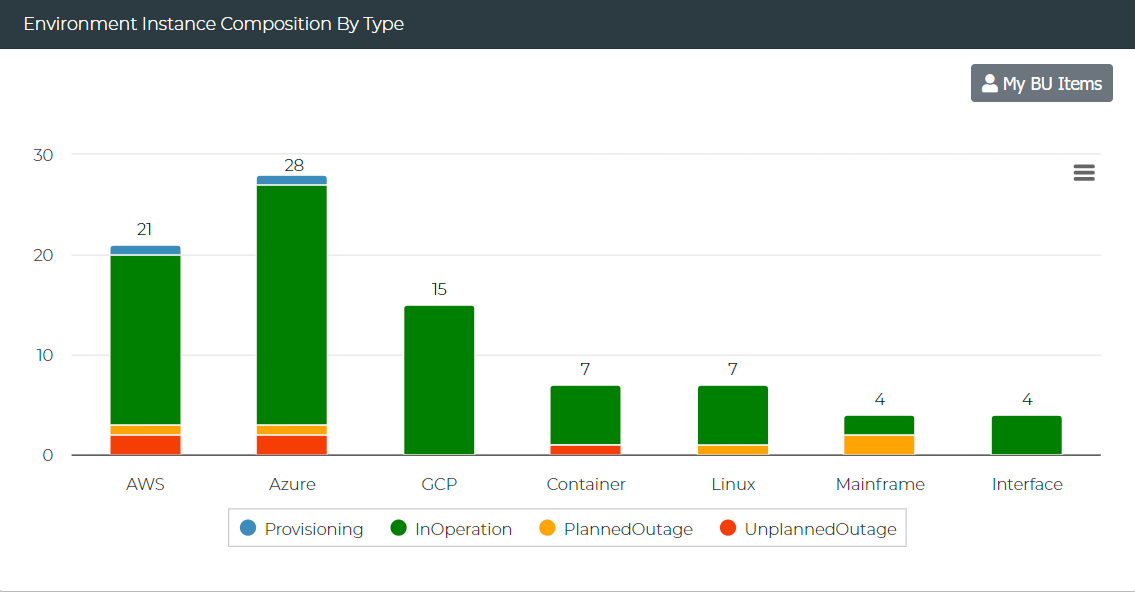
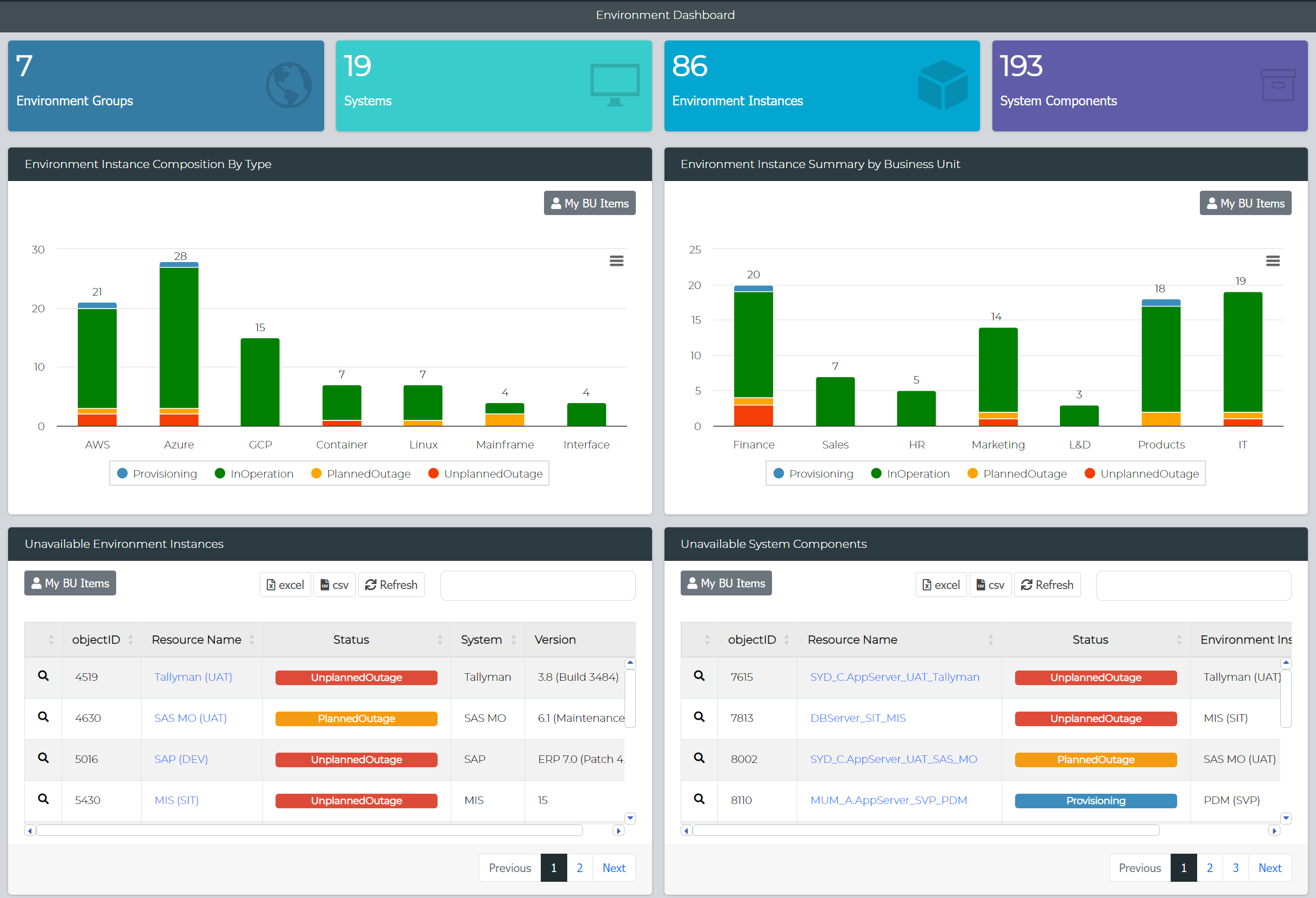
Environment Instance Composition By Type

View the current health of environment instances grouped by system types.

Alt text

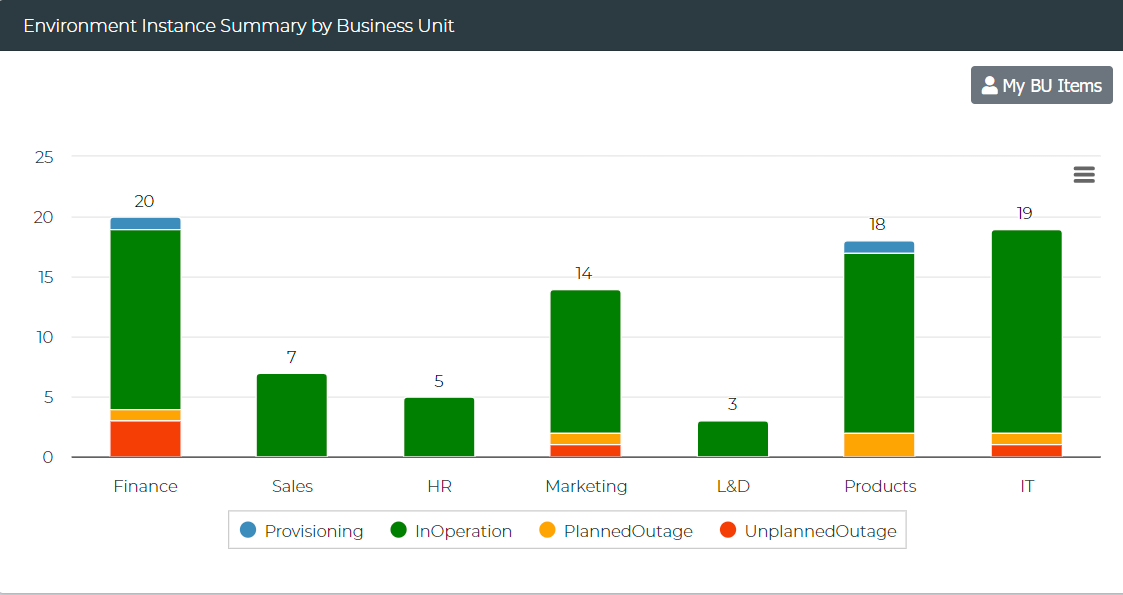
Environment Instance Summary by Business Unit

Observe the current health of environment instances grouped by business units.

Alt text

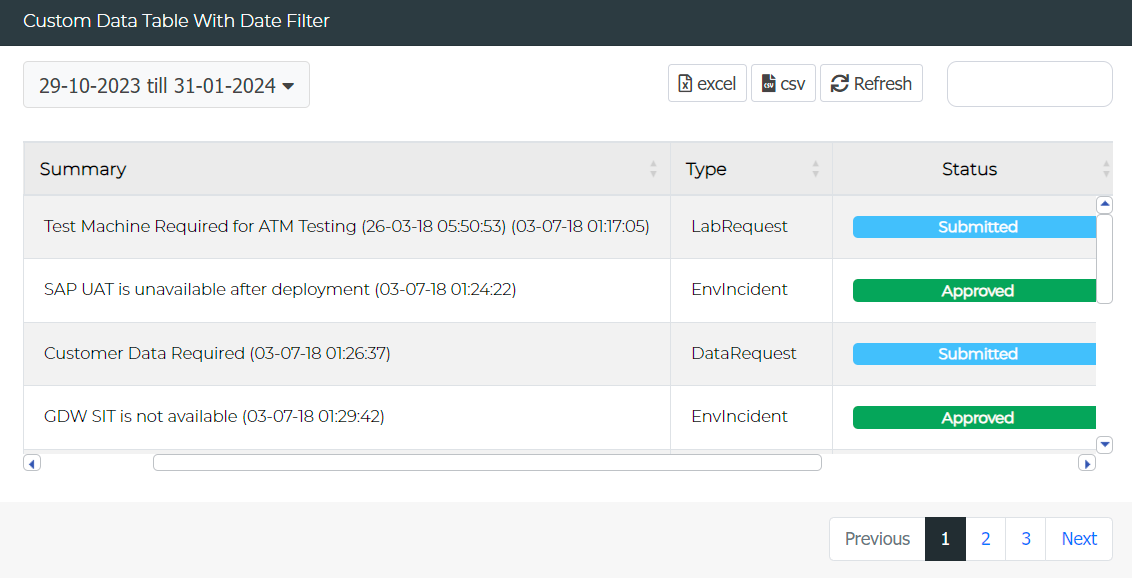
Custom Data Table with Date Filter

Build custom data tables equipped with date filters.

Alt text

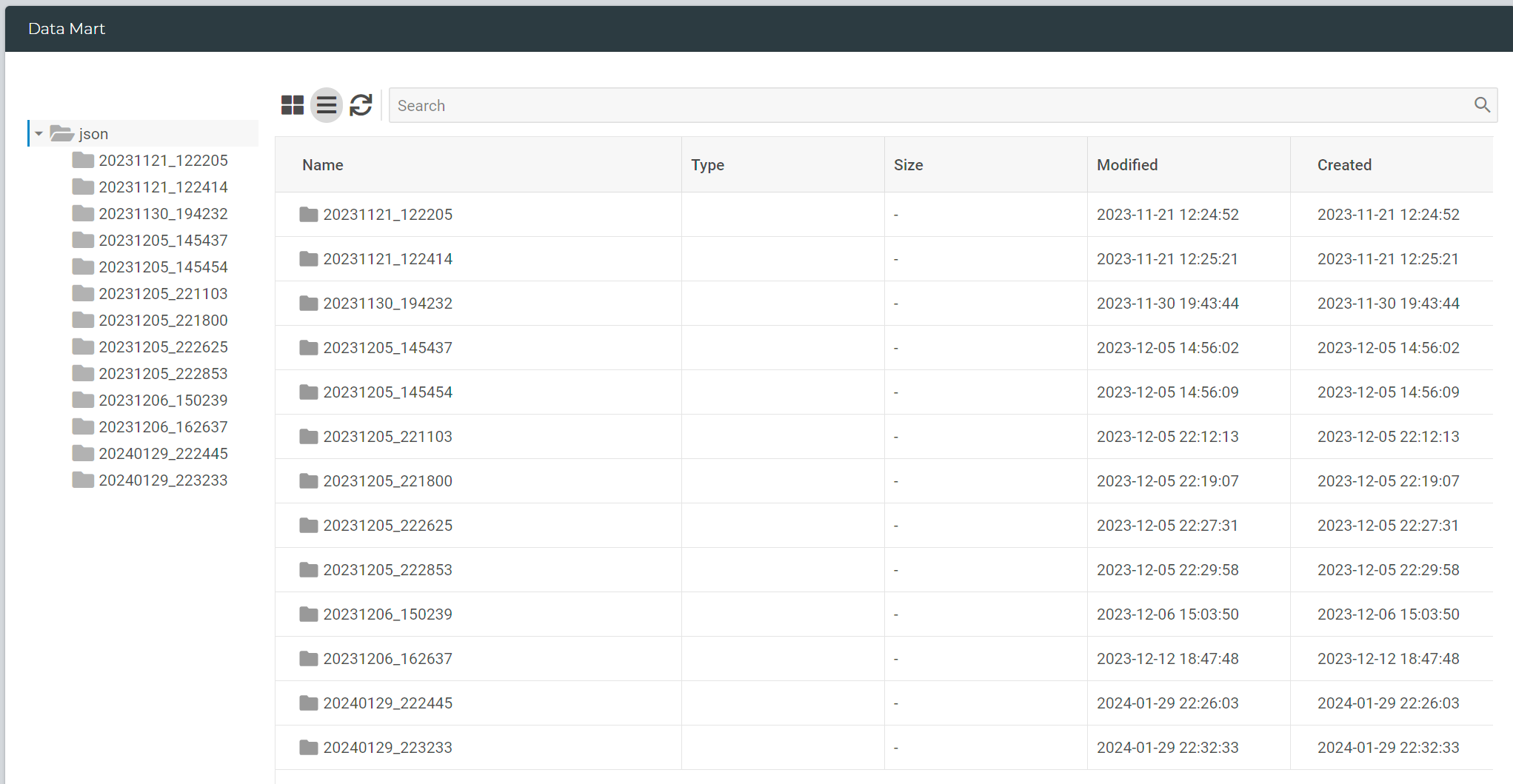
Data Mart

Create a data directory view to access outputs or files in a shared server location.

Alt text

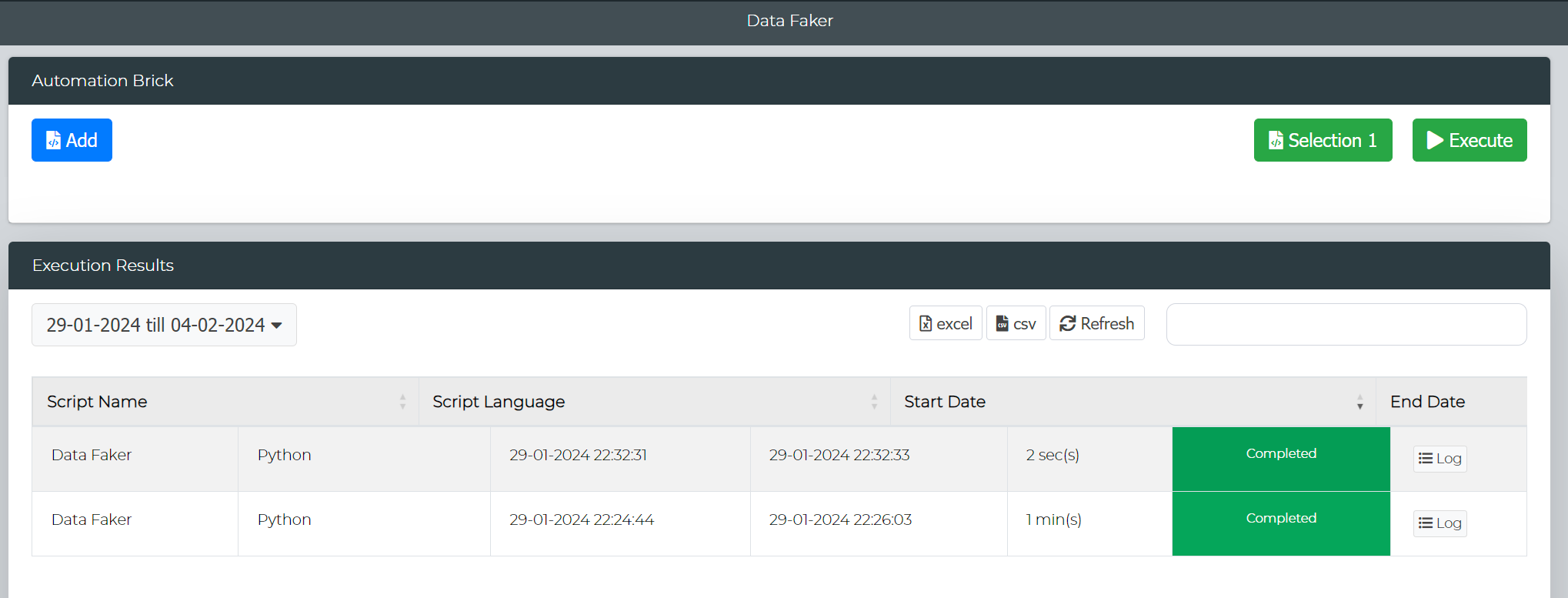
Automation Brick

Develop a user interface for end-users, enabling on-demand execution of automation scripts.

Alt text

Changes & Enhancements

Service Request Form Enhancements

Approvers

Automatic inclusion of PM or System Instance Team as approvers, depending on the request type.

Validation

Service Requests linked to bookings will undergo validation to ensure they are within the booking timeline.

Environment Field

Now configurable as mandatory for specified request types.

Environment Dashboard

The Environment Composition widget has been replaced with two new widgets: "Environment Instance Composition By Type" and "Environment Instance Summary by Business Unit."

Alt text

These new widgets offer enhanced insights into your environment landscape, providing more comprehensive data and analysis options.

DateTime Search Enhancement

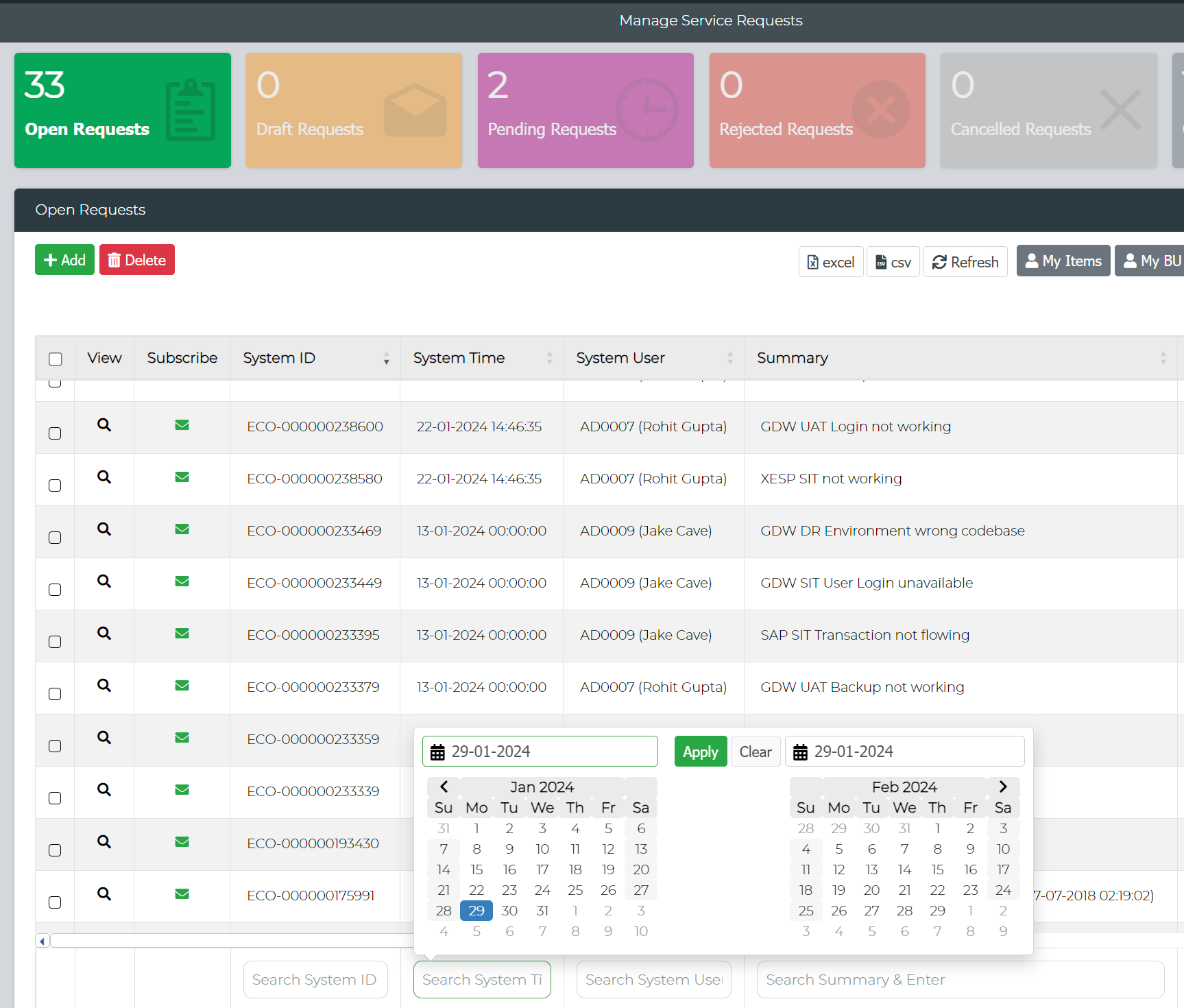
Management reports have been enhanced to include a DateTime Search feature, allowing users to search and filter records using column-specific search criteria while enabling date selection for refined data retrieval.

Alt text

Active User Details

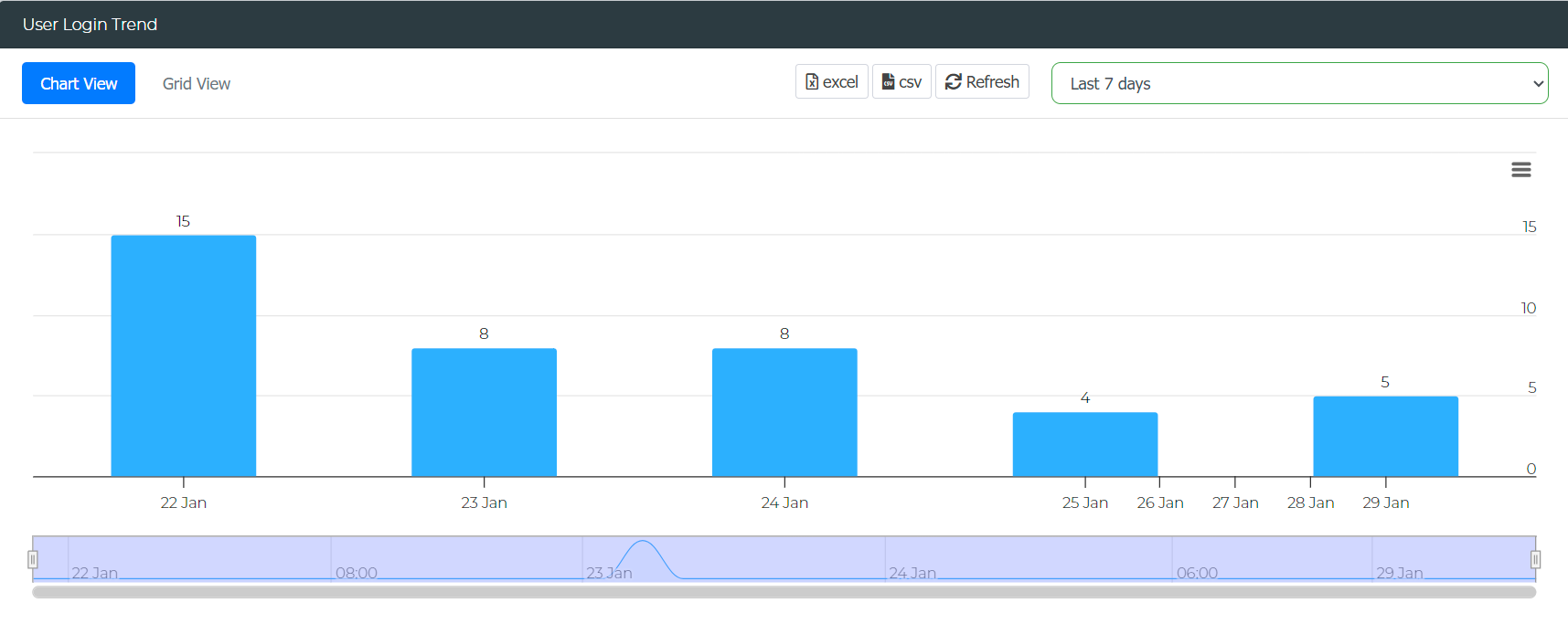
The Ecosystem Console report for Active User Details has been upgraded to offer comprehensive insights into user login details, along with a summary of platform utilization frequency by users.

Alt text

URL Widget

The URL Widget has been enhanced to provide you with the ability to create quick links to various Enov8 reports and forms.

Alt text

· 3 min read
Jake Cave

3.3 Major Release Items

What's New

Fabrication - Profiling/Multi-table Output Support

  • Users can now link and filter by data configuration using the associated profiling output/config.
  • Additionally, configurations can be directly generated from profiling results.
  • Multiple Tables and Files can now be generated.

TDM Overview Report Generator

  • DCS now offers the capability to produce a summary report, covering profiling, masking, validation, and other scans tailored to a DB data connection.
  • The comprehensive report can help streamline analysis, decision-making, and communication for project stakeholders. For the time being, this feature is exclusively available via the API.

Validation - Dual Configuration Support

  • The validation scan has been upgraded to support both the existing validation configuration and the new masking configuration.
  • Users now have the ability to choose the masking config instead of the validation config, in order to ensure that the right columns are effectively masked and checked.

API Endpoints

  • Added database load and backup

Changed

Custom Masking Functions

  • Python scripts can now be deployed directly via the data library in Ecosystem UI.
  • Users can update/delete their custom function scripts.

Fabrication - Generate Schema Structure

  • Added the ability to generate schema structures. With this update, a create schema field when checked, will automatically establish tables and their respective structures.

Pattern Finder

  • Outliers have been excluded from the standard deviation calculation to enhance precision.
  • Additionally, any duplicate indexes identified have been systematically replaced with uniformly spaced values to ensure accuracy.

Fixed

Task Manager

  • Fixed an error that caused special characters for URL to be double encoded.

DB Masking

Oracle

  • Fixed escaping backslash for UNISTR function.
  • Fixed an inconsistency with masking full names that began with spaces.

MySQL

  • Resolved an issue where the conditional masking configuration for the 'Address' column in the 'where' clause was ambiguous.

Teradata

  • Improved function definitions and calls for better consistency and reduced errors.

DB Validation

  • Added support for TOP N function with DISTINCT in Teradata.

File Masking

XML

  • Resolved an issue where the XML masking process completed successfully, but did not generate the corresponding masked file based on unique constraints.

API

  • Fixed an error where File Profile report request could return a 400 error.

MSSQL - Performance Update

  • The query responsible for retrieving tables and columns in MSSQL has been optimized. Users can now expect faster and more efficient performance.

Expanded Null Exclusion List

  • The null exclusion list, previously exclusive to delimited file masking, has been expanded to all database types.

Mask Functions

  • Fixed an error where the masked credit card number was being truncated to 5 digits.

Decommissioned

Data Subsetting

  • Data Subsetting has now been decommissioned.

· 2 min read
Rohit Gupta

What's New

Connectivity Diagrams

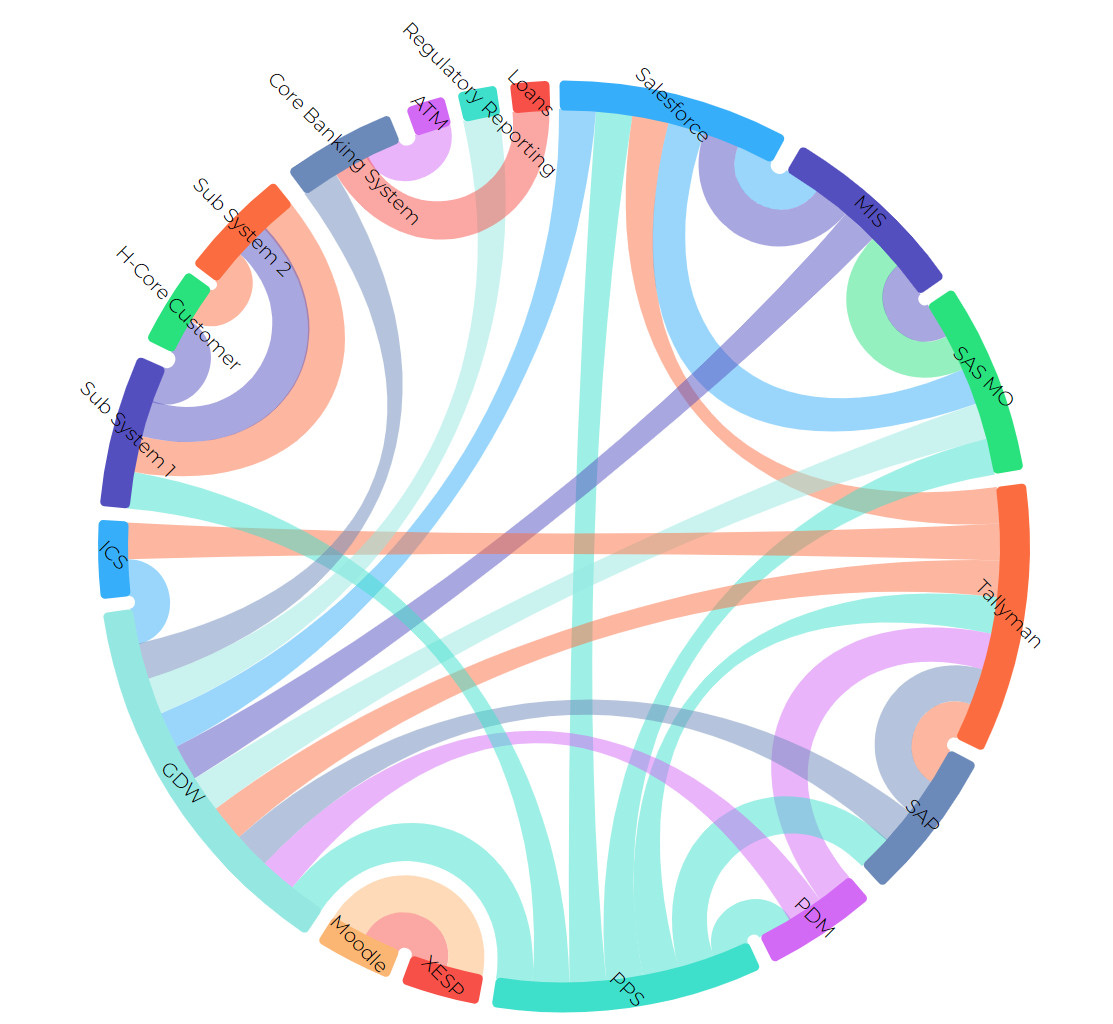
We are thrilled to introduce a major improvement to this feature. Users can now model environments comprehensively, both at the system and interface levels. What makes this update truly invaluable is that this information will flow seamlessly into the system instances and environment views. This automation not only enhances efficiency but also prevents users from having to replicate the same data across various environments, ultimately saving valuable time in the diagram creation process.

Attachments

Users now possess the capability to attach files to their existing Projects, Bookings, Environment Events, and Service Requests through our detailed editor.

Blueprints

We have enhanced our blueprint capability and have added an array of exciting new features:

  • Third-Party URL Links
  • Link & Navigate to Existing Blueprints
  • Quick Insight View

Changes & Enhancements

LeanSR

  • Added Severity & Root Cause Property.
  • Pending Status has been added

Service Request Form

  • End Date has been removed for environment incidents.

Email Sender Name

This functionality enables users to customize the sender's name in emails to match the user's contact name, providing a more personalized and user-centric email experience.

Custom Dashboards

New templates and widgets have been added to support new designs, including:

  • 1 Banner, 2 Large Widgets
  • 2 Large Widgets
  • 3 Large Widgets
  • 4 Large Widgets

Custom Widgets:

  • Data Mart
  • Custom Column Chart
  • Custom Bar Chart
  • iFrame Third Party URL

My Business Unit

We have extended our Business Unit filter capability to further new reports, forms and custom data widgets.

Orchestration Manager

We have relocated all automation scripts to the client folder. Please note that this modification will affect the webhook, which requires updating.

LeanSR

Added Severity & Root Cause Property. Pending Status has been added

Service Request Form

End Date has been removed for environment incidents.

· 3 min read
Jake Cave

3.2 Major Release Items

What's New

Data Subsetting Module

  • Data Subsetting streamlines data while upholding database rules. Therefore, removing unnecessary data whilst preserving the database integrity.

Profile Config - New "Scan by Column" Configuration Field

  • DCS can now perform a deep scan of each non-null column instead of the whole table.

Wildcard Support

  • Users now have the option to specify a wildcard file format (either as prefix or suffix) in data source connection.

Auto Retrieval of Date Format

  • All DB types now automatically retrieve date format from the database. Also added default date format to auto-generated mask config.

JSON Schema Support

  • Users can now specify a schema file for JSON files in data source connection to be used for profiling and masking.

Custom Functions

  • Ecosystem generated custom functions have now been migrated to the DCS database. Now, users can easily access, edit, and update these functions through the Ecosystem UI in the data library.

Note: While you can create new custom functions, please keep in mind that editing or altering base functions is not supported.

Changed

DCS API

  • Added new endpoints to allow for backup and restoration of MongoDB data.

Enhanced Masking Logs

  • Added "ERROR" prefix to previously unlabelled failed stages for increased clarity.

Data Subsetting

  • Users can enable the “leave on failure” field which deletes the schema on any error.

Fixed

Data Catalogue

  • Resolved data catalogue error when scanning Teradata 17.20+.
  • Added error handling for unsupported file types.

DB Profiling

  • Added bytes limit for DeepScan profiling.

DB Masking

  • Added error handling for incorrect configs.
  • Added chunking to fixed value masking.

Teradata

  • Fixed issue of temp column not being deleted in version 17.0.
  • Improved error handling when collecting triggers.
  • Updated ODBC version to improve Linux compatibility.

Oracle

  • Now changing indexes to invisible instead of unusable prior to masking.

MySQL

  • Fixed defect where mask report was displaying incorrect pattern name.
  • Fixed defect regarding date formatting errors.
  • Fixed potential issue of special character replacement.

File Masking

  • Updated partial masking to remove trailing spaces in source values for telephone numbers.
  • Fixed intermittent issue of error messages not showing up on XML/JSON mask report.

XML

  • Added specific error handling for missing masked files.

PostgreSQL

  • Added error messages for when no constraints are found in fixed value masking.

File Profiling

JSON/XML

  • Fixed duplicated messages showing up in the log file.
  • Fixed percentage completed being reset for every new file.

Backend

  • Added further error handling for running scans on unsupported data types.

Mask Functions

  • Added further handling for scenarios where source value is the same as masked value.

Decommissioned

  • Nothing has been decommissioned.

· 3 min read
Rohit Gupta

What's New

Attachments

Users now have the ability to attach files to Projects, Bookings, Environment Events, and Service Requests via forms. The maximum file size allowed is 2 MB.

Blueprints

Introducing the ability to create environment blueprints and personalized environment process diagrams.

Pipeline

A new feature in DevOps Manager empowers users to create custom visual automation pipelines

DevOps Addons

Pre-built integration addons are now available to enhance your DevOps library.

Homepage Themes

Users can now personalize their homepage view by selecting from a variety of themes such as Classic, Release, and TDM

My Business Unit

This feature enables users to associate themselves with their respective business units, providing filter options on reports that allow viewing data specific to their business units.

Changes & Enhancements

Connectivity View

System Dependency view option has been added in this report to allow users to view system to system relationship.

Project Environment View

Project Filter has been added to provide more filter options.

Enhanced Reports

Several reports have been revamped with a fresh new look, including:

  • Manage WorkItems (Project Management >> Management)
  • Access Management (Configuration Management >> Add Data)
  • Booking Approval Queue (Booking Management >> Management)
  • Runsheet Activity (Event Management >> Reports)

Analytics Sub Module

A new submodule has been introduced in the Environment Management module, and the following reports have been moved to this module:

  • Deployed Versions
  • Environment Drift
  • Environment Cost (Renamed from IT Proliferation)
  • Tag Matrix

CSV View (Data Brick)

Support for column search has been added to the CSV View, enhancing the usability of this data brick.

Service Dashboard

The Service Dashboard has been enriched with new widgets and a date range capability.

Implementation Insight

This report has been moved to Implementation node

Report Renamed - The following reports has been renamed

  • Manage PI Plans -> Manage PI Milestones
  • Manage Project Plans -> Manage Project Milestones
  • Environment Insight -> Insight - Environment
  • System Insight -> Insight - System
  • Instance Insight -> Insight - Instance
  • Component Insight -> Insight - Component

Post Implementation Review

PIR Module has been redesigned for Release and Projects.

Table View in Gantt Reports

Gantt reports now include a table-style view option for the following reports :

  • PI Master Plan
  • Project Milestones
  • PI Bookings
  • Project Bookings
  • Environment Bookings
  • System Bookings -Component Bookings
  • Project Events

Column Selection

Various reports have been enhanced with the ability to select and hide columns, providing users with more flexibility in customizing the view. Reports with the column selection feature include:

  • Configure Environments
  • Manage Blue Prints
  • PI Activity
  • Manage Release Trains
  • Manage PI Milestones
  • Manage Release Implementation
  • Project Activity
  • WorkItem Insights
  • Manage Projects
  • Manage Project Milestones
  • Manage Project Implementation
  • Manage Workitems
  • Manage Project PIR
  • Booking Activity
  • Booking View
  • Manage Bookings
  • Booking Approval queue
  • Event Insights
  • Manage Events
  • Event Activity
  • Runsheet Activity
  • Service Activity
  • Service Request Insights
  • Manage Servie Requests
  • Access Management
  • Organisation Management
  • Location Management
  • CMDB Management
  • Lab Configuration
  • Information Template Management
  • Data Booking Insights
  • Profile Configuration
  • Mask Configurations
  • Validate Configurations
  • Data Generator
  • Data Source Management
  • Manage Scripts
  • Manage Pipeline

· 2 min read
Jake Cave

3.1 Major Release Items

What's New

Pause/Start/Cancel

  • Database Masking executions can now be paused, resumed, and cancelled.

Kerberos Implementation

  • Now supports Kerberos authentication for MSSQL.

New Classes

  • Now supports JSON profiling and masking.
  • Now supports Parquet profiling and masking.

Data Generator Regex Functions

  • Data can now be generated using user-generated regex functions.

Advanced REST API

  • New API to obtain data such as:
    • Logs
    • Reports/Outputs
    • Metrics
    • And more

Masking Function

  • New function to mask all strings in a fullname. For example, "James Bob Smith" → "Peter Thomas Jane".

Changed

File Masking

  • Mismatch in row count between input and output file will now be logged. Since row counts can differ due to bad lines, empty lines, etc.
  • Logs now use ASCII text to clearly display breaks such as pauses and restarts.

Database Masking

Oracle

  • Will now utilize a chunking feature to break data inserts into blocks of data to increase performance and reduce transaction log.

File Masking - Delimited

  • Enhanced performance when masking multiple large files, along with optimized memory usage.

Fixed

Database Masking

Redshift

  • Fixed issue where string values were being skipped if they included quotes.

Decommissioned

  • Nothing has been decommissioned.

· One min read
Rohit Gupta

What's New

Service Request Form (Notification List)*

With this new feature, users can now enable input for a notification list that will receive updates regarding any changes made to a ticket.

Booking Request Form (Booking Name)*

This feature allows user to provide their own booking name.

Changes & Enhancements

Project Request Form

The Business Unit field is now optional, and no longer mandatory.

Booking Request Form

The start date will now be automatically set to the current date when selecting a project, instead of a past date.

Configure Environments

Enabled Labels for System Interface Listing.

Package Deployment Tracker (Data Brick)

We have added support for the deployment of packages across multiple system instances of different systems.

Shared URL

Shared URLs for reports can now be bookmarked, and will no longer auto-resolve.

Project Plan

The issue with project creation for projects not linked to PI has been resolved.

Connectivity View (System View)

The incorrect version information has been fixed.

Environment Insight

The report was showing all events for the environment. It has now been fixed to show current events only.

· One min read
Jake Cave

2.9.3

Release Date: 1st April 2023

What's New

Masking Function

  • New function to mask all strings in a fullname. For example, "James Bob Smith" → "Peter Thomas Jane".

Changed

File Masking - Fixed Width

  • Fixed issue where malformed first rows were not being masked.
  • Fixed issue where unique ID masking was not working for all pattern types.

File Profiling - Fixed Width

  • Fixed format of output file to match other file types.

Masking - Lookup

  • Changes to obtain TFN lookup more effectively.

DataConnection - Redshift

  • When editing the connection, previously saved information was not being displayed or the save was corrupted.

Validation

  • Fixed issue where CSV export for validation reports was displaying 'undefined patterns' when not found.

· 2 min read
Rohit Gupta

What's New

Information Template

This feature allows you to design input forms to capture additional information as part of user requests.

DevOps Manager

  • GIT Integration- New Feature allowing you execute scripts directly from your GIT repository.
  • Folder Management - New Feature allowing you to create or manage folders and files within your scripts in file explorer.

Webhook DevOps Integration

This new feature allows you to call DevOps Script on a webhook call.

Project PI Planning

This feature allows projects to plan and track their activities for the release train.

Package Deployment Tracker

This new data brick allows you to keep track of all the package deployment status across your different environments.

Release Milestone Tracker

This new report will allow release manager to track how projects are progressing with their release activities.

Changes & Enhancements

Connectivity View

System view has been enhanced to use different symbols for systems, instances and components.

Enhanced Reports

These reports have been revamped to support new fresh look.

  • Configure Environments (Environment Management >> Management)
  • Environment Activity (Environment Management >> Management)
  • PI Activity (Release Train Management >> Reports)
  • Manage Release Trains (Release Train Management >> Management)
  • Manage PI Plans (Release Train Management >> Management)
  • Project Activity (Project Management >> Reports)
  • Project Demand (Project Management >> Reports)
  • Manage Projects (Project Management >> Management)
  • Booking Activity (Booking Management >> Reports)
  • Booking Queue (Booking Management >> Reports)
  • Manage Bookings (Booking Management >> Management)
  • Event Activity (Event Management >> Reports)
  • Manage Events (Event Management >> Management)
  • Service Activity (Service Management >> Reports)
  • Manage Service Requests (Service Management >> Management)

Booking Gantt Reports

Additional Filter to view data by System Instance Assigned To

User Groups

Ability to send emails to user group email address

Bulk Upload

Added feature to automatically remove unsupported characters from CSV

Deployed Version Dashboard

  • Ability to see multi instance details in the same environment on hover.
  • Added ability to view data by"Environment" & "Environment Type"

Environment Connectivity (System Instance View)

This view was showing decommissioned objects which has been fixed now.

Decommissioned

Release Train Management >> Management

  • PI Editor

Project Management >> Management

  • Project Editor

· 4 min read
Jake Cave

2.9 Major Release Items

What's New

Base DCS - Redshift Support

  • Added support for Redshift in Base DCS.

File Masking

  • Conditional masking has been added for all file types.
  • Optimizations made by using chunking when masking delimited files.

Data Compliance Insight

  • View your data operation execution reports across different data sources and types.

Data Connection Insight

  • Centralized view to monitor your data source status and execute different data operations from a single view.

REST API

  • Ecosystem API endpoints for DCS jobs.

Data Bricks

  • New data widgets in custom dashboards.

Changed

Data Source Management

  • The "Link with System Components" option has been removed and replaced with labels.

PII Splatter Board

  • The redesigned view allows users to search for PII compliance across different data sources.

Execution Queue

  • View the current status of all data operation executions.

Fixed

Global

  • Extended global timeout for database type Couchbase.

Database Masking

  • Fixed issue where Oracle tables might not be compressed correctly.
  • Altered Oracle queries used in masking to allow for larger DDL queries to be saved.
  • Resolved bug where masking an empty column did not display the correct error.

File Profiling

  • Log updates for delimited file type now work correctly in all scenarios.

File Masking

  • Fixed issue with delimited files where quotes were not retained if the value contained a comma (e.g., "hello, world").
  • Resolved bug where an incorrect engine was used to read delimited files.
  • Fixed issue where result count could be incorrect for delimited and fixed-width file types.
  • Added better handling for delimited file masking when dealing with bad inputs.

Decommissioned

  • Data Compliance
  • Compliance Dashboard
  • Profile Dashboard
  • Validate Dashboard
  • Masking Dashboard

2.9.1

Release Date: 1st October 2022

Changed

File Masking - Delimited

  • Enhanced progress updates for delimited file masking. The process now incorporates folders and the size of a file to report an accurate percentage of completion.

File Masking

  • Improved chunking algorithm to strengthen performance. Masking is now based on distinct values found: if greater than 1 million, masking is based on distinct values; otherwise, it is based on row count.

AWS Redshift

  • Reworked logic involving vacuums to maximize performance on masking.

Fixed

Database Masking

  • Performance improvements for databases with large counts of distinct values. The reworked algorithm constitutes improvements for the following database types:

    • MSSQL
    • MySQL
    • MariaDB
    • PostgreSQL
    • AWS Redshift
    • Teradata
  • Resolved a rare bug when masking full names where many-to-one masking returned an index error.

File Masking - XML

  • Improvement in the file gathering process when conducting a folder mask.
  • Revised algorithmic changes to update recursion when failing on edge cases.

File Masking - Delimited

  • Resolved issues related to breaking due to unique characters, such as certain Chinese characters.
  • Resolved a TFN masking bug on RedHat 8.1 systems.

Masking - Oracle

  • Improvements to masking diagnosis to resolve merging conflicts with special characters.
  • Enhanced trigger enabling/disabling when multiple correlated triggers are attached to one table.

Profiling - AWS Redshift

  • Now only retaining tables of the required "type" and excluding types such as views.

DCS Base

  • Fixed temporary table logging issues when failing in rare cases.

2.9.2

Release Date: 1st February 2023

Changed

File Masking - Delimited

  • Enhanced performance when masking multiple large files, along with optimized memory usage.
Database Masking - Oracle
  • Will now utilize a chunking feature to break data inserts into blocks of data to increase performance and reduce transaction log.

File Masking

  • Mismatch in row count between input and output file will now be logged. Since row counts can differ due to bad lines, empty lines, etc.

Fixed

Database Masking - Redshift

  • Fixed issue where string values were being skipped if they included quotes.

File Masking - Delimited

  • Fixed issue where empty space values were being masked.
  • Resolved issue where values starting with escape characters or empty space were being skipped.
  • Fixed reporting structure to accurately convey when a column is masked multiple times in one scan.

Profile Scanner - Oracle

  • Fixed wildcard functionality to incorporate rules to abide by include/exclude table functionality.

Decommissioned

  • Nothing has been decommissioned.