Business rules
Rules keep related values consistent, the way they are in production. Bloom applies them while generating and checks them afterwards. They're under Advanced → Rules.
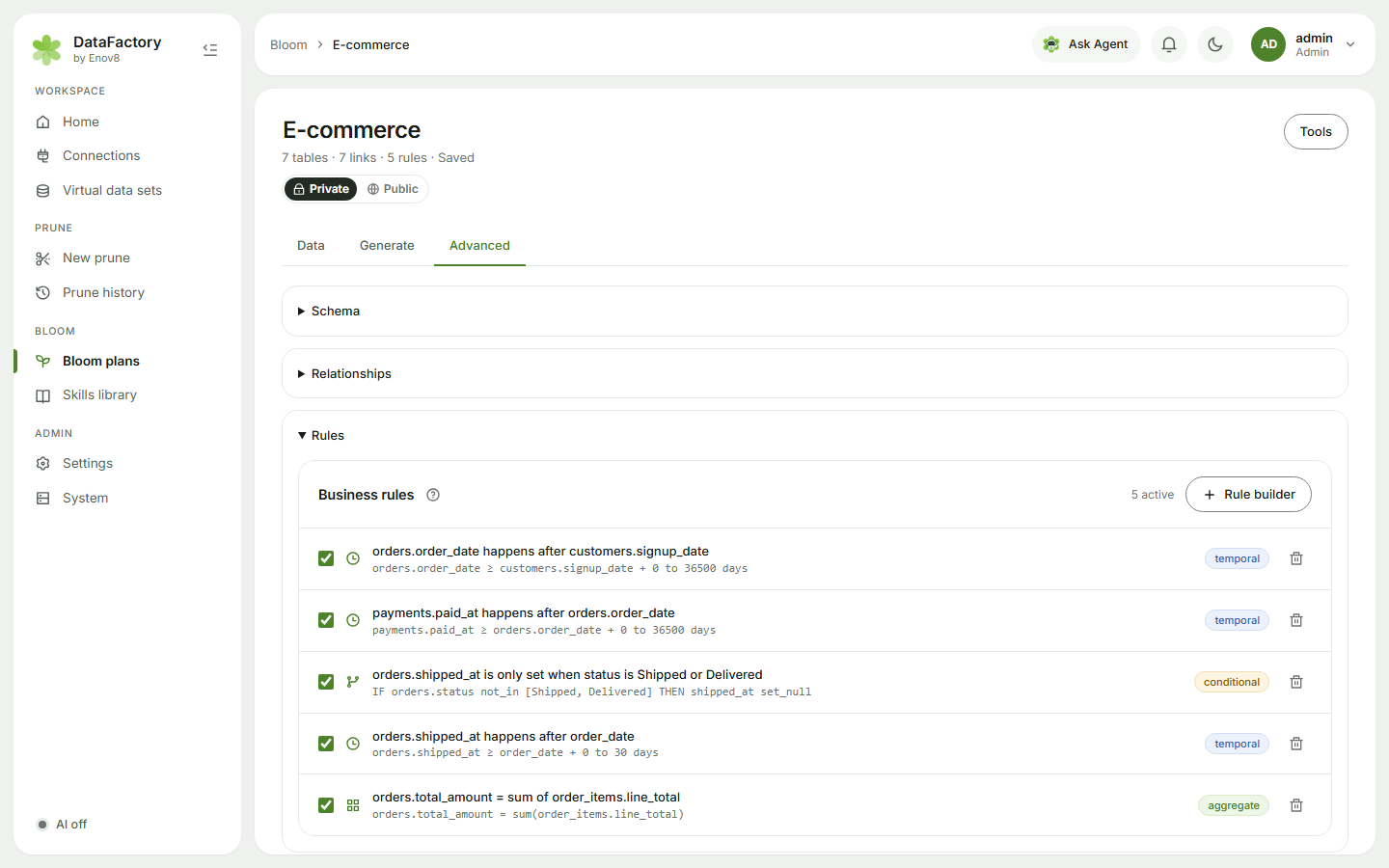
Add a rule
- Add with AI: type it in plain English: "Payments happen 0–3 days after the order" or "Cancelled orders have no shipped date". Shown when AI is on; only table and column names are sent.
- Rule builder: no AI needed. There are three kinds:
| Rule | Example | Fields |
|---|---|---|
| Date order | Claims are lodged 0–14 days after the service | Date column, Must be after, Fewest / Most days after |
| If / then | If status is Pending or Rejected, paid date is empty | When column, Operator (equals, not equals, is one of, is none of), Then column, Is (empty, always filled, a fixed value) |
| Parent total | An order's total is the sum of its line amounts | Parent column, Function (sum, count, max, min), Child table, Child column |
Each rule has a checkbox, so you can switch it off without deleting it.
A rule can't set a primary key or a link column, or put a formula in a value. To move ids, ask the agent "make the ids start from 500".
Calculated columns
For values worked out from others in the same row, such as quantity * unit_price or a due date 14 days after the invoice, use a Formula skill on that column instead of a rule. See Formulas.