Design your data
The Tools menu at the top of every plan has Undo, Auto-analyse (re-tags columns by rule, no AI) and, when AI is on, Refine with AI. Changes save automatically; the header shows Saved, Saving… or Not saved. Retry.
Data: skills per column
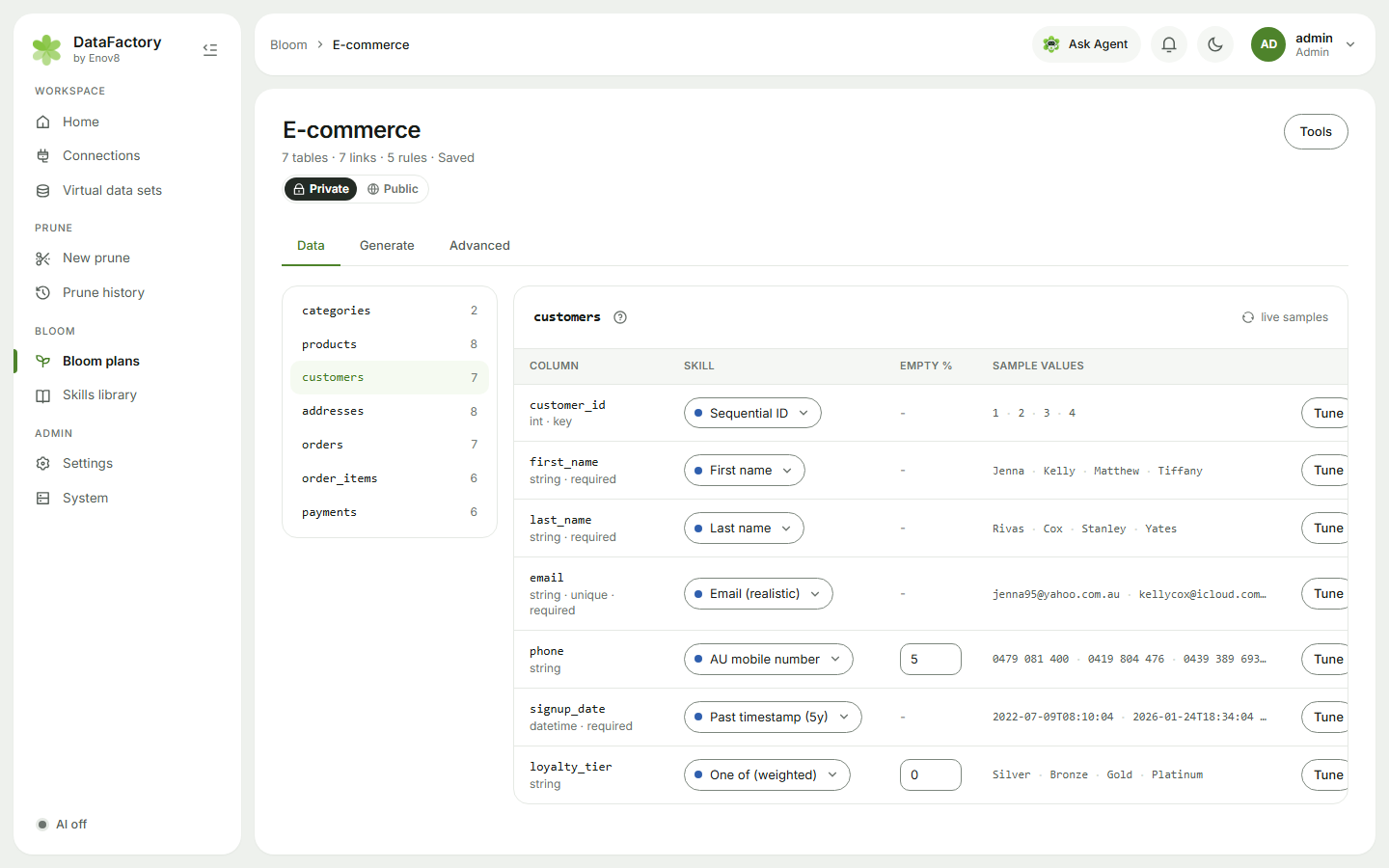
Pick a table in the list on the left. Every column has a Skill, an Empty % and live Sample values.
- Click a skill to choose another. The list is grouped by type, with Suggested skills first. Skills that can't fit the column (wrong type, too long, against a CHECK constraint, or not unique enough) are listed under Does not fit this column with the reason.
- Click Tune to adjust its options (ranges, patterns, value lists, weights) with a live preview. Reset to skill defaults undoes it.
- Columns marked Learned from source carry value mixes copied from your source. You can edit the mix.
Pick related skills in the same table, e.g. Insurance product name and Insurance line of business, and Bloom keeps them in agreement on every row.
Advanced → Schema and the project brief
The Project brief teaches Bloom (and the AI, if it's on) about your business in a sentence or two: "Australian retail bank. Segments: Mass 70%, Affluent 20%… Most customers live in NSW, VIC and QLD." Use the Examples (Bank, Insurer, Retailer, Hospital) as a starting point. The brief is optional.
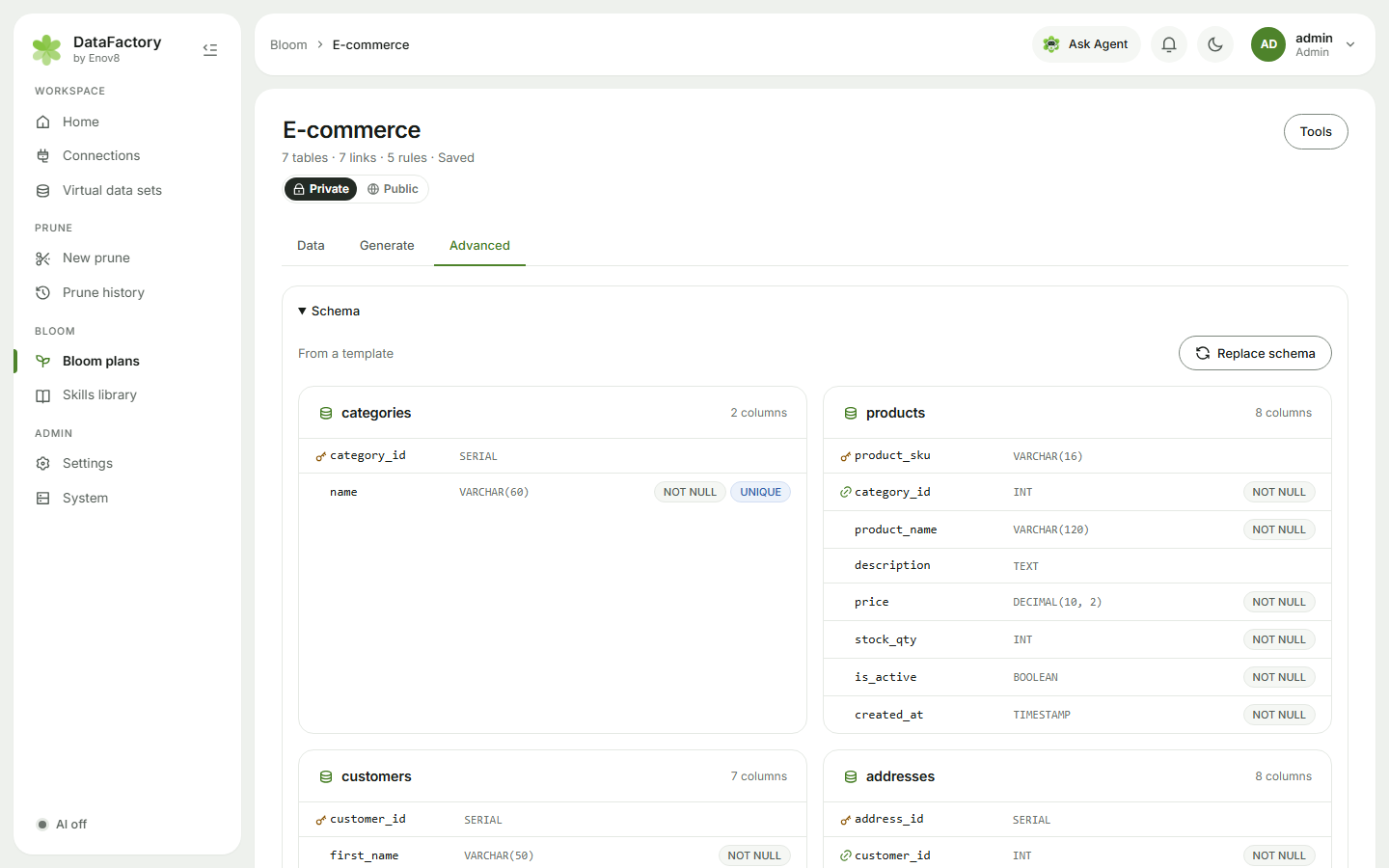
Below it you'll see every table and column with its keys and constraints. Rebuild from VDS (or Replace schema for a SQL plan) reads the schema again. It replaces your design, and Undo brings it back.
Advanced → Relationships and row volumes
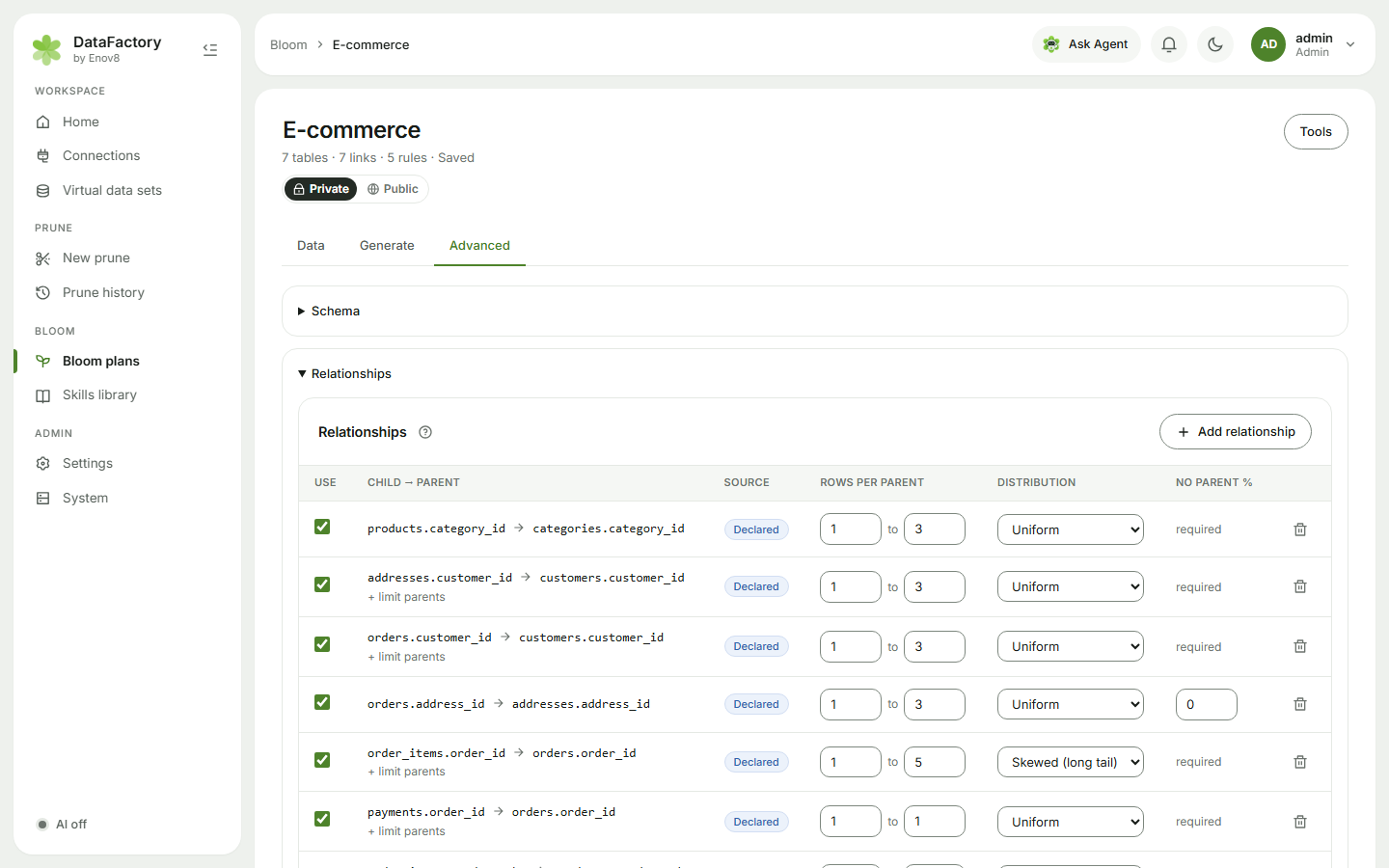
For each link (Child → parent) set:
- Rows per parent: min and max children, e.g. 1–5 accounts per customer.
- Distribution: Uniform, Poisson or Skewed (long tail) (most parents have few children, some have many).
- No parent %: share of child rows with no parent, where the column allows it.
A link whose column is the child's primary key shows 1:1 · exactly 1: one child per parent. A link whose column is unique allows exactly 1, or 0 or 1. + limit parents links children only to some parents, e.g. loans only on home-loan and personal-loan accounts.
Use Add relationship for links the schema doesn't declare, and View diagram to see them all.
Under Row volumes, each table is Auto (sized from its parents), Fixed count or Per parent. Tick Same at every volume for lookup tables, such as branches or products, that shouldn't grow when you raise the run's Volume.