Generate & validate
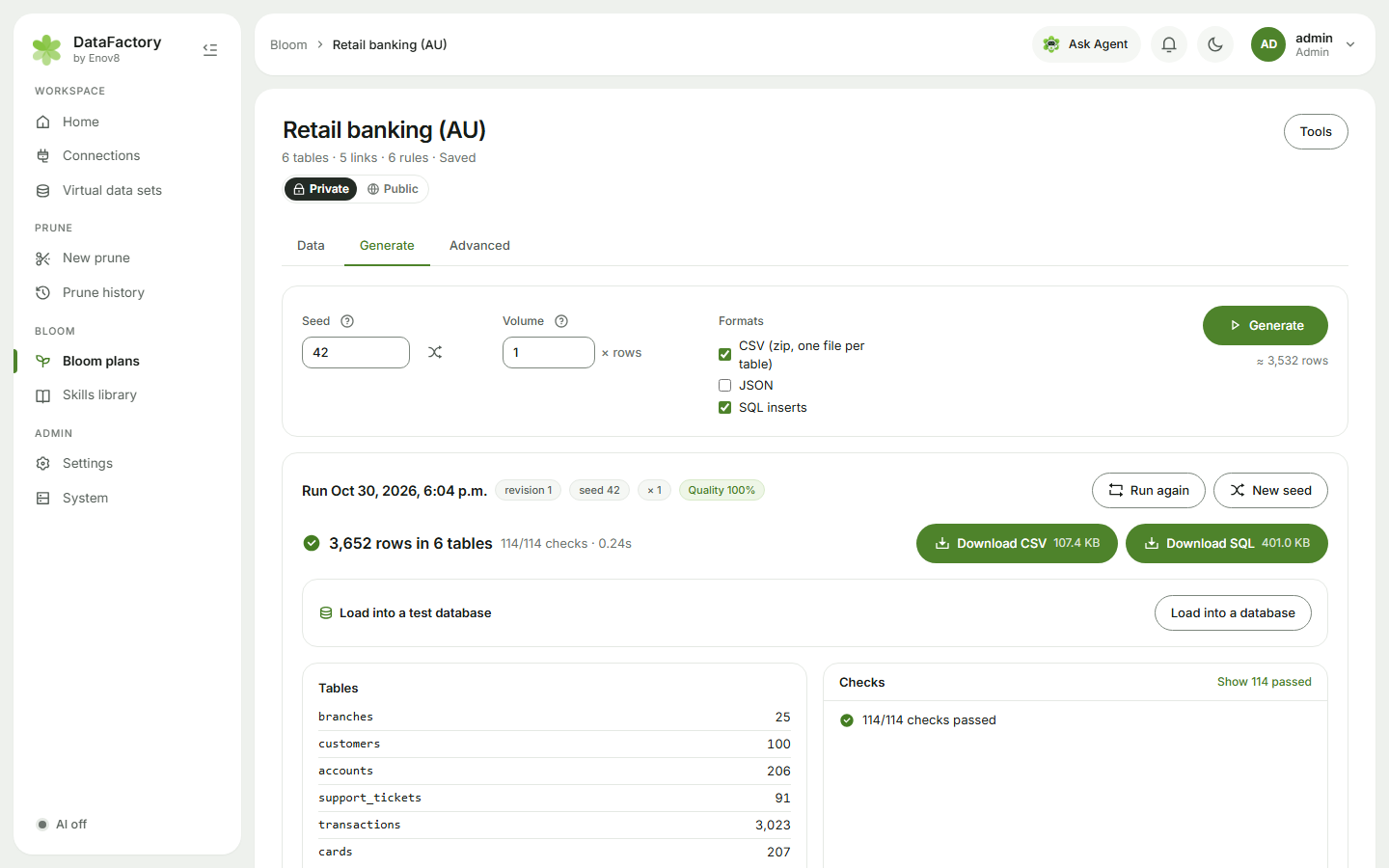
Settings
| Setting | What it does |
|---|---|
| Seed | Same number = same data every time. |
| Volume | Multiplies every table's row count (0.1× to 1000×). |
| Formats | CSV (zip, one file per table), JSON, SQL inserts. Pick any combination. |
| AI-written text | Free-text columns (descriptions, notes) written once by AI and reused. Shown when AI is on; off = built-in text. |
The plan remembers these. Click Generate. Small plans finish in seconds; millions of rows take minutes.
Before it runs
Bloom checks the plan first. If something would stop it, such as a row count that can't be met or a skill that can't fill a column, a This plan will not generate yet card says what's wrong, with a link straight to the table or column to change. A run that fails shows Run failed with the same kind of link.
Check the result
The result starts with a summary line, N rows in M tables · x/y checks · time, and pills for the seed, volume and Quality score. 100% means every key, link, constraint, format and rule check passed.
| Download CSV / JSON / SQL | The data, in the formats you picked |
| Load into a test database | See Load into a test database |
| Checks | Each check, with any problem rows |
| Row viewer | Page through every table |
| Column profile | Empty %, Distinct, Range and Distribution per column |
| Quality report, Plan copy | The checks and the plan, as files |
Run again repeats the run with the same seed; New seed makes a fresh set. The Showing list at the top picks any earlier run, with its time, plan revision, seed, rows and quality.
Limits
- Up to 3 runs per person can be queued or running at once.
- Bloom handles up to 10 million rows per run by default. Above 250,000 rows it works on disk instead of in memory, and it checks there's enough free disk space before it starts. If you see This run would create about N rows (limit …), lower the Volume.