AI settings
Admin → Settings → AI. Admins can also click the AI on / AI off pill at the bottom of the left menu. AI is off on a new server. It's optional: with it off, every Bloom feature still works, and the AI buttons are hidden. See AI & the agent.
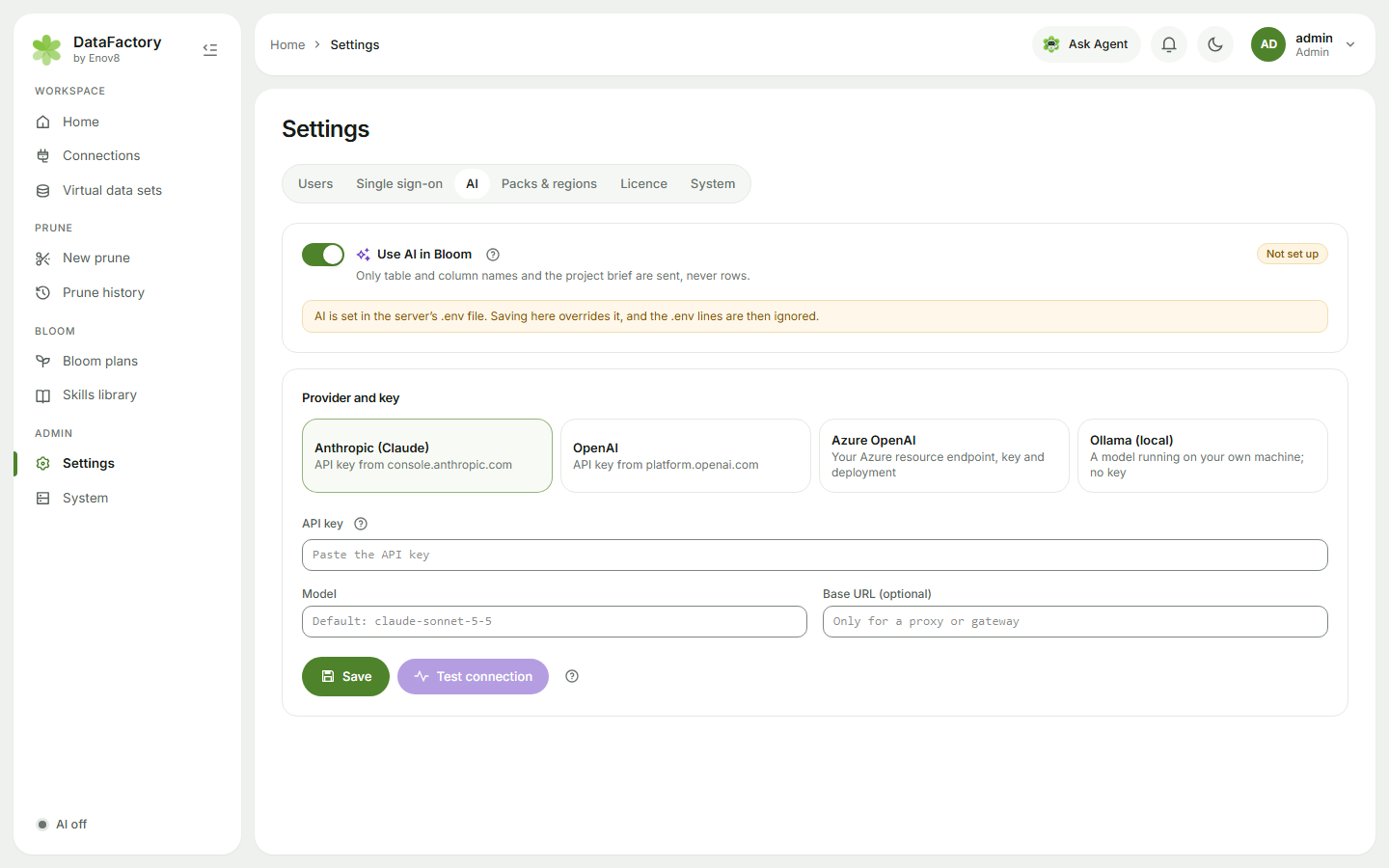
- Switch on Use AI in Bloom.
- Choose a provider: Anthropic (Claude), OpenAI, Azure OpenAI or Ollama (local).
- Enter the API key. It's stored encrypted and never shown again. For Azure, also enter the Endpoint, Deployment name and API version. For Ollama, enter its address.
- Optionally set a Model (leave it empty for the default).
- Click Save, then Test connection. The test costs a fraction of a cent.
What's sent
Only table and column names, plan settings and project briefs, never rows of data. For no external calls at all, use Ollama (local) on your own hardware.
Settings saved here override any DATABLOOM_AI_* values in the server configuration.
Isolated networks
DataFactory needs outbound access to the provider. On a network with no internet access, use a model server inside your network: Ollama (local), or an OpenAI-compatible server such as vLLM.