Users
Admin → Settings → Users.
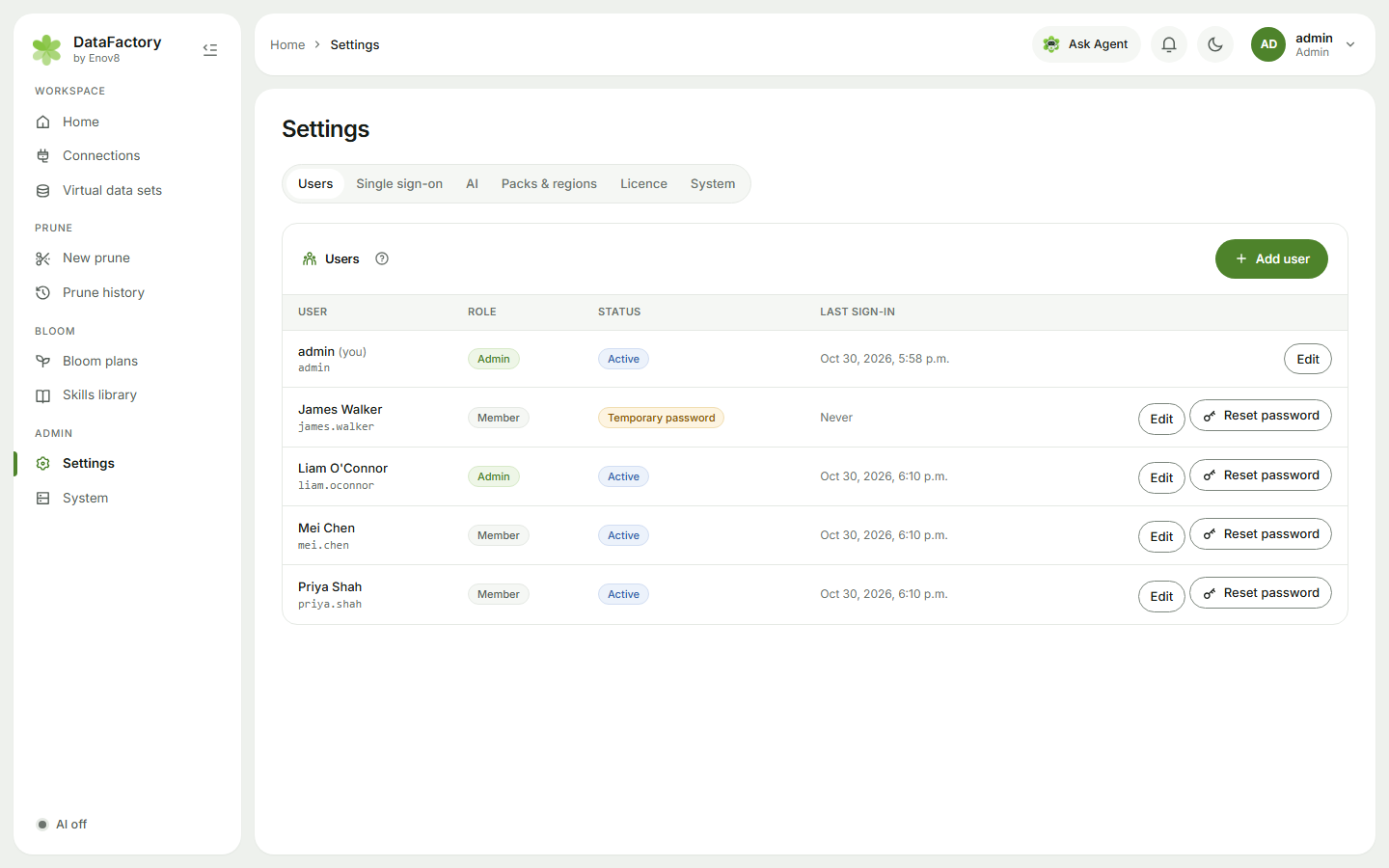
Add a user
- Click Add user.
- Enter a username (e.g. jane.citizen), full name and Role (Member or Admin).
- DataFactory suggests a temporary password (click the refresh icon for another).
- Copy the details from Share the sign-in details and send them to the person privately. The temporary password is shown only once.
They choose their own password the first time they sign in.
Manage users
- Edit: change the full name or role (you can't change your own role), or turn off Can sign in. That signs them out straight away; their connections and plans are kept.
- Reset password: set a new temporary password (8+ characters).
- The list shows Role, Status (Active, Temporary password, Disabled), an SSO pill for single sign-on users, and Last sign-in.
People who sign in with SSO can be created automatically. See Single sign-on.
User limit
If your licence sets a number of users, adding or re-enabling a user beyond it is refused with The licence allows N active users. Disable a user or ask Enov8 for more. Disabled users don't count.
The admin account
The admin account made at install is always an admin, and you can't remove the last active admin.
Forgot the admin password? On the appliance, sign in on the VM console and choose Reset admin password. It gives admin a one-time password to change at the next sign-in. See System and diagnostics.