Packs & regions
Admin → Settings → Packs & regions. Keep Bloom focused: turn off what your teams don't need, and it disappears from the Skills library, Data design, automatic tagging and AI suggestions. Plans that already use it keep working.
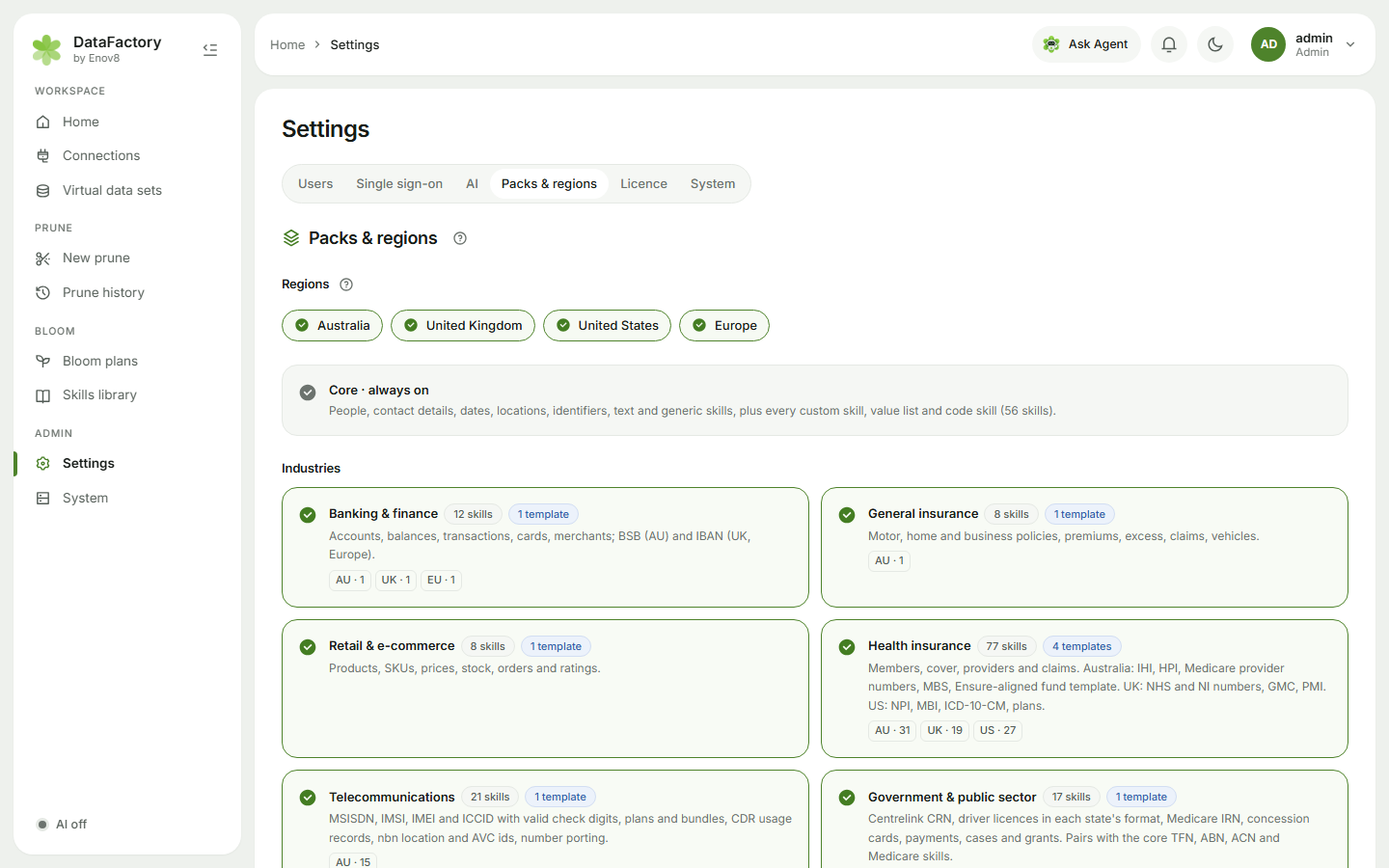
Regions
Australia, United Kingdom, United States, Europe. Regions scope every pack at once: an Australian BSB, an NHS number or a US claims template only appears when its region is on. Region-neutral skills (amounts, products, Salesforce IDs, e-ticket numbers) always show. Keep at least one region on.
Airlines & travel follows the same rule: the IAG templates (with EU261/UK261 claims and Avios) show for the United Kingdom or Europe, the Qantas and Velocity templates for Australia, and the US carrier and miles templates for the United States.
Packs
| Kind | Packs |
|---|---|
| Core · always on | People, contact details, dates, locations, identifiers, text, generic and technical skills, plus all custom skills |
| Industries | Banking & finance · General insurance · Retail & e-commerce · Health insurance · Telecommunications · Government & public sector · Energy & utilities · Superannuation & wealth · Airlines & travel |
| Platforms | Salesforce |
Each card shows its skills per region and its templates. Click Save to apply.
The first time an admin opens Bloom, DataFactory asks What do you build test data for? so you can set this up straight away (or Show everything).
New packs added by a release start switched off on servers that have already saved a choice. Turn them on here.